


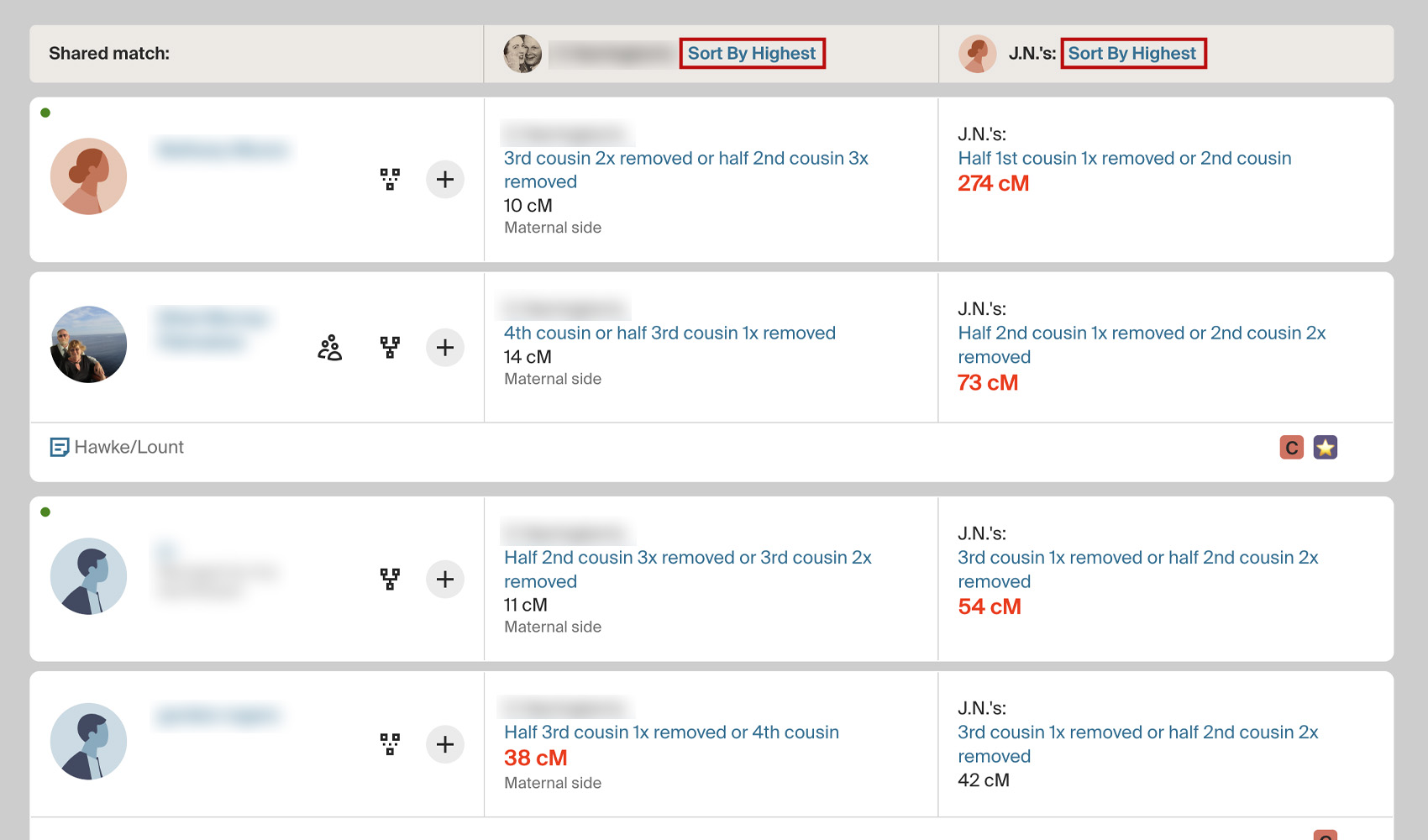
What problem does Add Quick Sort Links to Shared Matches solve?
On Ancestry’s shared matches page, there is no header row with sort links above the two cM columns. If you want to flip from sorting by cM with you to cM with the match, you have to go through Ancestry’s sort menu every time. Add Quick Sort Links to Shared Matches adds a one-click sort link above each column so you can flip between the two sorts instantly.
How does Add Quick Sort Links to Shared Matches work?
On any match’s shared matches page, a Sort ▼ link is added above each of the two cM columns. Click the link above the cM column that shares with you to sort the list by cM shared with you, or click the link above the other column to sort by cM shared with the match. The list re-sorts immediately without reloading. The same two sorts are also available as keyboard shortcuts through the Add Keyboard Shortcuts to DNA Matches feature.
How do I use Add Quick Sort Links to Shared Matches?
- Ensure Add Quick Sort Links to Shared Matches is enabled in the Genealogy Assistant pop-up panel.
- Open a DNA match and click the Shared Matches tab.
- Click Sort ▼ above either cM column to sort the list by that column.
Add Quick Sort Links to Shared Matches is a feature of the software Genealogy Assistant.
Genealogy Assistant is an extension for Google Chrome, Mozilla Firefox, Microsoft Edge and Apple Safari which supercharges your family history research by adding over 100 custom features to popular genealogy websites like Ancestry, MyHeritage, FamilySearch, FamilyTreeDNA and more. You can watch a full video walkthrough on YouTube.
Install Genealogy Assistant for Google Chrome | Install for Mozilla Firefox | Install for Microsoft Edge | Install for Apple Safari