

What problem does Index Ancestry Family Tree in Quick Search solve?
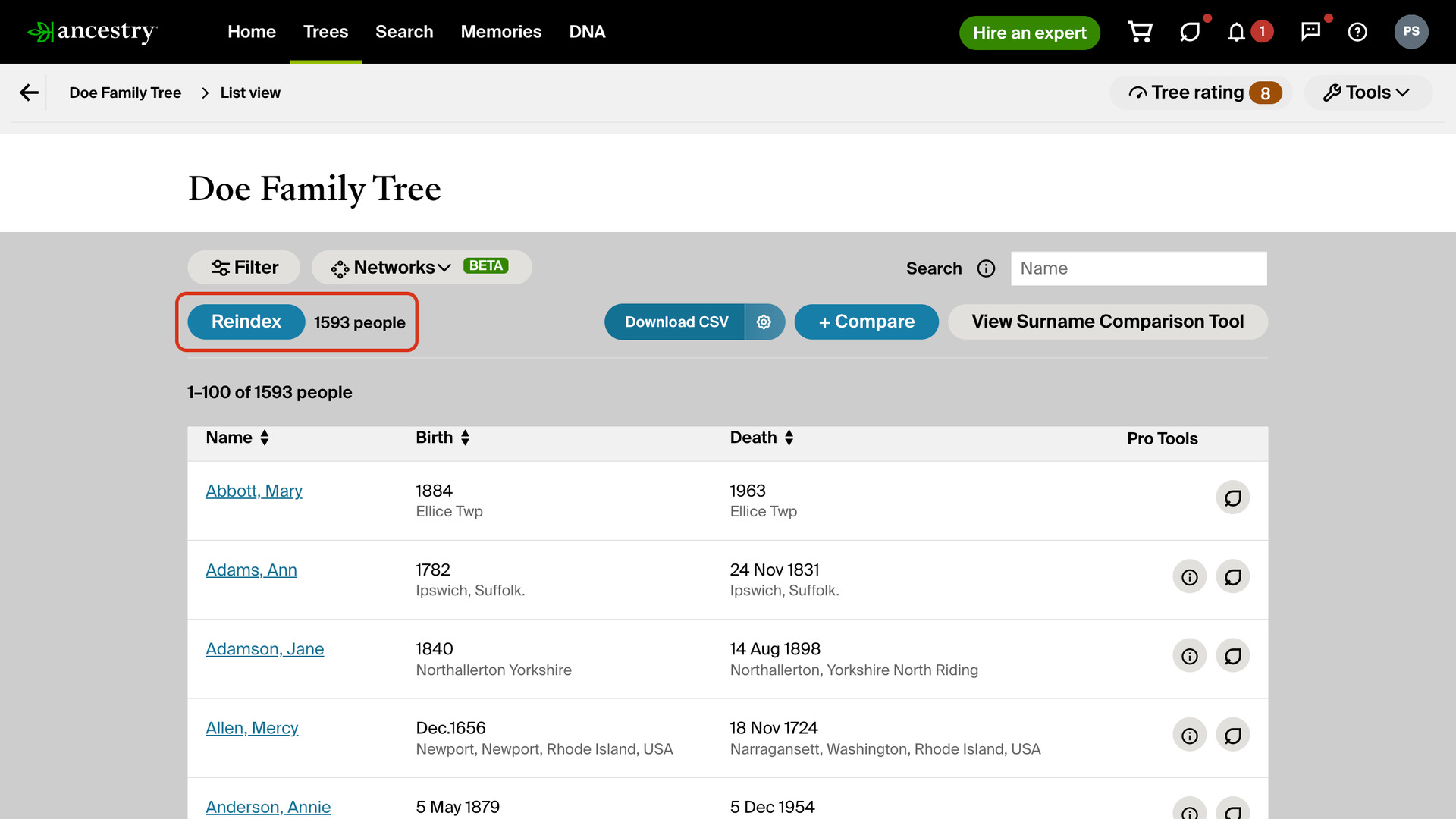
Index Ancestry Family Tree in Quick Search adds an Index People button to the list of all people in your Ancestry family trees. It adds everyone in the tree to Quick Search, so you can open anyone’s profile by typing their name. The tree then keeps itself up to date as you edit it.
How does Index Ancestry Family Tree in Quick Search work?
The button sits at the top left of the list of all people, beside a count of the people indexed for that tree. Clicking it reads the whole tree in one pass while a progress window counts the people read. Cancel stops it without changing what was indexed before.
When it finishes, the count shows the new total and the button becomes Reindex. Every indexed person then appears in Quick Search results. Once you have more than one tree there, each person shows their tree’s name in a coloured label.
From then on the tree looks after itself. About every six hours, whether or not Ancestry is open, Genealogy Assistant checks whether the tree has changed. It then fetches only the people added, edited or removed, so there is no need to click Reindex after editing your tree.
You can also add a tree without visiting it: tick it under Trees in the Quick Search settings and it is fetched within a minute. Very large trees are read across several checks the first time. Uploading the tree’s GEDCOM file instead adds it in one go, and only the changes made since the export are fetched afterwards. Up to 10 trees can be added.
How do I use Index Ancestry Family Tree in Quick Search?
- In the Genealogy Assistant pop-up panel, make sure Index Family Tree in Quick Search is turned on.
- Open the list of all people in one of your Ancestry family trees.
- Click Index People. When the progress window closes, the count beside the button shows how many people were indexed.
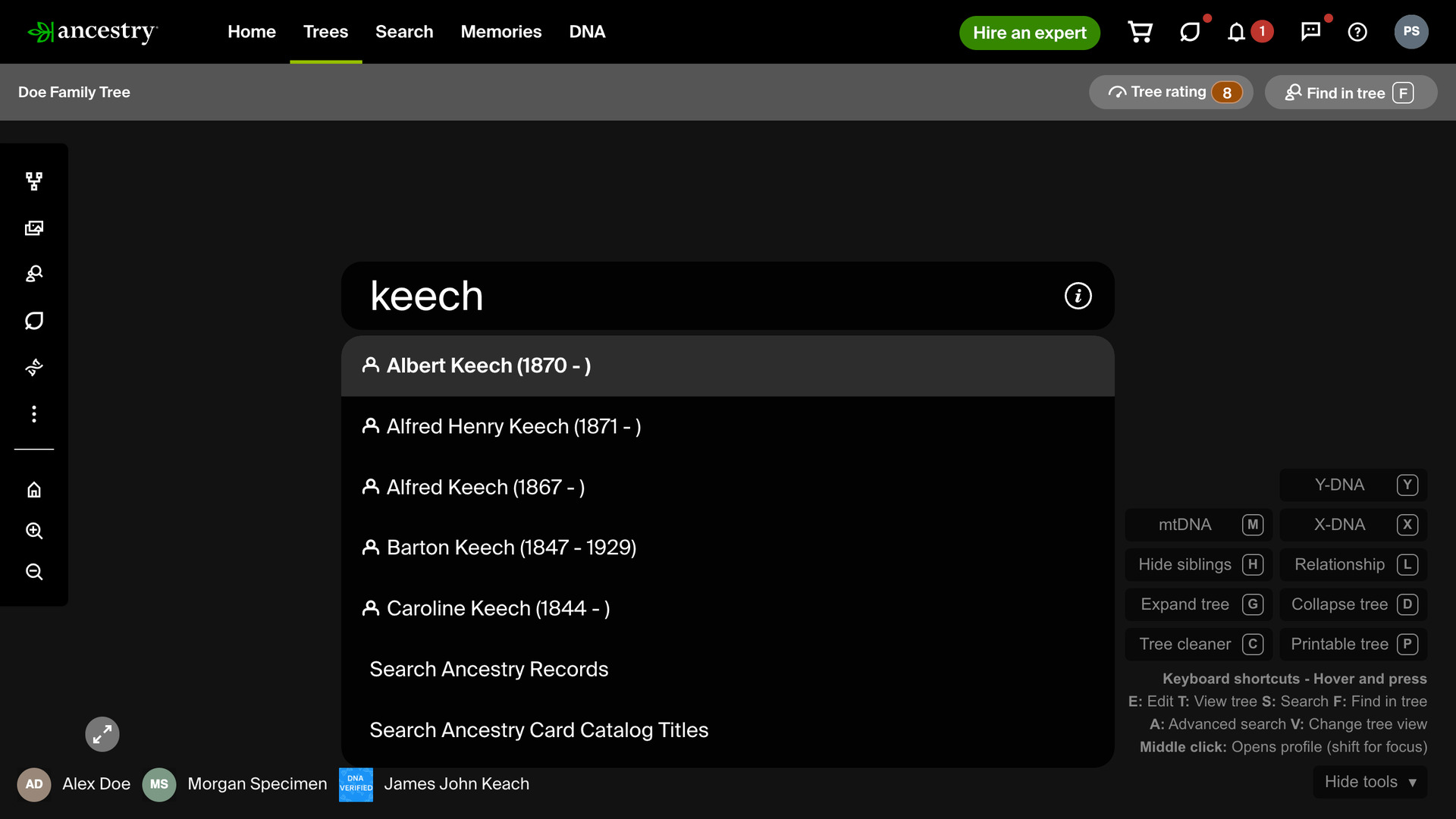
- Open Quick Search with
Alt+Q(Option+Qon a Mac) and type a name. People from the tree appear in the results; click one to open their profile. - To check your trees now, click the settings icon next to Quick Search via Alt + Q in the pop-up panel. Advanced Settings opens at Quick Search.
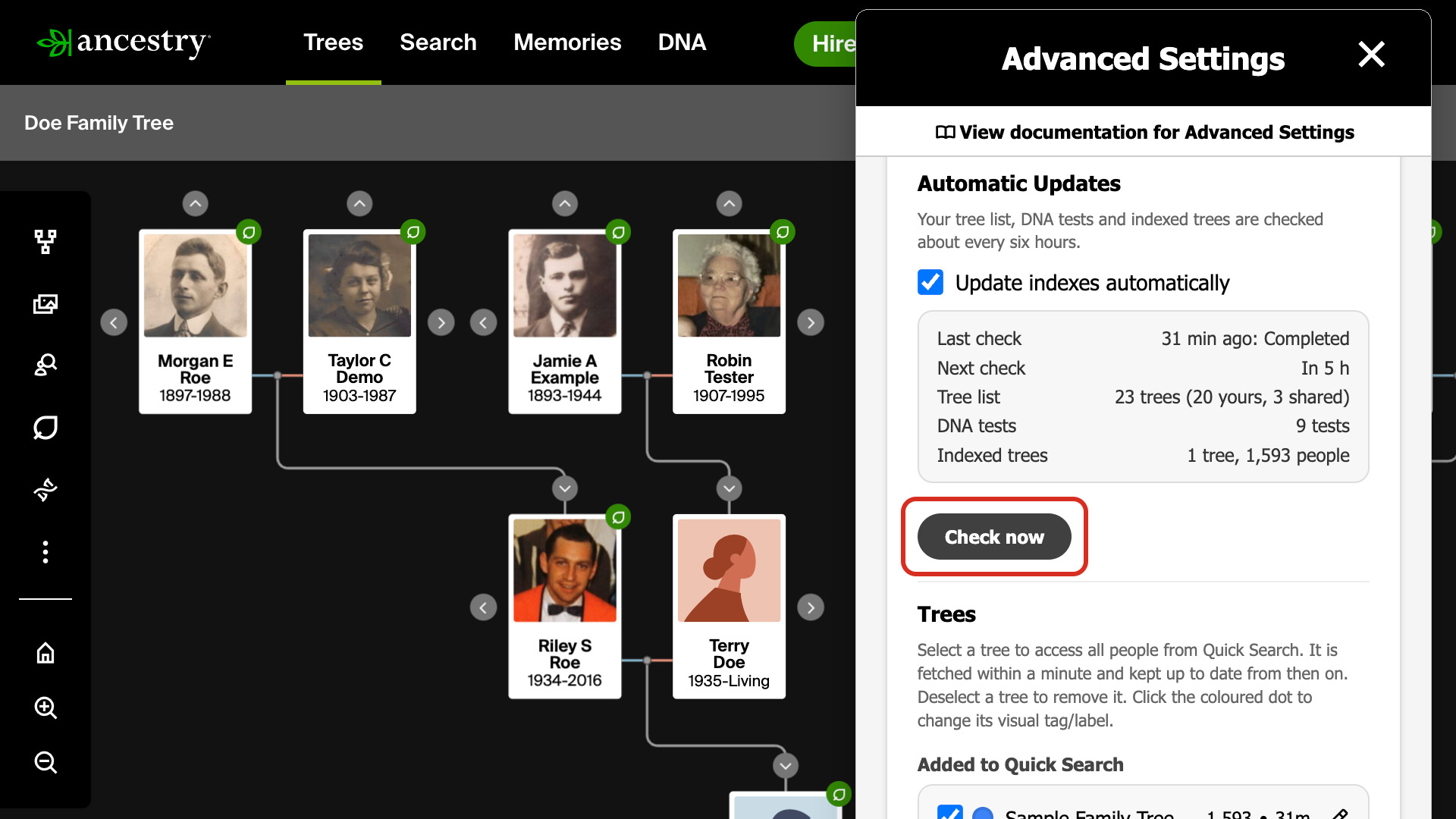
- Under Automatic Updates, click Check now. The status box there shows the last and next check and how many people are indexed.
- To stop the checks, untick Update indexes automatically. It saves as soon as you click.
- To remove a tree from Quick Search, untick it under Added to Quick Search.
- Click Reindex on the list of all people if you ever want the whole tree read again from scratch.
Related features
- Quick Search via Alt + Q: Press Alt + Q on any web page and type a census year, a place or a record type to go straight to the matching collection in the Ancestry Card Catalog.
- Index DNA Tests in Quick Search: Type dna and a test name into Quick Search to open its match list.
- FamilySearch: Index Family Tree in Quick Search: Add your FamilySearch ancestors to Quick Search to open any of them by name, and have the Surname Comparison Tool and Common ancestors count them as your tree.
Index Ancestry Family Tree in Quick Search is a feature of the software Genealogy Assistant.
Genealogy Assistant is an extension for Google Chrome, Mozilla Firefox, Microsoft Edge and Apple Safari which supercharges your family history research by adding over 100 custom features to popular genealogy websites like Ancestry, MyHeritage, FamilySearch, FamilyTreeDNA and more.
Install Genealogy Assistant for Google Chrome | Install for Mozilla Firefox | Install for Microsoft Edge | Install for Apple Safari