

What problem does Add Keyboard Shortcuts to Matches List solve?
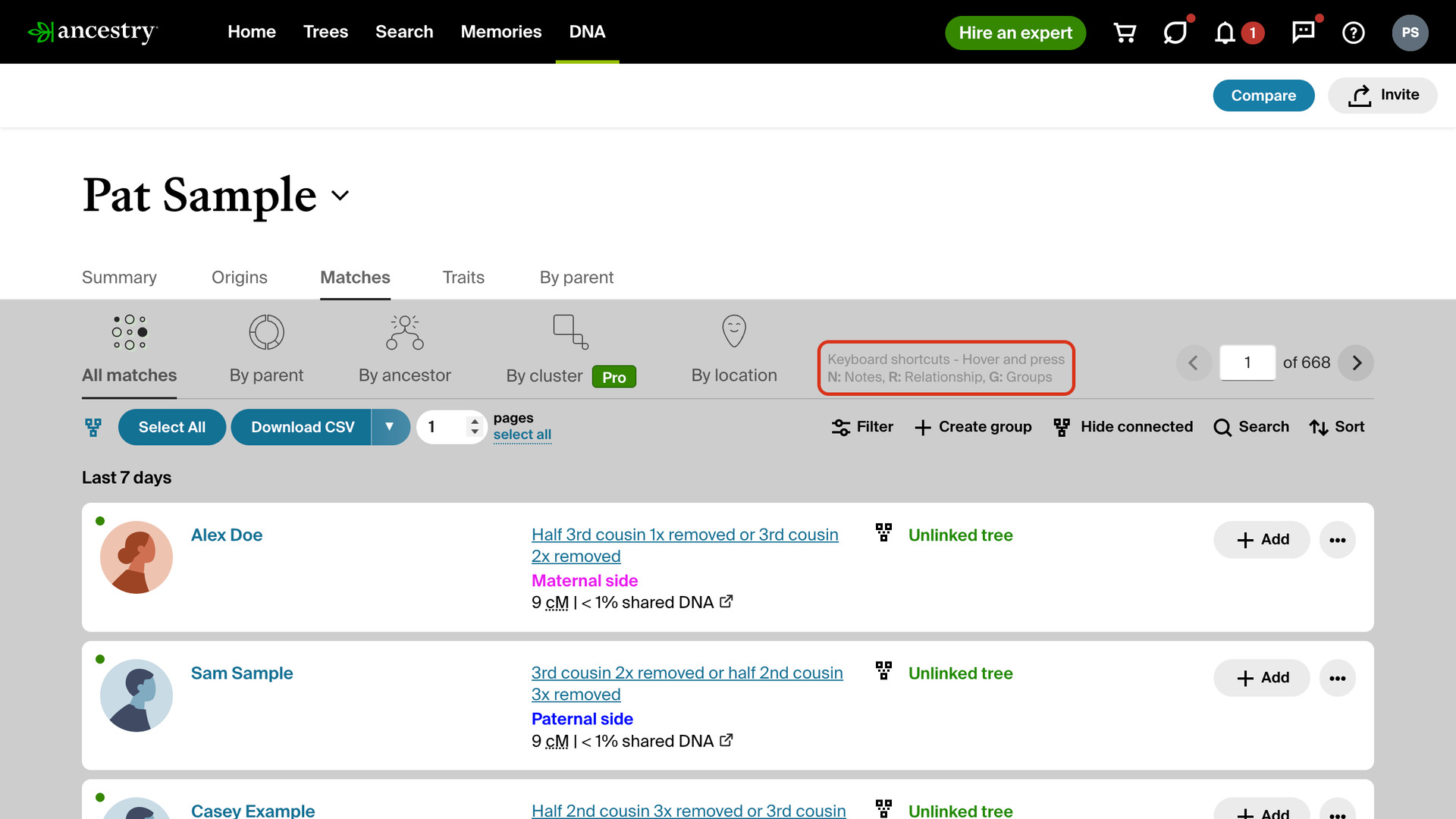
Add Keyboard Shortcuts to Matches List opens a match’s note, relationship or groups sidebar on your AncestryDNA match list with a single key press. Without it, each one takes a click on the match’s menu and another on the item you want.
How does Add Keyboard Shortcuts to Matches List work?
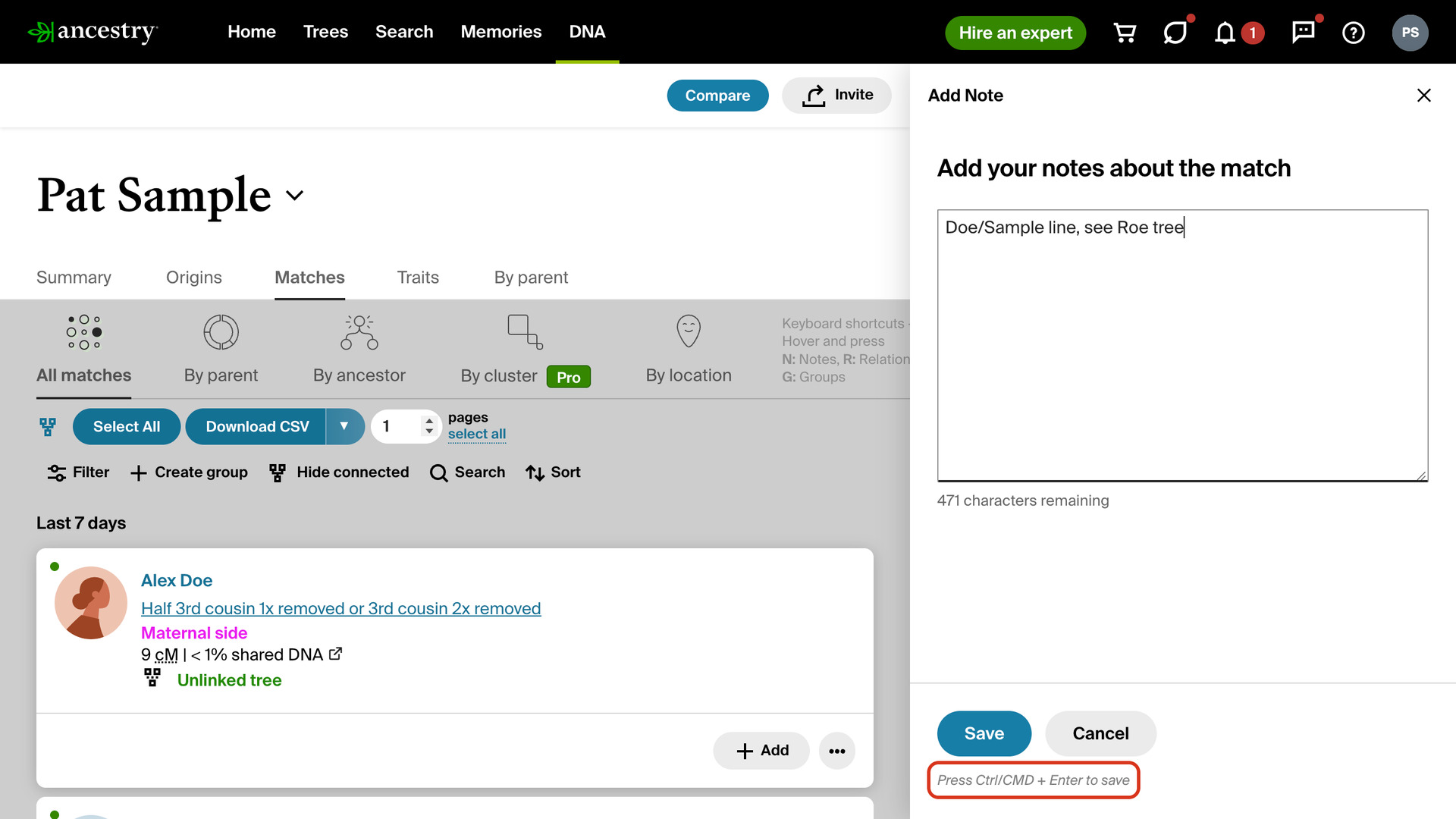
Hover over a match and press N for its note, R for its relationship or G for its groups. Ancestry’s own sidebar opens for that match, the same one its menu opens, so everything in it works as usual. After N, the cursor is already in the note box.
A reminder of the three keys sits at the right of the tabs above your matches. Under its buttons, the note sidebar reads Press Ctrl/CMD + Enter to save, so you can save a note without the mouse. Press Esc to close any open sidebar.
How do I use Add Keyboard Shortcuts to Matches List?
- In the Genealogy Assistant pop-up panel, make sure Add Keyboard Shortcuts to Matches List is turned on.
- Open your AncestryDNA match list.
- Hover over a match and press
N,RorG. That match’s note, relationship or groups sidebar opens. - Make your changes in the sidebar. To save a note, press
Ctrl+Enter(Cmd+Enteron a Mac). - Press
Escto close the sidebar.
Keyboard Shortcuts
Nopens the note sidebar for the match you are hovering over, with the cursor in the note box.Ropens the relationship sidebar for the match you are hovering over.Gopens the groups sidebar for the match you are hovering over.Ctrl+Enter(Cmd+Enteron a Mac) saves the open note.Esccloses the open sidebar.
Related features
- Add Keyboard Shortcuts to DNA Matches: Reach the common links and buttons on any Ancestry DNA match page from your keyboard, with a small letter beside each one showing its shortcut.
- Add Select All Button to Matches List: A Select All Matches button in the filters toolbar ticks every match on the page, even with filters or a surname search applied, ready to add to a group.
- Open Shared Matches from Match Name: Clicking a name in your DNA matches list opens that match’s shared matches, and clicking their photo opens their trees.
Add Keyboard Shortcuts to Matches List is a feature of the software Genealogy Assistant.
Genealogy Assistant is an extension for Google Chrome, Mozilla Firefox, Microsoft Edge and Apple Safari which supercharges your family history research by adding over 100 custom features to popular genealogy websites like Ancestry, MyHeritage, FamilySearch, FamilyTreeDNA and more.
Install Genealogy Assistant for Google Chrome | Install for Mozilla Firefox | Install for Microsoft Edge | Install for Apple Safari