


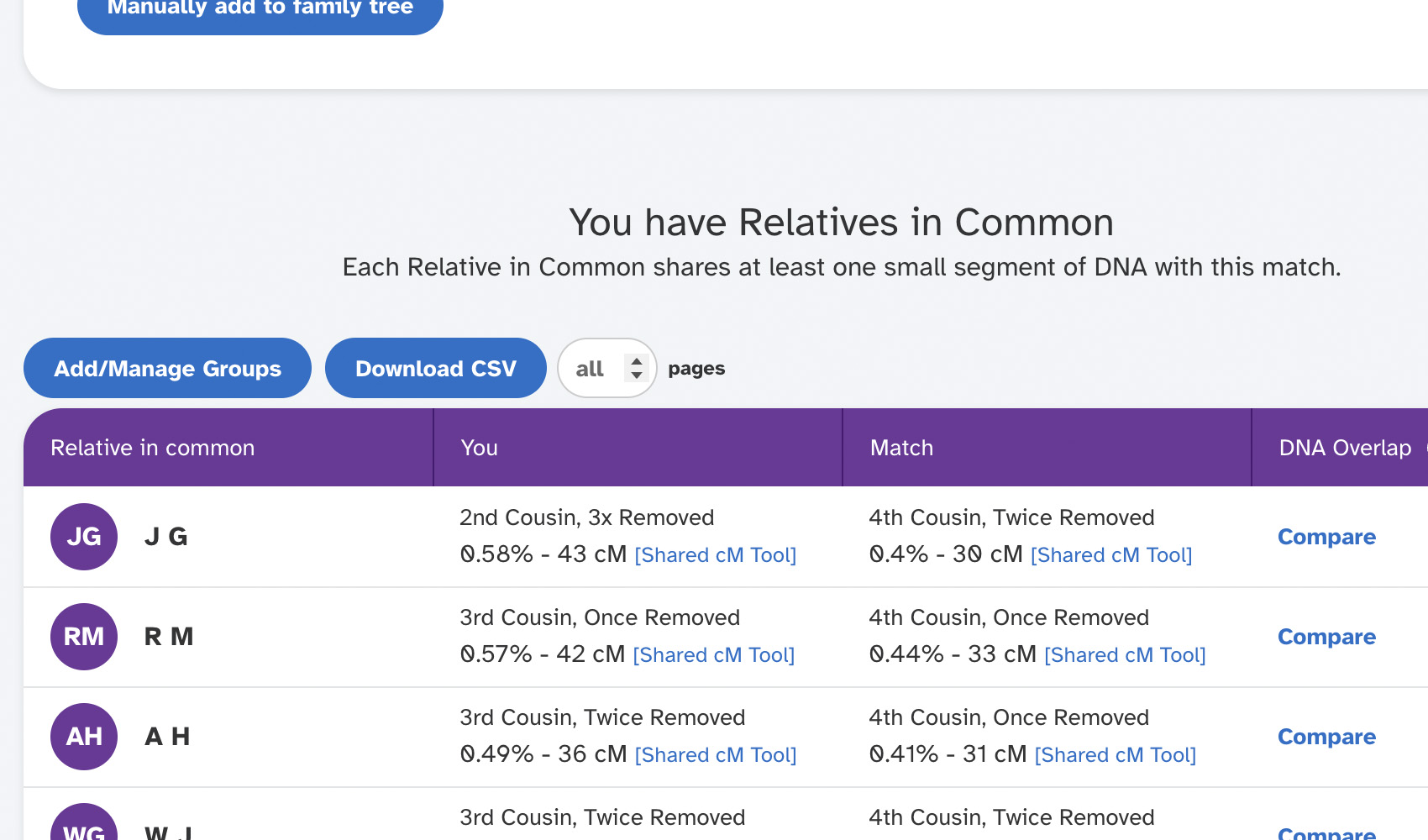
What problem does 23andMe Automatically Open Relatives in Common solve?
When you open a 23andMe match’s profile, the Relatives in Common section is collapsed by default and you have to click a button every time to expand it. 23andMe Automatically Open Relatives in Common removes that extra click by expanding the section for you as soon as the profile loads.
How does 23andMe Automatically Open Relatives in Common work?
Whenever you open a 23andMe match profile, Genealogy Assistant watches for the Relatives in Common button to appear and clicks it automatically, expanding the shared matches list for you. There is no setting to adjust. The click happens in the background as long as the feature is enabled.
How do I use 23andMe Automatically Open Relatives in Common?
- Ensure 23andMe Automatically Open Relatives in Common is enabled in the Genealogy Assistant pop-up panel.
- Open any 23andMe match profile. The Relatives in Common section will expand automatically.
23andMe Automatically Open Relatives in Common is a feature of the software Genealogy Assistant.
Genealogy Assistant is an extension for Google Chrome, Mozilla Firefox, Microsoft Edge and Apple Safari which supercharges your family history research by adding over 100 custom features to popular genealogy websites like Ancestry, MyHeritage, FamilySearch, FamilyTreeDNA and more. You can watch a full video walkthrough on YouTube.
Install Genealogy Assistant for Google Chrome | Install for Mozilla Firefox | Install for Microsoft Edge | Install for Apple Safari