

What problem does Automatically Expand All ThruLines solve?
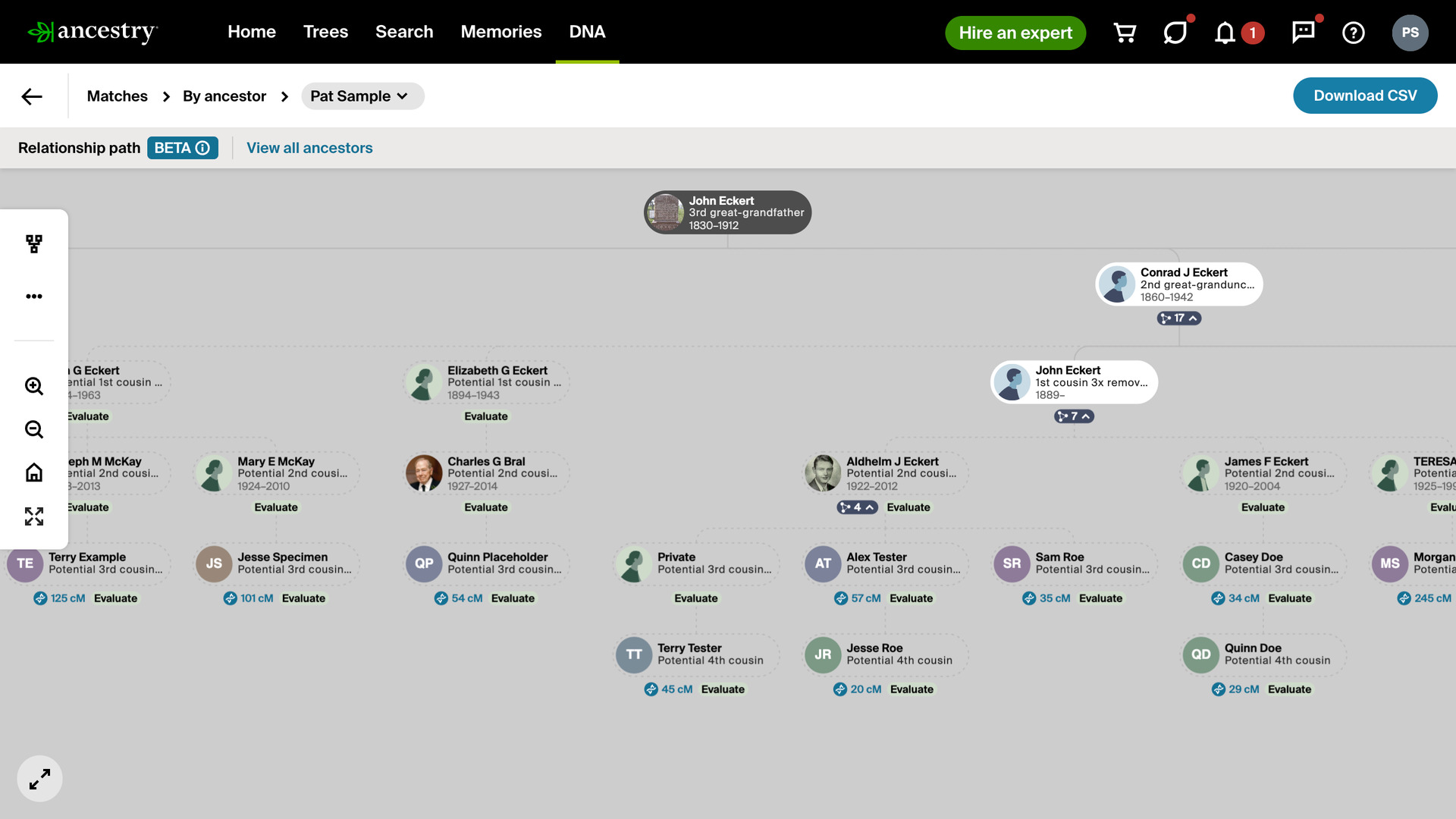
Automatically Expand All ThruLines opens every collapsed group of DNA matches when you open an ancestor’s ThruLine, so you see all the connections at once. Ancestry shows each group as a small button with a match count, and without it you would click every one open in turn.
How does Automatically Expand All ThruLines work?
When a ThruLine loads, every group of matches is opened for you, along with the groups inside it, until the whole ThruLine is showing. That is useful for screenshots, or for reviewing every match descended from an ancestor in one pass. Click any group to close it again.
On a large ThruLine, with more than about 150 matches, only the groups showing when the page loads are opened, and the groups inside them stay closed. Opening every level of a ThruLine that size can freeze the page for minutes, so you open the deeper groups yourself.
How do I use Automatically Expand All ThruLines?
- In the Genealogy Assistant pop-up panel, make sure Automatically Expand All ThruLines is turned on.
- Open ThruLines from the DNA menu on Ancestry.
- Click an ancestor to open their ThruLine. Every group of matches opens as the page loads.
- On a ThruLine with more than about 150 matches, click any group that is still closed to open it.
Related features
- Download ThruLines as CSV File: Download every DNA match in a ThruLine to a CSV file, with relationships, shared cM, segments and the full path from the ancestor to each match.
- Preload Number of ThruLines Matches: Load the match count and shared cM range for every ancestor on your ThruLines card view at once, so the large clusters and the gaps stand out.
- Highlight DNA Matches by cM: Shows matches above 25 cM, or a threshold you choose, in bold red, with maternal matches in pink, paternal matches in blue and public linked trees in green.
Automatically Expand All ThruLines is a feature of the software Genealogy Assistant.
Genealogy Assistant is an extension for Google Chrome, Mozilla Firefox, Microsoft Edge and Apple Safari which supercharges your family history research by adding over 100 custom features to popular genealogy websites like Ancestry, MyHeritage, FamilySearch, FamilyTreeDNA and more. You can watch a full video walkthrough on YouTube.
Install Genealogy Assistant for Google Chrome | Install for Mozilla Firefox | Install for Microsoft Edge | Install for Apple Safari