


What problem does Ancestry Shared Matches Sorting solve?
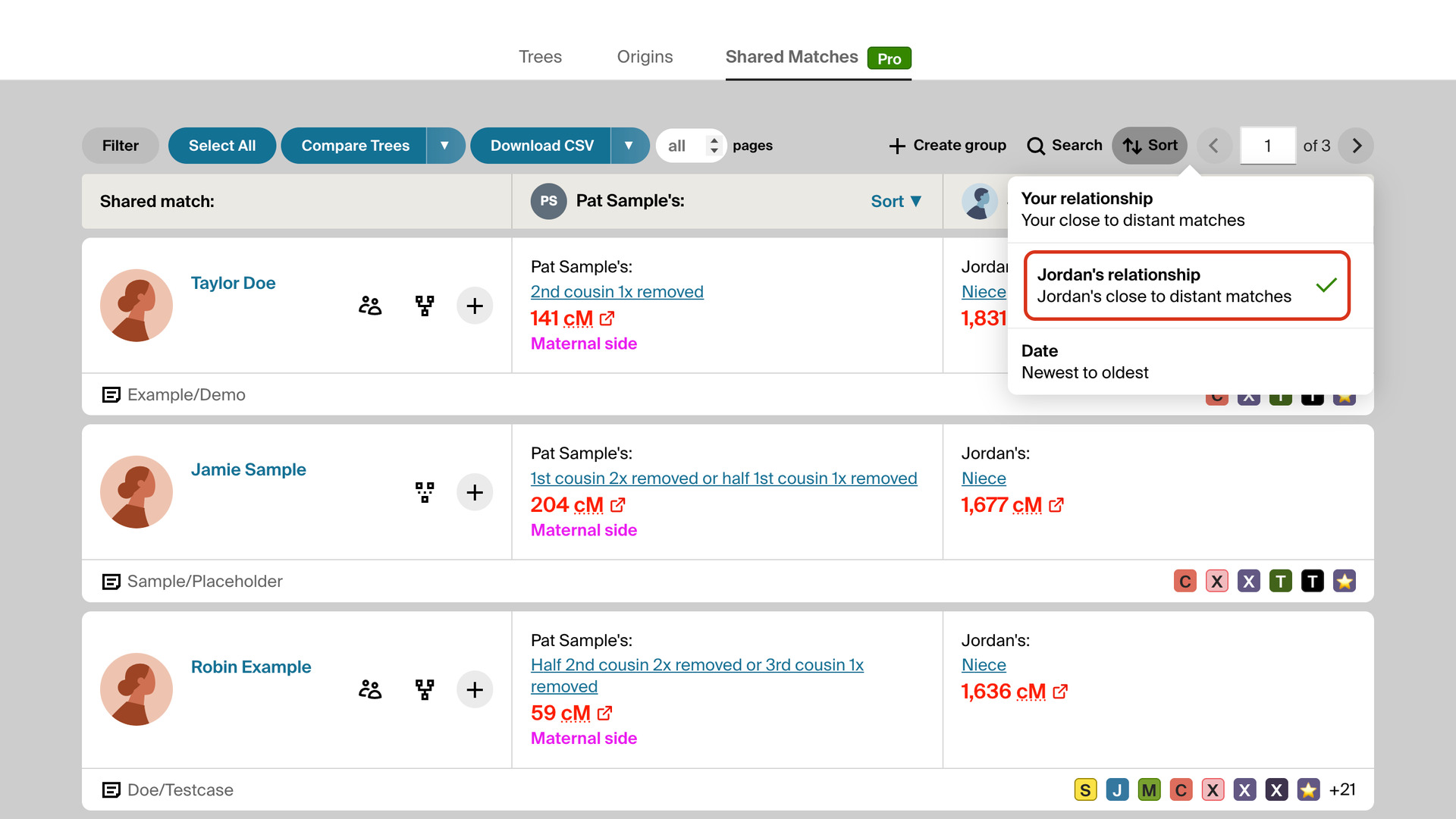
Ancestry Shared Matches Sorting opens every match’s Shared Matches tab on AncestryDNA in the order you choose once in the pop-up panel. With Match, the people who share the most DNA with the match you opened come first. Without it, the tab opens in Ancestry’s order and you change the sort for each match.
How does Ancestry Shared Matches Sorting work?
The Default Shared Matches Sorting switch is in the AncestryDNA Tools section of the pop-up panel. Whichever choice you click is used every time you open a match’s Shared Matches tab:
- Date sorts the shared matches by the date each one first appeared in your match list.
- Tester keeps Ancestry’s own order, by the cM each shared match shares with you.
- Match sorts by the cM each shared match shares with the match you opened, highest first. This is the default.
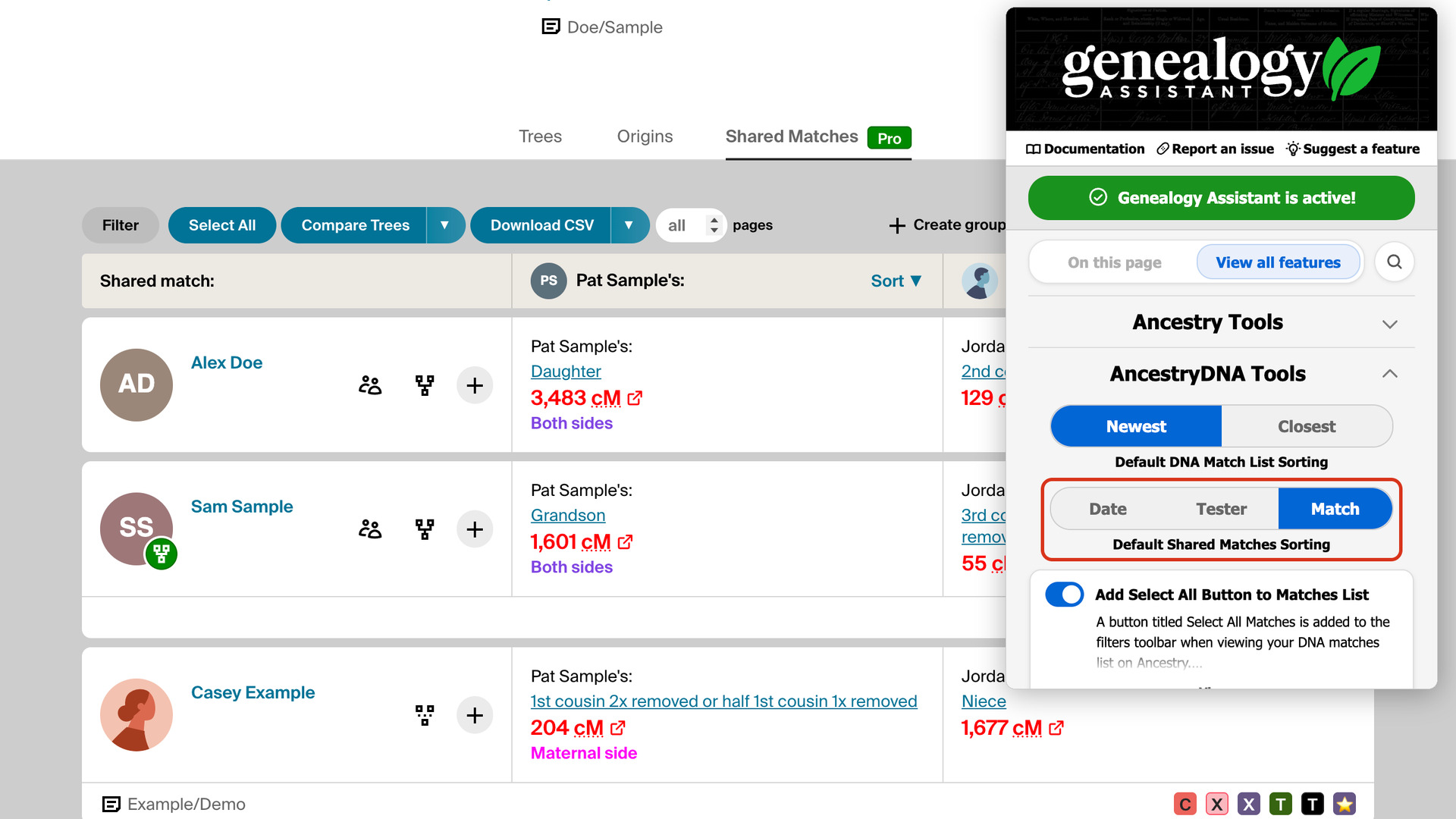
The Match sort is part of Ancestry’s ProTools. Once you have opened your match list, Genealogy Assistant knows whether your account has it. Without ProTools, Match is greyed out in the pop-up panel, and the Shared Matches tab opens in the Tester order instead.
Your choice only sets the order the tab opens in. You can still pick another sort on the tab itself, and the next match you open goes back to your default. The Sort ▼ links from Add Keyboard Shortcuts to DNA Matches switch between the two cM sorts in one click.
How do I use Ancestry Shared Matches Sorting?
The Match sort needs Ancestry’s ProTools subscription; the other sorts work without it.
- In the Genealogy Assistant pop-up panel, find Default Shared Matches Sorting in the AncestryDNA Tools section.
- Click Date, Tester or Match. Your choice is saved straight away.
- Open a DNA match and click the Shared Matches tab. The list opens in the order you chose.
Related features
- Ancestry Match List Sorting: Choose whether your Ancestry DNA matches list opens with your newest matches or your closest matches first, using a toggle in the Genealogy Assistant pop‑up.
- Always Display 50 Shared Matches: Shows 50 Ancestry shared matches per page instead of 20.
- Highlight Shared Matches by cM: Highlights shared matches who share 25 cM or more with you, and matches of matches who share 50 cM or more, with both thresholds yours to change.
Ancestry Shared Matches Sorting is a feature of the software Genealogy Assistant.
Genealogy Assistant is an extension for Google Chrome, Mozilla Firefox, Microsoft Edge and Apple Safari which supercharges your family history research by adding over 100 custom features to popular genealogy websites like Ancestry, MyHeritage, FamilySearch, FamilyTreeDNA and more. You can watch a full video walkthrough on YouTube.
Install Genealogy Assistant for Google Chrome | Install for Mozilla Firefox | Install for Microsoft Edge | Install for Apple Safari