

What problem does Select All Button for Shared Matches solve?
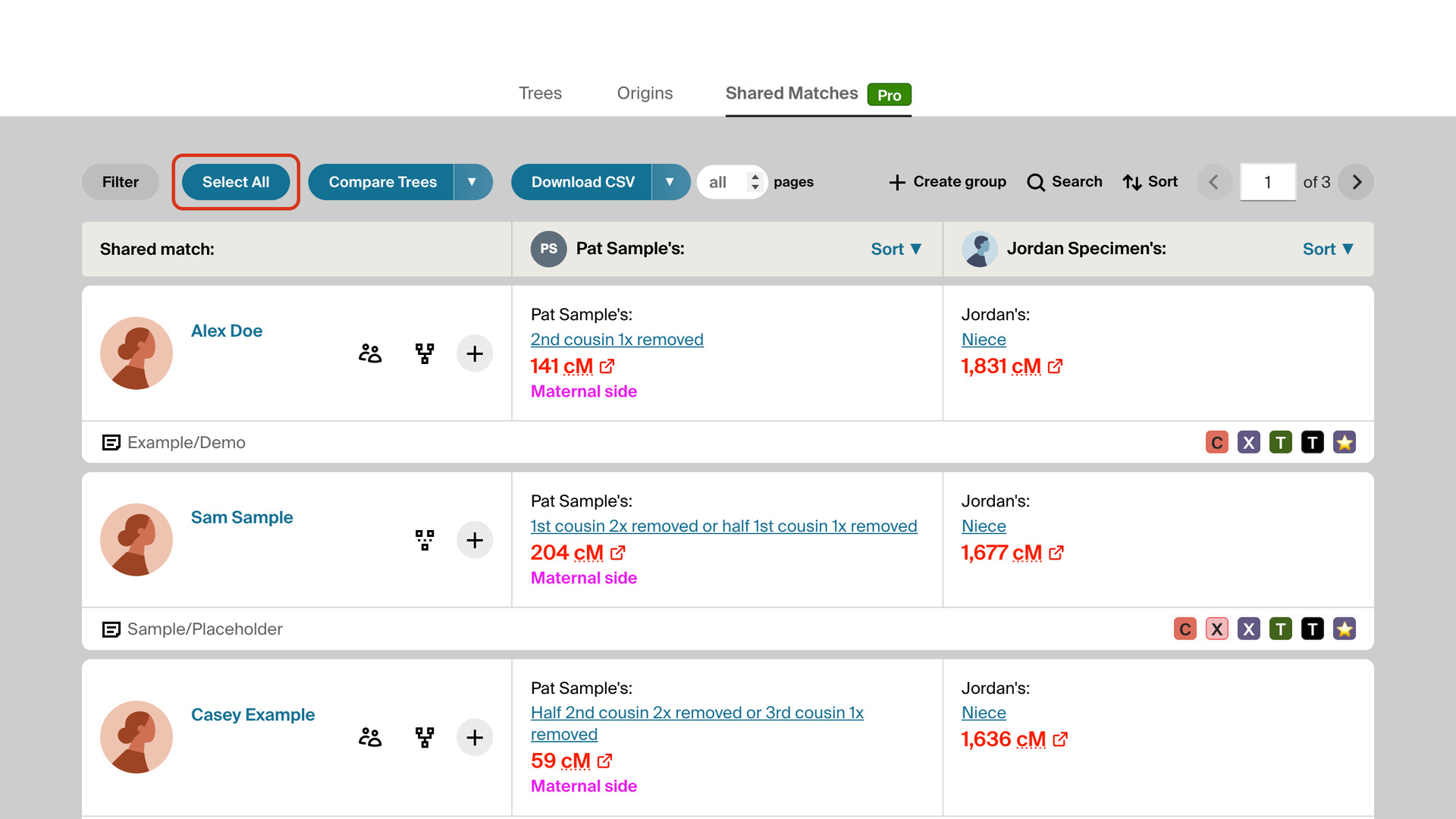
Select All Button for Shared Matches adds a Select All button to the Shared Matches tab of an AncestryDNA match. One click ticks every shared match on the page, so you can add them all to a group at once. Without it, Ancestry makes you tick each match one at a time.
How does Select All Button for Shared Matches work?
The Select All button sits in the filters toolbar above your shared matches, beside Download CSV. Click it and Ancestry’s groups panel opens with every shared match on the page already ticked. Add the groups you want and click Save.
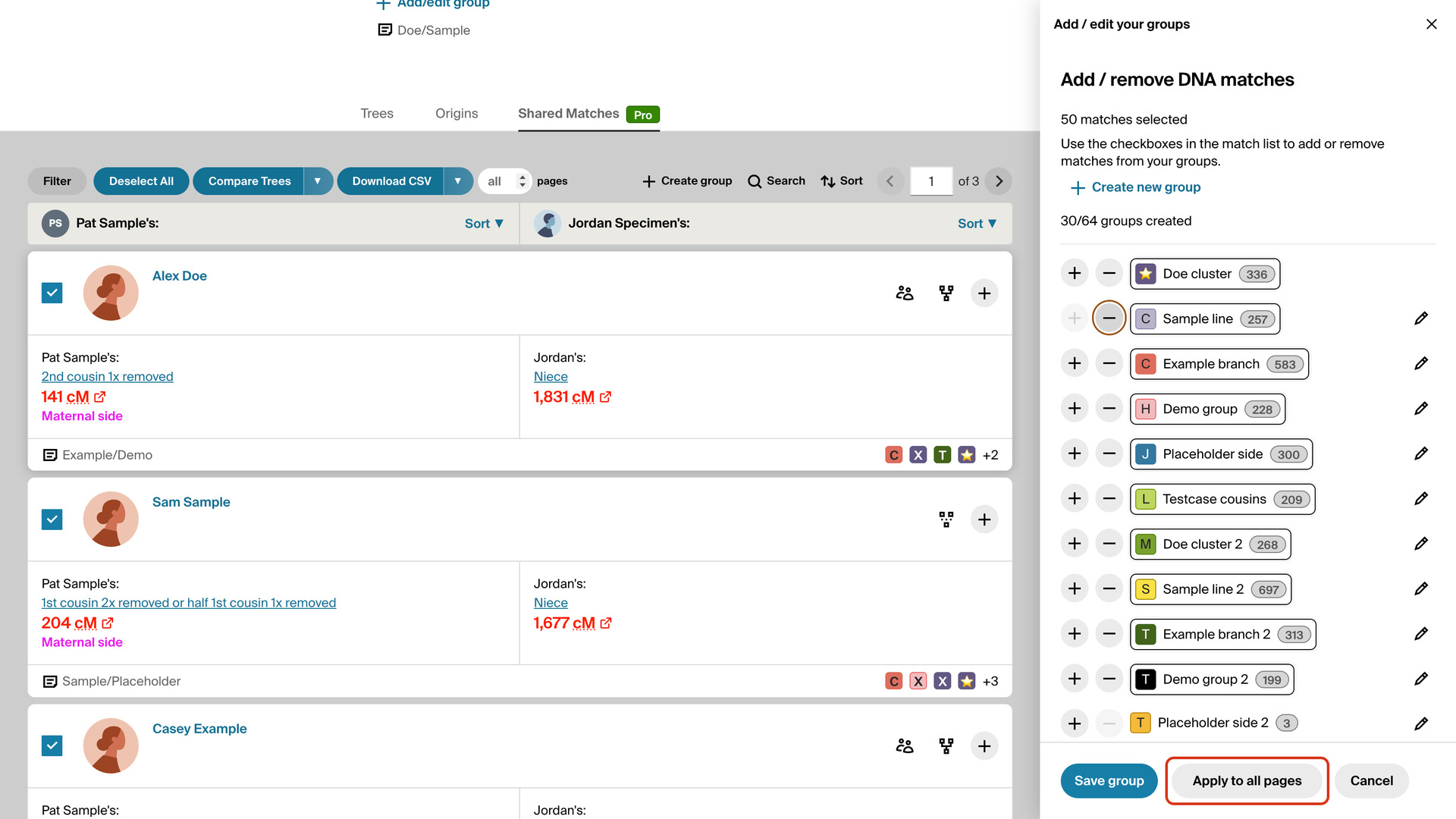
While the matches are ticked, the button reads Deselect All, and clicking it unticks them all. When the groups panel closes, it goes back to Select All. With Always Display 50 Shared Matches, each click covers 50 matches instead of Ancestry’s 20.
On an AncestryDNA ProTools account, the groups panel also gets an Apply to all pages button beside Save. It stays greyed out until you add a group. Click it to add the same groups to every shared match on the page you are on and on every page after it.
It saves the page you are on, then opens each following page in turn, ticks every match and adds the same groups. A progress window shows which page it has reached, with a Cancel button. The pause between pages follows the Download speed in Download settings, under the arrow beside Download CSV.
How do I use Select All Button for Shared Matches?
The button sits beside Download CSV, so Download Shared Matches as CSV needs to be turned on too.
- In the Genealogy Assistant pop-up panel, make sure Select All Button for Shared Matches is turned on.
- Open a DNA match and click the Shared Matches tab.
- In the filters toolbar, click Select All. The groups panel opens with every shared match on the page ticked.
- In the groups panel, click each group you want to add, then click Save.
- To untick every match instead, click Deselect All.
- On a ProTools account, to add the groups to every later page as well, click Apply to all pages instead of Save. A progress window counts through the pages; click Cancel to stop early.
- When it finishes, click Close. The shared matches reload with their new groups.
Related features
- Add Select All Button to Matches List: A Select All Matches button in the filters toolbar ticks every match on the page, even with filters or a surname search applied, ready to add to a group.
- Highlight Shared Matches by cM: Highlights shared matches who share 25 cM or more with you, and matches of matches who share 50 cM or more, with both thresholds yours to change.
- Download Shared Matches as CSV: Download the shared matches of any DNA match to a CSV file, every page or as many as you choose, with the extra triangulation columns on a ProTools account.
Select All Button for Shared Matches is a feature of the software Genealogy Assistant.
Genealogy Assistant is an extension for Google Chrome, Mozilla Firefox, Microsoft Edge and Apple Safari which supercharges your family history research by adding over 100 custom features to popular genealogy websites like Ancestry, MyHeritage, FamilySearch, FamilyTreeDNA and more.
Install Genealogy Assistant for Google Chrome | Install for Mozilla Firefox | Install for Microsoft Edge | Install for Apple Safari