


What problem does FamilyTreeDNA Add Groups to Matches List solve?
FamilyTreeDNA does not let you tag or organise your Family Finder matches into your own custom groups, which makes it difficult to track research clusters across visits. FamilyTreeDNA Add Groups to Matches List adds a full grouping system on top of the matches page so you can create coloured groups, assign matches to them, and see who belongs to what at a glance.
How does FamilyTreeDNA Add Groups to Matches List work?
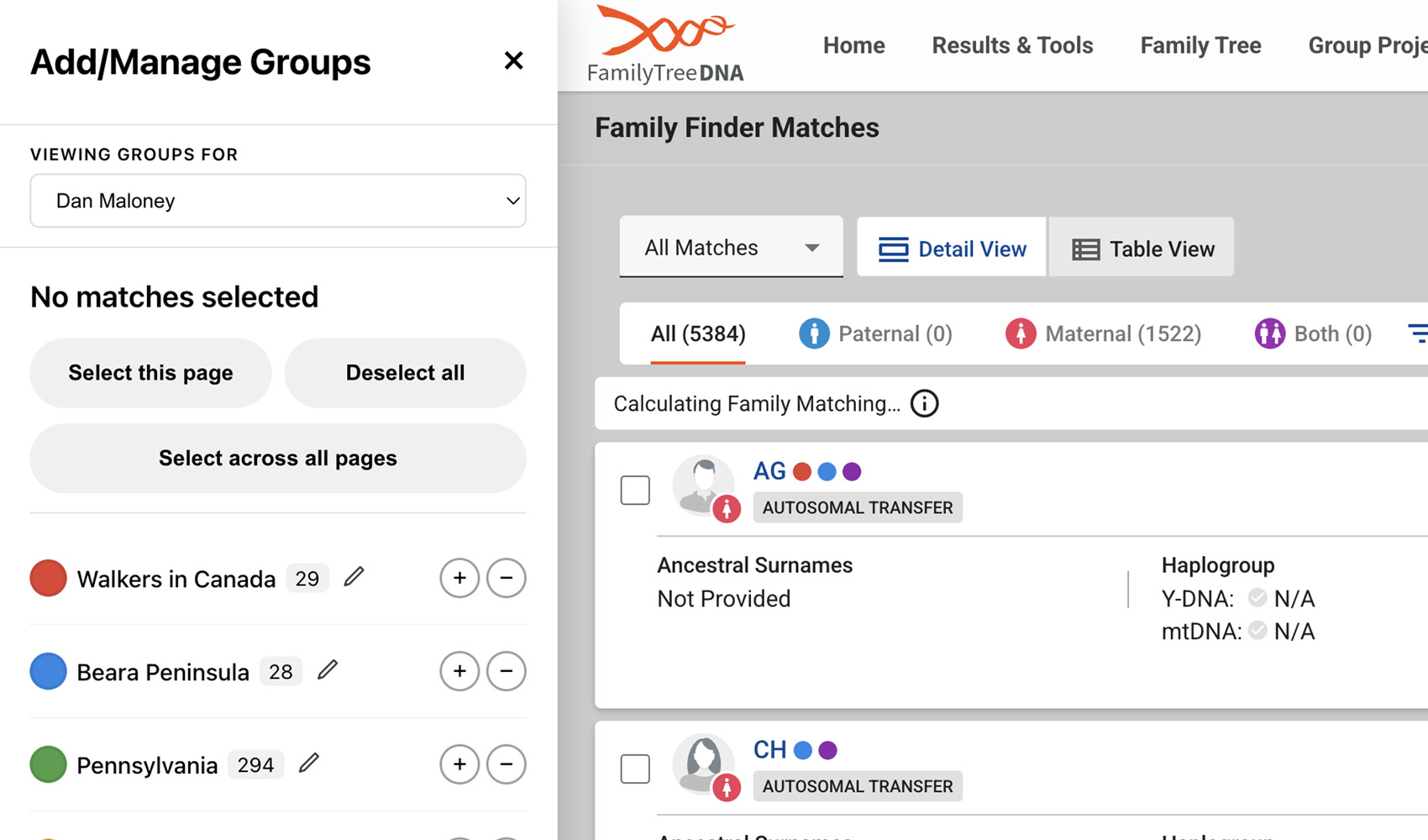
On your FamilyTreeDNA matches list, an Add/Manage Groups button is added to the toolbar. Clicking it opens a sidebar where you can create coloured groups, edit them, delete them, and pin the ones you use most. Tick the checkboxes that appear next to each match to assign them to a group, and a small coloured circle appears next to every match showing which groups they belong to. Group assignments are saved per test and persist across sessions, and you can use the Select across all pages button in the sidebar to scan every page in your match list at once and bulk-assign large numbers of matches.
Each match’s shared cM, longest block, X-match cM and Y-DNA / mtDNA haplogroups are captured automatically as you scroll, so you can sort and filter your groups by those values from the sidebar. Click any member name in the sidebar to drop their name into the FamilyTreeDNA search box and jump straight to that match.
How do I use FamilyTreeDNA Add Groups to Matches List?
- Ensure FamilyTreeDNA Add Groups to Matches List is enabled in the Genealogy Assistant pop-up panel.
- Open your FamilyTreeDNA Family Finder matches list and click the Add/Manage Groups button on the toolbar to open the sidebar.
- Create one or more coloured groups in the sidebar.
- Tick the checkboxes next to the matches you want to group, then choose a group to assign them to. Coloured circles appear next to each match showing their group memberships.
- To bulk-assign across your entire match list, click Select across all pages in the sidebar. Genealogy Assistant will step through every page, collect the matches, and let you assign them all to a group at once.
- Click any member name in the sidebar to search for that match in the FamilyTreeDNA matches list.
FamilyTreeDNA Add Groups to Matches List is a feature of the software Genealogy Assistant.
Genealogy Assistant is an extension for Google Chrome, Mozilla Firefox, Microsoft Edge and Apple Safari which supercharges your family history research by adding over 100 custom features to popular genealogy websites like Ancestry, MyHeritage, FamilySearch, FamilyTreeDNA and more. You can watch a full video walkthrough on YouTube.
Install Genealogy Assistant for Google Chrome | Install for Mozilla Firefox | Install for Microsoft Edge | Install for Apple Safari