


What problem does Download Thrulines as CSV File solve?
ThruLines is one of the most useful views on AncestryDNA, but you cannot export it. If you want to keep a record of how every DNA match descends from a given ancestor, or share a family line with another researcher, you have to rebuild it by hand. Download Thrulines as CSV File adds a button to any ThruLines page that exports every match on that ancestor’s line to a single CSV file.
How does Download Thrulines as CSV File work?
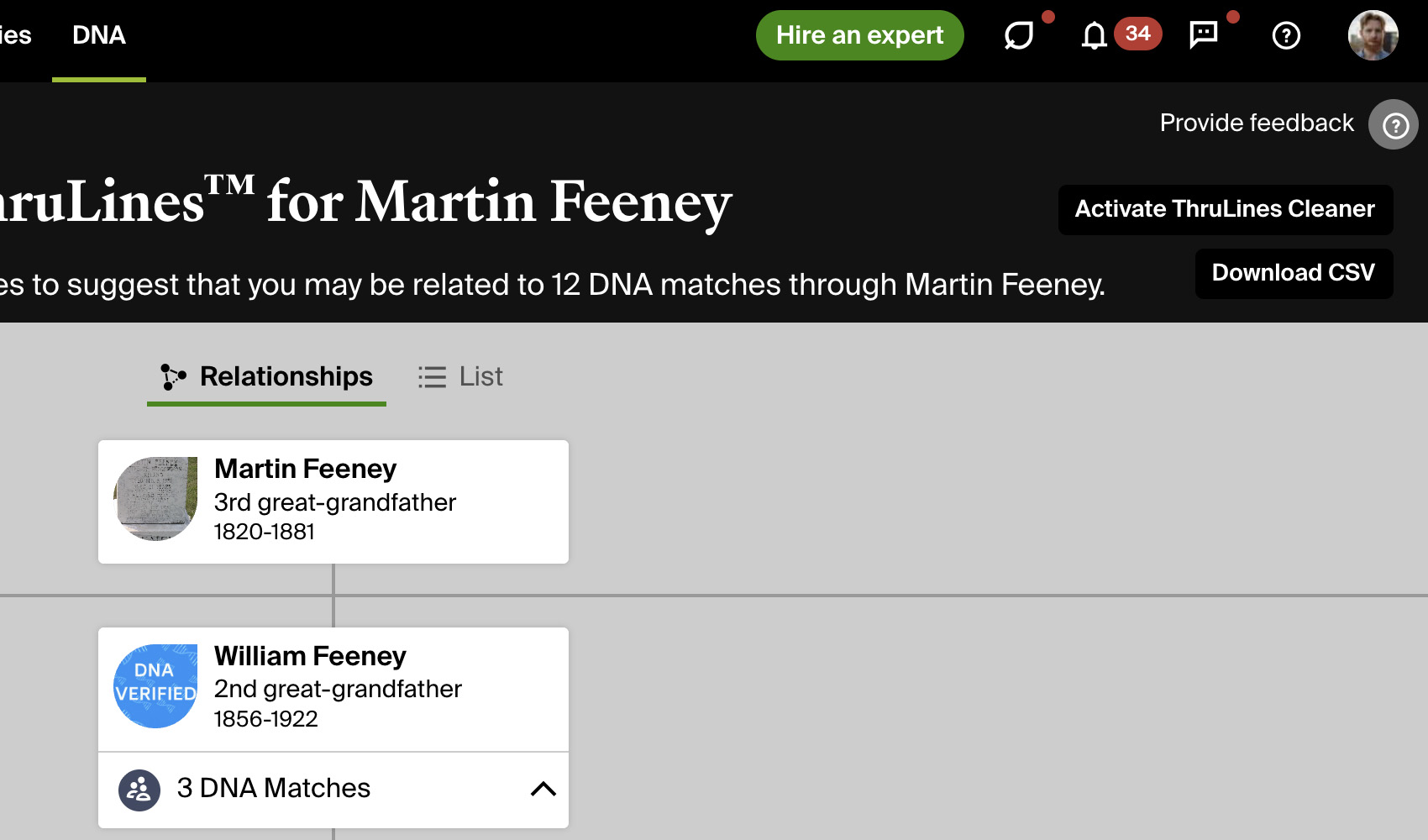
A button titled Download CSV is added to the top right of the header bar when you are viewing a ThruLine for an ancestor. Clicking it downloads a CSV file of every DNA match in that ThruLine without changing your view, including their predicted and tree relationships, shared cM and segments, tree size, match link, which family line they descend through and the full path from the ancestor.
The button stays in the same place whichever view you are using, so you can start the export from the diagram or from the list. Matches are saved in the list view’s order, and the file is named with the tester and the ancestor, so every download is easy to tell apart.
How do I use Download Thrulines as CSV File?
- Ensure Download Thrulines as CSV File is enabled in the Genealogy Assistant pop-up panel.
- Open ThruLines from the DNA menu on Ancestry, then choose the ancestor you want to export.
- Click Download CSV at the top right of the header bar. The CSV file downloads a moment later.
CSV Columns
Match Name, DNA Relationship, Tree Relationship, Shared cM, Shared Segments, Tree Size, GUID, URL, Family Line, Relationship Range, Confidence, Meioses, Age Range, Location, Gender, New, Viewed, Path, Tree Name, Tree Owner, Tree Private, Source Tree Name, Source Tree Owner, Ancestor
Path traces each match’s line of descent from the ancestor, one person at a time. Tree Name, Tree Owner and Tree Private describe the match’s own linked tree, and Source Tree Name and Source Tree Owner name the tree ThruLines used to build that path.
NOTICE: CSV DOWNLOAD TOOLS ARE FOR PERSONAL RESEARCH PROJECTS ONLY.
Download Thrulines as CSV File is a feature of the software Genealogy Assistant.
Genealogy Assistant is an extension for Google Chrome, Mozilla Firefox, Microsoft Edge and Apple Safari which supercharges your family history research by adding over 100 custom features to popular genealogy websites like Ancestry, MyHeritage, FamilySearch, FamilyTreeDNA and more. You can watch a full video walkthrough on YouTube.
Install Genealogy Assistant for Google Chrome | Install for Mozilla Firefox | Install for Microsoft Edge | Install for Apple Safari