


What problem does 23andMe Add Top Pagination to Shared Matches solve?
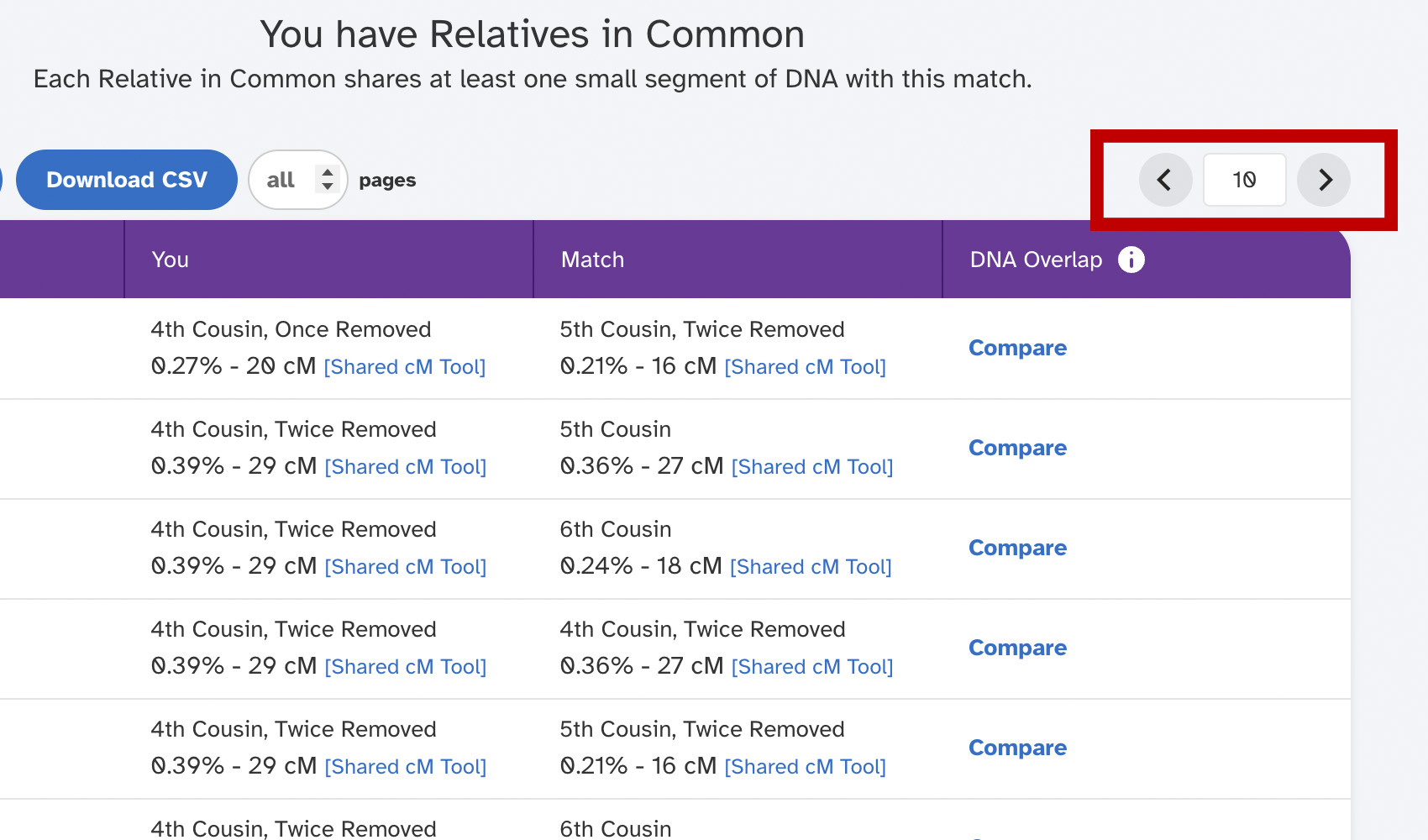
23andMe only shows pagination controls at the bottom of the Relatives in Common list, so working through a long shared match list means scrolling all the way down every time you want to change pages. 23andMe Add Top Pagination to Shared Matches adds a matching pagination toolbar at the top of the list and lets you flip pages with the arrow keys.
How does 23andMe Add Top Pagination to Shared Matches work?
On any 23andMe Relatives in Common page, a small toolbar is added near the top of the list with previous and next buttons and the current page number. The top toolbar stays in sync with the native paginator at the bottom, and you can also press the Left and Right arrow keys anywhere on the page to move between pages. The arrow keys are ignored while you are typing into a text field so they don’t interfere with any search controls.
How do I use 23andMe Add Top Pagination to Shared Matches?
- Ensure 23andMe Add Top Pagination to Shared Matches is enabled in the Genealogy Assistant pop-up panel.
- Open the Relatives in Common list for any 23andMe match. The new pagination toolbar will appear near the top of the list.
- Click the previous and next buttons to flip pages, or press the
LeftandRightarrow keys.
Keyboard Shortcuts
Leftgoes to the previous page of shared matchesRightgoes to the next page of shared matches
23andMe Add Top Pagination to Shared Matches is a feature of the software Genealogy Assistant.
Genealogy Assistant is an extension for Google Chrome, Mozilla Firefox, Microsoft Edge and Apple Safari which supercharges your family history research by adding over 100 custom features to popular genealogy websites like Ancestry, MyHeritage, FamilySearch, FamilyTreeDNA and more. You can watch a full video walkthrough on YouTube.
Install Genealogy Assistant for Google Chrome | Install for Mozilla Firefox | Install for Microsoft Edge | Install for Apple Safari