


What problem does Add Select All People Link to Records solve?
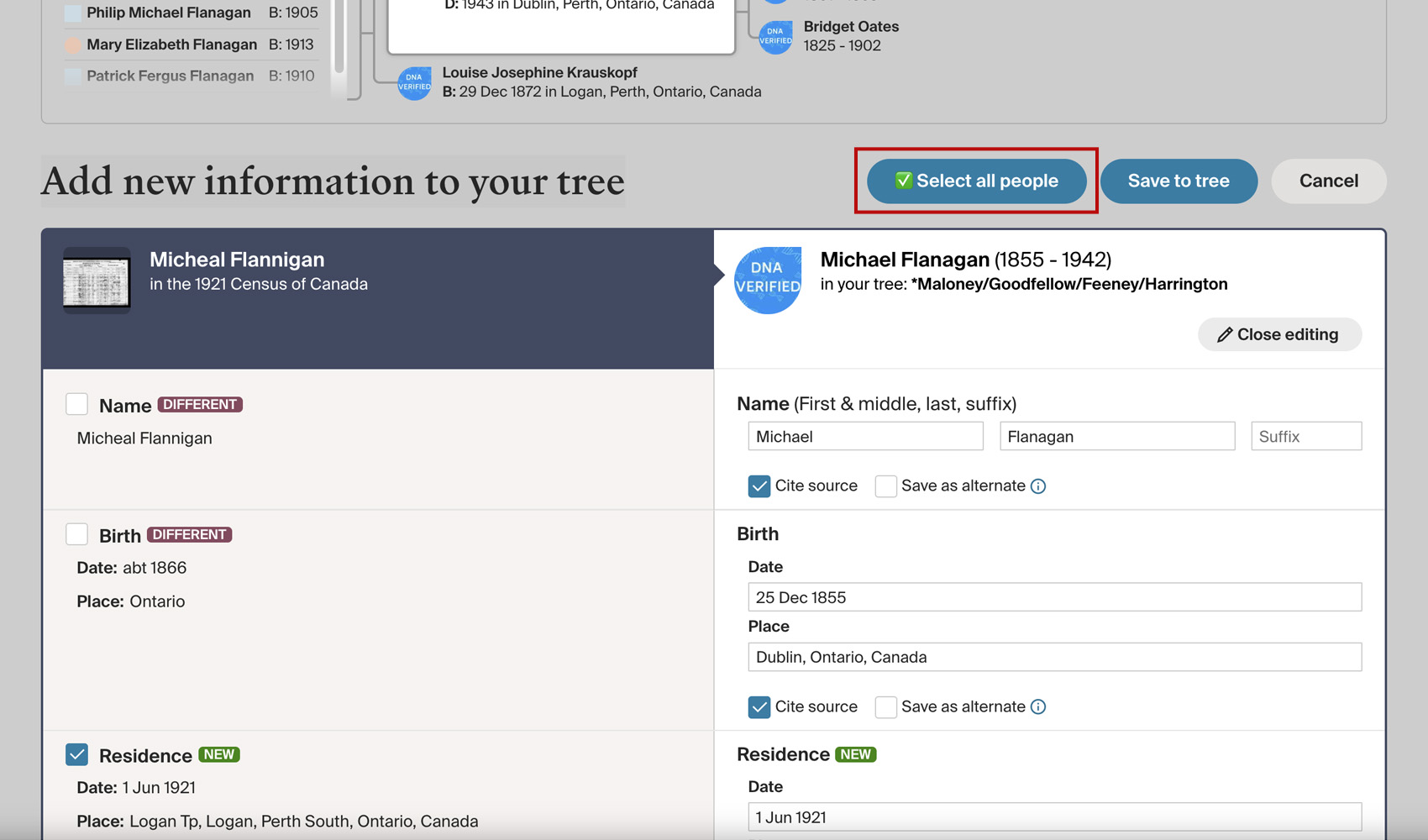
On the Add new information to your tree page, Ancestry asks you to tick each person attached to the record one at a time before saving their details to your tree. For a record with a full household on it, that’s a long list of manual checks. Add Select All People Link to Records adds a single button that ticks every person on the page at once.
How does Add Select All People Link to Records work?
A new Select all people button is added to the top of the Add new information to your tree page, alongside the existing action buttons. Clicking it ticks every person checkbox on the page in a single action and changes the button to Deselect All People so you can clear them all at once if you need to start over.
How do I use Add Select All People Link to Records?
- Ensure Add Select All People Link to Records is enabled in the Genealogy Assistant pop-up panel.
- Open any Ancestry record and click Save to your tree to open the Add new information to your tree page.
- Click Select all people at the top of the page to tick every person attached to the record. Click it again to clear them.
Add Select All People Link to Records is a feature of the software Genealogy Assistant.
Genealogy Assistant is an extension for Google Chrome, Mozilla Firefox, Microsoft Edge and Apple Safari which supercharges your family history research by adding over 100 custom features to popular genealogy websites like Ancestry, MyHeritage, FamilySearch, FamilyTreeDNA and more. You can watch a full video walkthrough on YouTube.
Install Genealogy Assistant for Google Chrome | Install for Mozilla Firefox | Install for Microsoft Edge | Install for Apple Safari