


What problem does Hide Matches Already Connected to Tree solve?
When you are working through your AncestryDNA match list, the matches you have already connected to a person in your tree are no longer the ones you need to research. They still take up half the page though, forcing you to scroll past matches you have already solved to find the ones you have not. Hide Matches Already Connected to Tree hides those solved matches with a single click so you only see the matches that still need work.
How does Hide Matches Already Connected to Tree work?
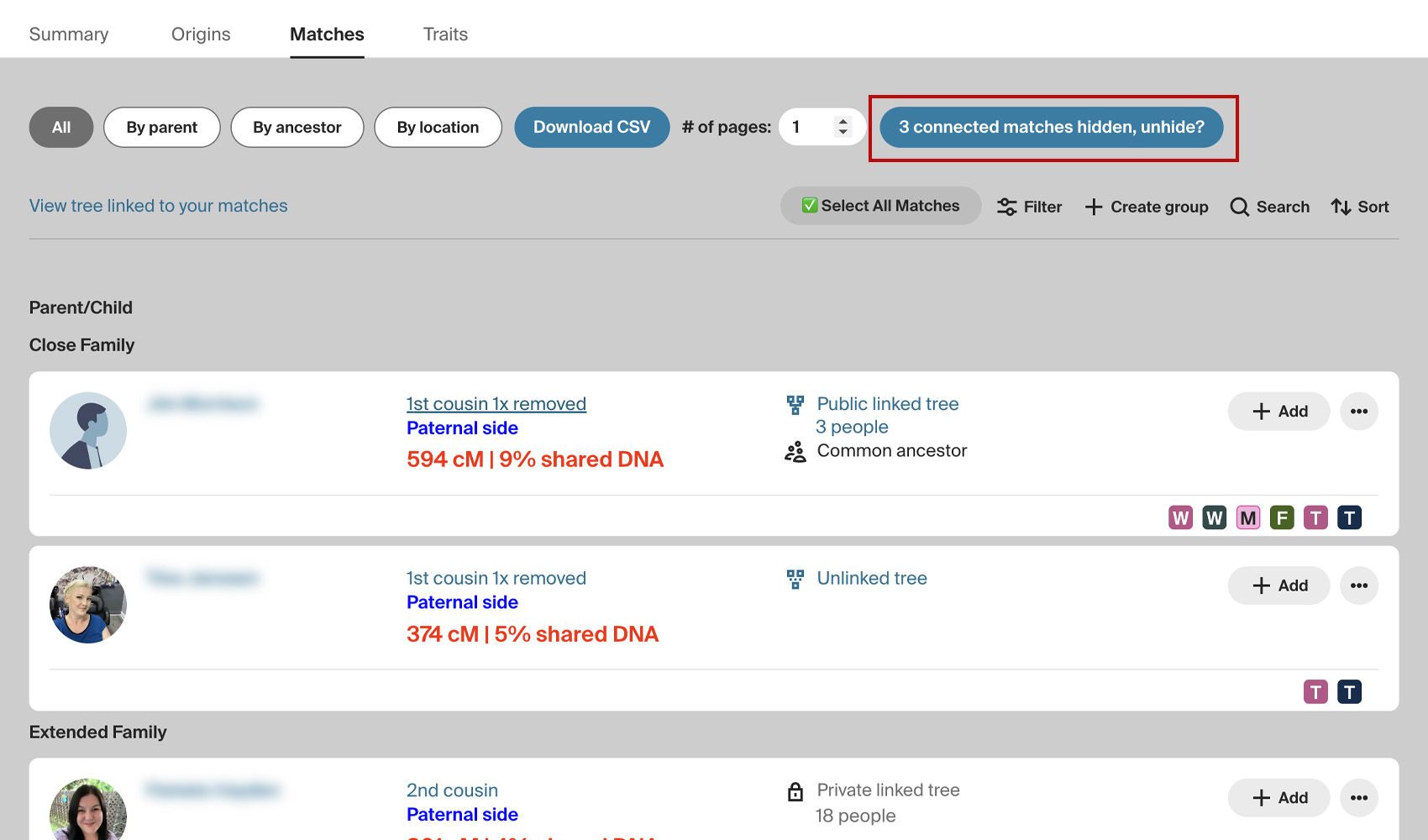
A Hide N connected matches button is added at the right side of the filter bar above your match list, where N is the number of matches on the current page that are already connected to someone in your tree. Click it and those matches are hidden from view. The button then changes to N connected matches hidden, unhide? so you can bring them back whenever you want. Your choice is remembered between sessions so the list stays filtered the way you like it.
How do I use Hide Matches Already Connected to Tree?
- Ensure Hide Matches Already Connected to Tree is enabled in the Genealogy Assistant pop-up panel.
- Open your AncestryDNA match list.
- Click Hide N connected matches at the right side of the filter bar above the list to hide any matches that are already connected to someone in your tree. Click N connected matches hidden, unhide? to bring them back.
Hide Matches Already Connected to Tree is a feature of the software Genealogy Assistant.
Genealogy Assistant is an extension for Google Chrome, Mozilla Firefox, Microsoft Edge and Apple Safari which supercharges your family history research by adding over 100 custom features to popular genealogy websites like Ancestry, MyHeritage, FamilySearch, FamilyTreeDNA and more. You can watch a full video walkthrough on YouTube.
Install Genealogy Assistant for Google Chrome | Install for Mozilla Firefox | Install for Microsoft Edge | Install for Apple Safari