


What problem does Always Search Global Records in Catalog solve?
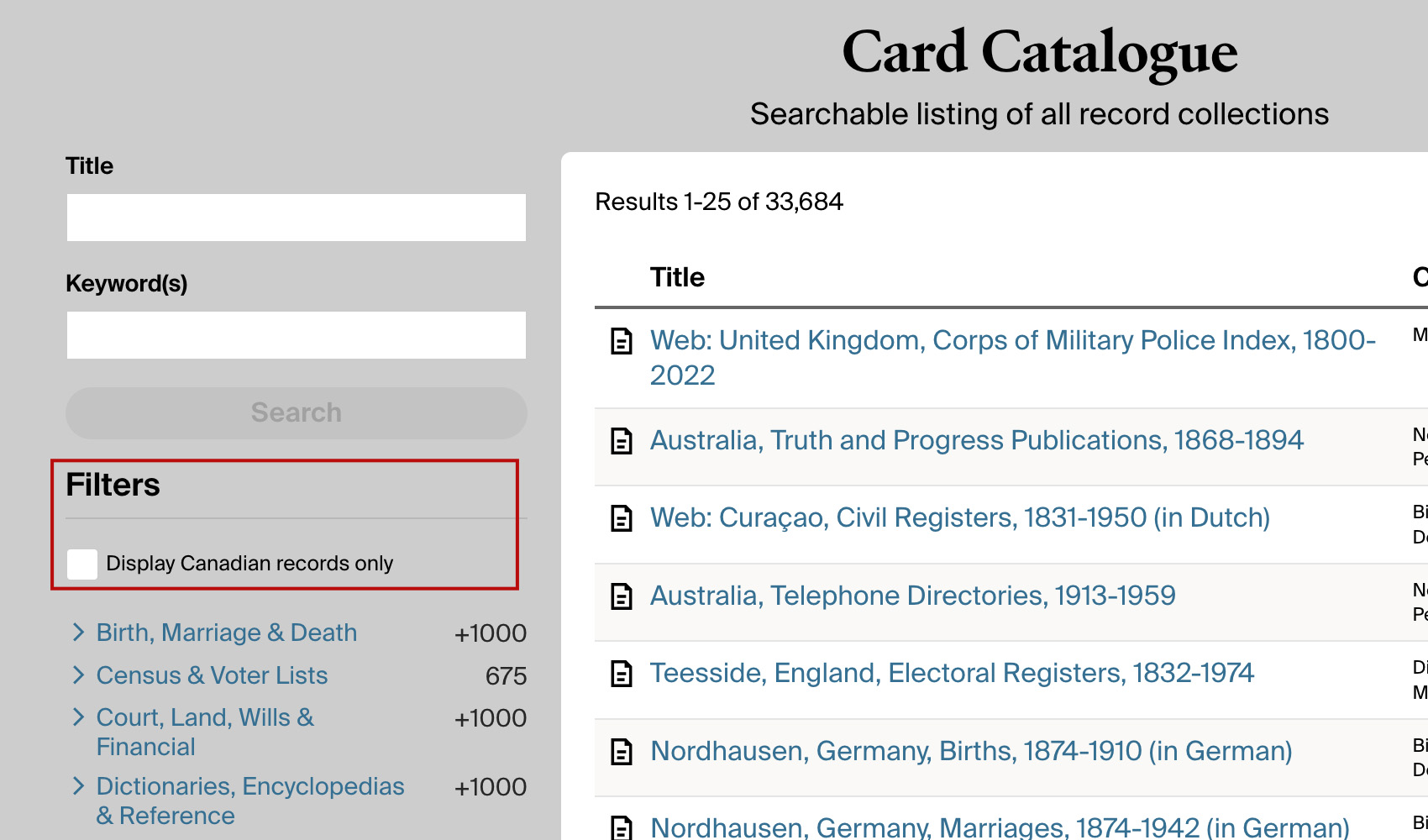
When you open the Ancestry Card Catalog on your regional site, results are filtered to collections for your country by default. If you want to search the full global catalog you have to untick the country filter every single time you open the page. Always Search Global Records in Catalog turns that filter off for you automatically so every catalog search covers every collection.
How does Always Search Global Records in Catalog work?
Whenever the Ancestry Card Catalog loads, the country filter checkbox is automatically unticked so the catalog returns global results. Ancestry reruns the search against the full global catalog the same way it would if you had unticked the box yourself. If you ever want to search your local catalog only, you can tick the box again and the feature will leave it alone for that page.
How do I use Always Search Global Records in Catalog?
- Ensure Always Search Global Records in Catalog is enabled in the Genealogy Assistant pop-up panel.
- Open the Ancestry Card Catalog. The country filter will be unticked automatically and results will cover the global catalog.
Always Search Global Records in Catalog is a feature of the software Genealogy Assistant.
Genealogy Assistant is an extension for Google Chrome, Mozilla Firefox, Microsoft Edge and Apple Safari which supercharges your family history research by adding over 100 custom features to popular genealogy websites like Ancestry, MyHeritage, FamilySearch, FamilyTreeDNA and more. You can watch a full video walkthrough on YouTube.
Install Genealogy Assistant for Google Chrome | Install for Mozilla Firefox | Install for Microsoft Edge | Install for Apple Safari