


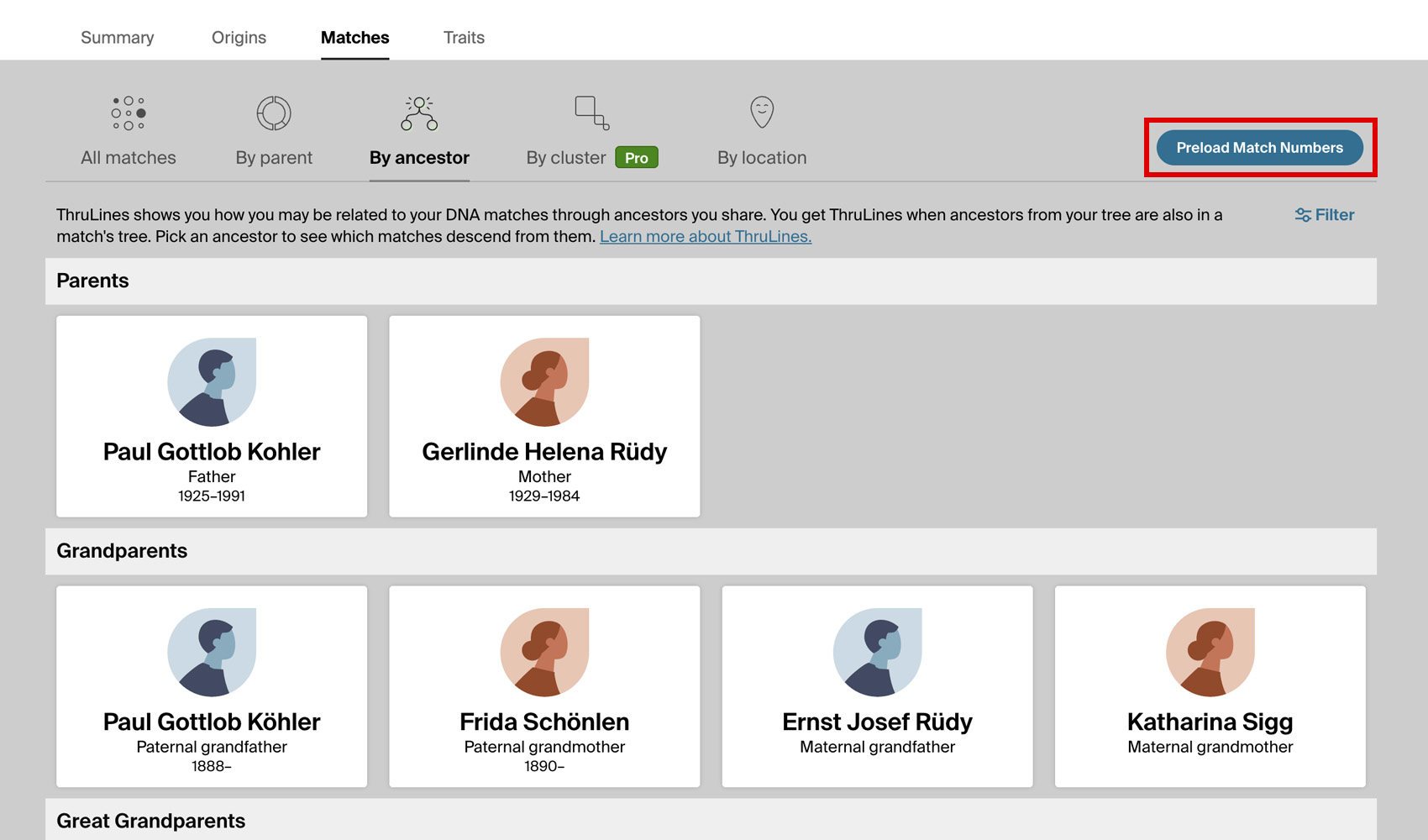
What problem does Preload Number of Thrulines Matches solve?
The Card view of your ThruLines list of all ancestors shows no DNA match numbers at all, so there is no way to tell which ancestors have matches descending from them without opening each one in turn. To find the ancestors with the most matches, or to spot the lines with none, means working through the whole grid one card at a time. Preload Number of Thrulines Matches loads that information for every ancestor at once and shows it on the cards, so you can see where your largest clusters and biggest gaps are at a glance.
How does Preload Number of Thrulines Matches work?
On the Card view of your ThruLines list of all ancestors, a button titled Preload Match Numbers is added beside the Filter control. Ancestry shows no match counts on these cards, so clicking this loads the DNA match count and shared cM range for every ancestor at once and displays it on each card, letting you see where the large clusters and the gaps are at a glance.
Ancestors with matches are shown in green with the count and the range of shared centimorgans, and ancestors with none are shown in red so the gaps in your lines stand out. The numbers are loaded one ancestor at a time and the button counts up as it goes, which keeps the pace gentle on Ancestry. A large tree takes a couple of minutes, and clicking the button again while it is running stops it. The results are remembered for that DNA test, so they reappear instantly the next time you open the page, and the button then reads Refresh Match Numbers for whenever you want to load the latest counts again.
How do I use Preload Number of Thrulines Matches?
- Ensure Preload Number of Thrulines Matches is enabled in the Genealogy Assistant pop-up panel.
- Open ThruLines from the DNA menu on Ancestry to see your list of all ancestors.
- Switch to the Card view using the View button on the left of the page.
- Click Preload Match Numbers beside the Filter control.
- Watch as the match count and shared cM range appear on each card. Ancestors with matches are shown in green and ancestors with none are shown in red.
- Click the button again while it is running if you want to stop before it finishes. Anything already loaded is kept.
- Click Refresh Match Numbers at any time to reload the latest counts.
Preload Number of Thrulines Matches is a feature of the software Genealogy Assistant.
Genealogy Assistant is an extension for Google Chrome, Mozilla Firefox, Microsoft Edge and Apple Safari which supercharges your family history research by adding over 100 custom features to popular genealogy websites like Ancestry, MyHeritage, FamilySearch, FamilyTreeDNA and more. You can watch a full video walkthrough on YouTube.
Install Genealogy Assistant for Google Chrome | Install for Mozilla Firefox | Install for Microsoft Edge | Install for Apple Safari