


What problem does Relationship Finder in Family Tree solve?
Once you have expanded a few generations of an Ancestry family tree, working out how two people on the screen are related means counting generations up to a shared ancestor and back down again, and it is easy to lose track of a removal or a half relationship along the way. Relationship Finder in Family Tree does the counting for you: click two people and the relationship between them is shown in the same wording Ancestry uses.
How does Relationship Finder in Family Tree work?
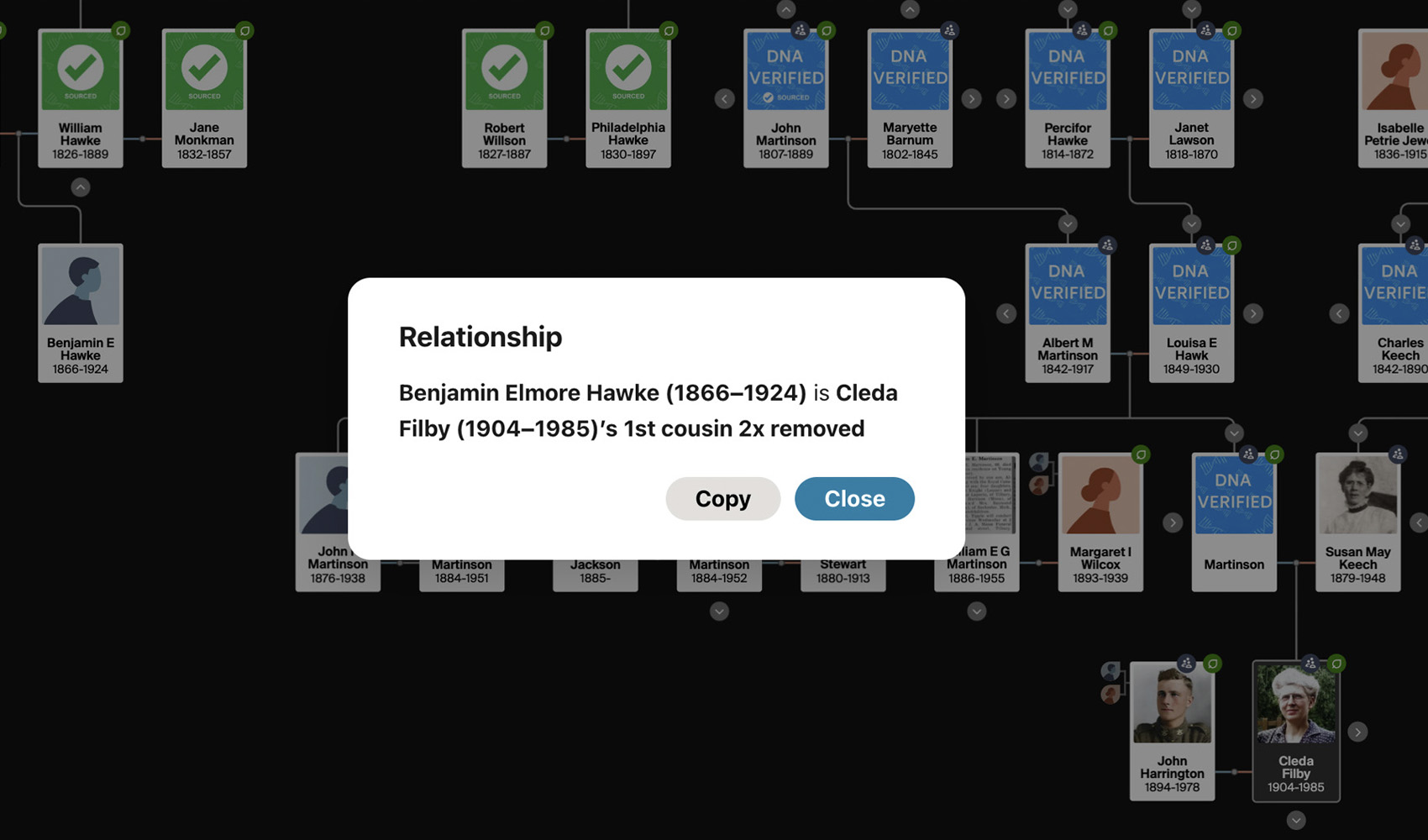
Adds a Relationship button to the tree panel in the vertical family tree view. Click it, then click any two people in the tree to see how they are related (for example 3rd cousin 2x removed, or wife of 2nd great-granduncle), with their names and dates. The Relationship button sits in the panel at the bottom right of the tree beside the other Genealogy Assistant tree buttons. While it is active, each person you click is outlined in blue with a numbered badge, and clicking a person does not open their card. The result appears in a pop-up window with one line for each way the two people are related, starting with the closest. Blood relationships are listed first, including half relationships and cousins with removals. When there is no blood relationship, the tool looks one marriage away on either side and describes relationships such as husband of niece, granduncle of wife, or wife of granduncle of wife. The result can be copied to the clipboard with the Copy button.
How do I use Relationship Finder in Family Tree?
- Ensure Relationship Finder in Family Tree is enabled in the Genealogy Assistant pop-up panel.
- Open an Ancestry family tree in the vertical view and expand the generations you want to compare.
- Click Relationship in the panel at the bottom right of the tree, or press
L. The button changes to Pick 2 people. - Click the first person, then the second person. Each is outlined in blue with a number as you pick them.
- A pop-up window lists how the second person is related to the first, with the names and dates of both people.
- Click Copy to copy the result to the clipboard, or Close to dismiss the window.
- To cancel before picking two people, click the button again or press
Escape.
Keyboard Shortcuts
Lstarts picking two people, or cancels if picking is already under wayEscapecancels picking or closes the result window
Relationship Finder in Family Tree is a feature of the software Genealogy Assistant.
Genealogy Assistant is an extension for Google Chrome, Mozilla Firefox, Microsoft Edge and Apple Safari which supercharges your family history research by adding over 100 custom features to popular genealogy websites like Ancestry, MyHeritage, FamilySearch, FamilyTreeDNA and more. You can watch a full video walkthrough on YouTube.
Install Genealogy Assistant for Google Chrome | Install for Mozilla Firefox | Install for Microsoft Edge | Install for Apple Safari