


What problem does MyHeritage Search Genealogy Sites from Tree solve?
When you find a person in your MyHeritage tree, you often want to look them up on Ancestry, FamilySearch, FindMyPast and other genealogy sites, which means retyping their name, dates and places into one search form after another. MyHeritage Search Genealogy Sites from Tree adds a button to the person’s details in your family tree that fills in a search on any of those sites with one click, or on all of the sites you use at once.
How does MyHeritage Search Genealogy Sites from Tree work?
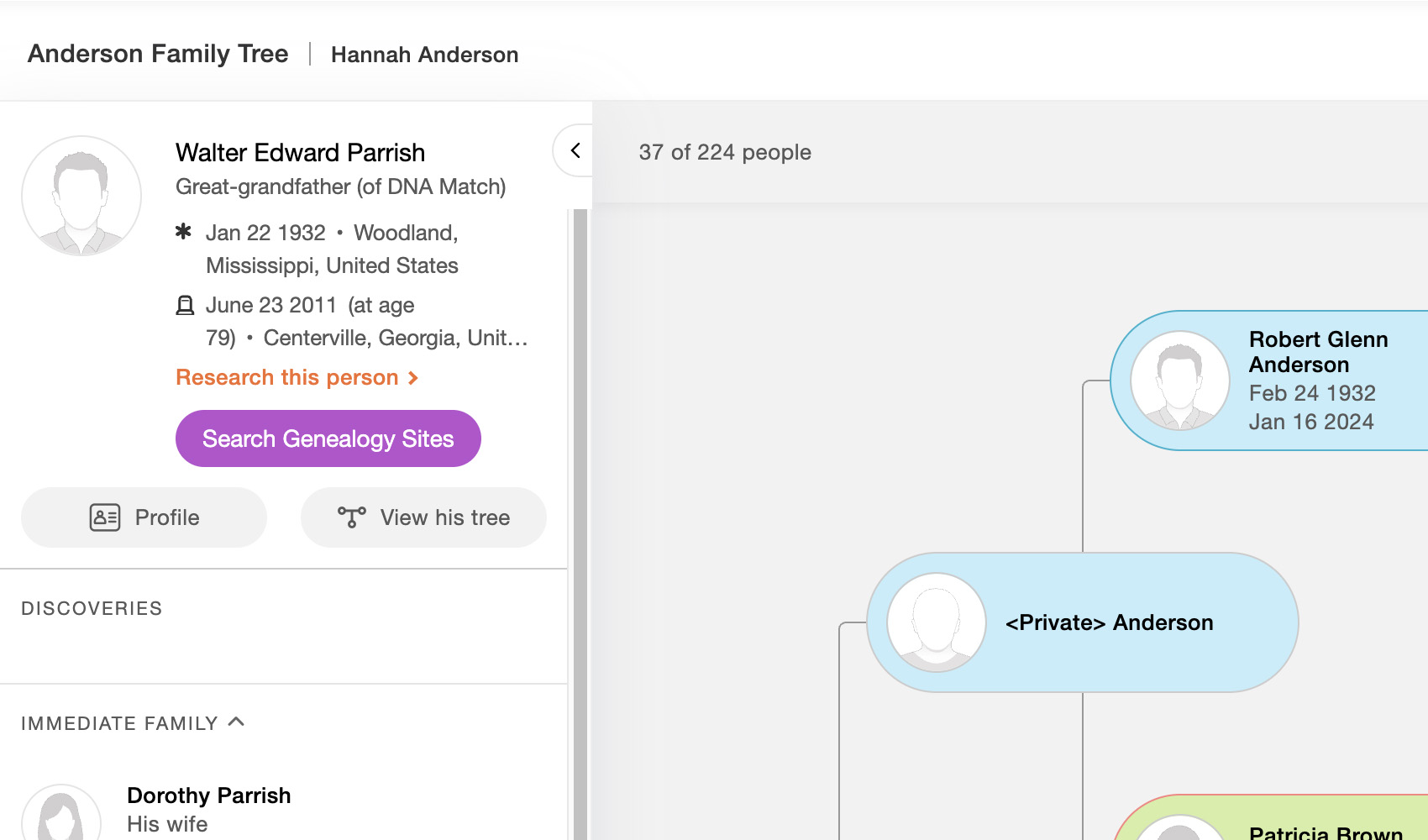
A button titled Search Genealogy Sites is added to people appearing in MyHeritage family trees. When hovered a drop-down menu will appear allowing you to search multiple genealogy platforms based on the person you are viewing in the family tree.
In your family tree, the button sits in the panel on the left that shows the selected person’s details, and it follows along as you click from one person to the next. It is also added to the person’s details on the pedigree tree view. Everything the search needs is read from the tree: the name, the birth and death years and places, the person’s gender and their spouse, and on the pedigree tree view their father and mother as well. Each site then gets as much of that as it can use. Relatives marked as private in the tree are never included in a search. The button works on every regional MyHeritage site, whatever language the page is in.
The drop-down includes:
- Search selected opens every ticked site at once, each in its own new tab.
- Ancestry
- FamilySearch Records
- FamilySearch Tree
- FindMyPast
- MyHeritage
- WikiTree
- FindAGrave
- Newspapers.com
Every site has a tick box beside it, and all of them are ticked to begin with. The ticks are remembered, and they are the same list used by Add Advanced Search to Profiles on Ancestry and FindAGrave Search Genealogy Websites, so you choose your sites once and the same set follows you between all three. The Ancestry search opens on whichever regional Ancestry site you have set in the Advanced Settings page.
How do I use MyHeritage Search Genealogy Sites from Tree?
- Ensure MyHeritage Search Genealogy Sites from Tree is enabled in the Genealogy Assistant pop-up panel.
- Open your family tree on MyHeritage and click a person to show their details in the panel on the left, or open a pedigree tree and select a person.
- Hover over the Search Genealogy Sites button to open the drop-down.
- Click any site name to open a pre-filled search for that person in a new tab.
- Untick any site you do not use, then click Search selected to open the rest together. Your choice is saved and is used on Ancestry and FindAGrave as well.
- To change which regional Ancestry site the Ancestry search opens on, open the Genealogy Assistant pop-up panel and click Edit advanced settings, then open the Set Ancestry Domain section and pick your site under Domain. Settings save automatically.
MyHeritage Search Genealogy Sites from Tree is a feature of the software Genealogy Assistant.
Genealogy Assistant is an extension for Google Chrome, Mozilla Firefox, Microsoft Edge and Apple Safari which supercharges your family history research by adding over 100 custom features to popular genealogy websites like Ancestry, MyHeritage, FamilySearch, FamilyTreeDNA and more. You can watch a full video walkthrough on YouTube.
Install Genealogy Assistant for Google Chrome | Install for Mozilla Firefox | Install for Microsoft Edge | Install for Apple Safari