


What problem does FamilySearch Add Search Wiki Link to Places solve?
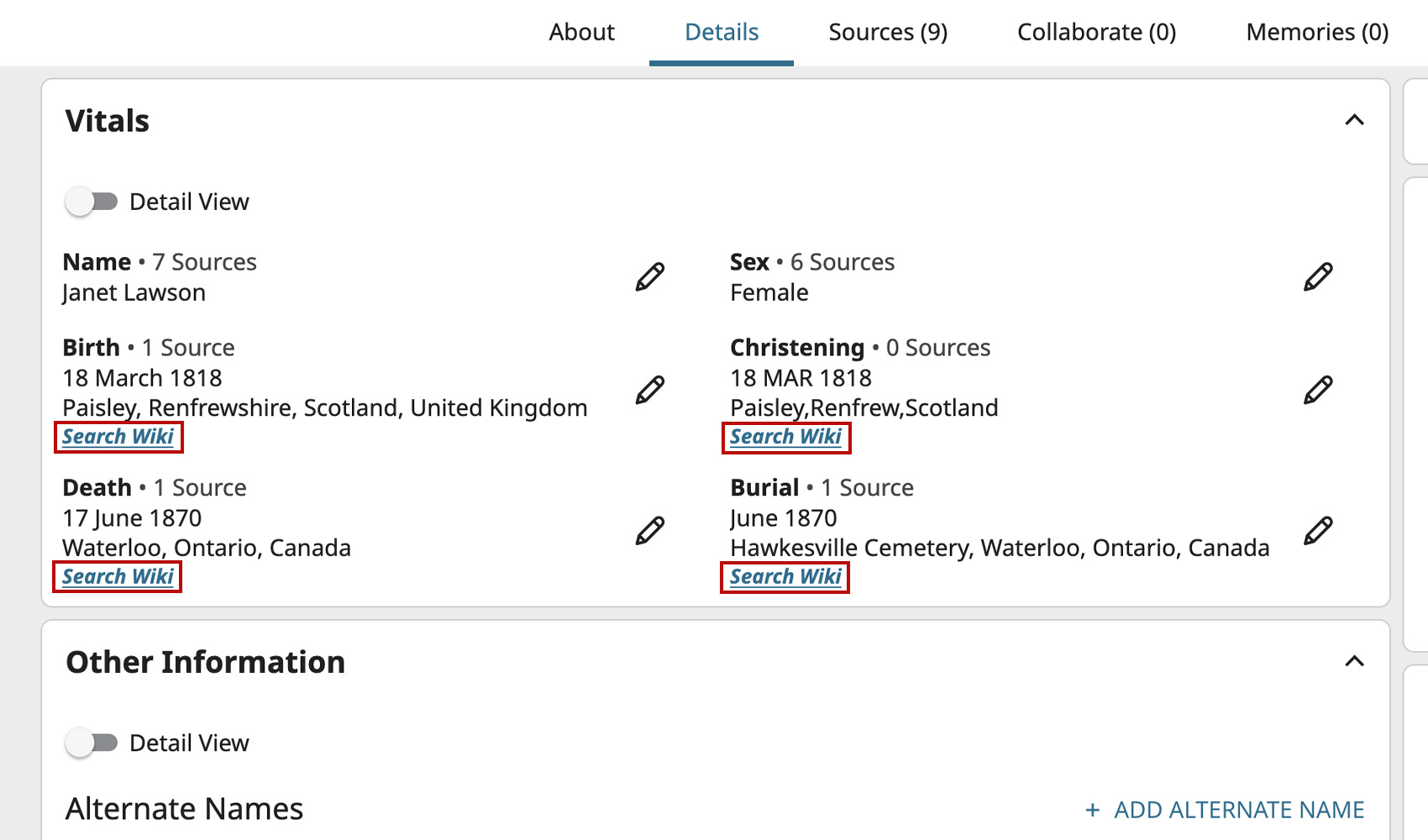
The FamilySearch Research Wiki has detailed pages for thousands of localities, but you have to leave the profile, open the wiki, and copy the place name across to find them. FamilySearch Add Search Wiki Link to Places puts a one-click Search Wiki link next to every place on a person’s profile so the right wiki page is always one click away.
How does FamilySearch Add Search Wiki Link to Places work?
On any FamilySearch person details page, a Search Wiki link is added beside each place that appears under a fact. Clicking the link runs a FamilySearch Research Wiki search for that place in a new tab, with the locality components already filled in. By default the link uses the last three parts of the place (such as county, state and country); a setting in the advanced panel lets you switch to using just the last two parts when narrower wiki pages aren’t available in your locale.
How do I use FamilySearch Add Search Wiki Link to Places?
- Ensure FamilySearch Add Search Wiki Link to Places is enabled in the Genealogy Assistant pop-up panel.
- Open any person’s details page on FamilySearch.
- Find the Search Wiki link beside any place name in the profile and click it to open a FamilySearch Research Wiki search in a new tab.
- (Optional) To narrow the search to just state/province and country, click the settings icon next to FamilySearch Add Search Wiki Link to Places in the pop-up to open the advanced settings, expand the FamilySearch Wiki Links section, and tick Only search state/province and country. The setting is saved automatically.
FamilySearch Add Search Wiki Link to Places is a feature of the software Genealogy Assistant.
Genealogy Assistant is an extension for Google Chrome, Mozilla Firefox, Microsoft Edge and Apple Safari which supercharges your family history research by adding over 100 custom features to popular genealogy websites like Ancestry, MyHeritage, FamilySearch, FamilyTreeDNA and more. You can watch a full video walkthrough on YouTube.
Install Genealogy Assistant for Google Chrome | Install for Mozilla Firefox | Install for Microsoft Edge | Install for Apple Safari