


What problem does DNA Painter Shared cM Tool Button solve?
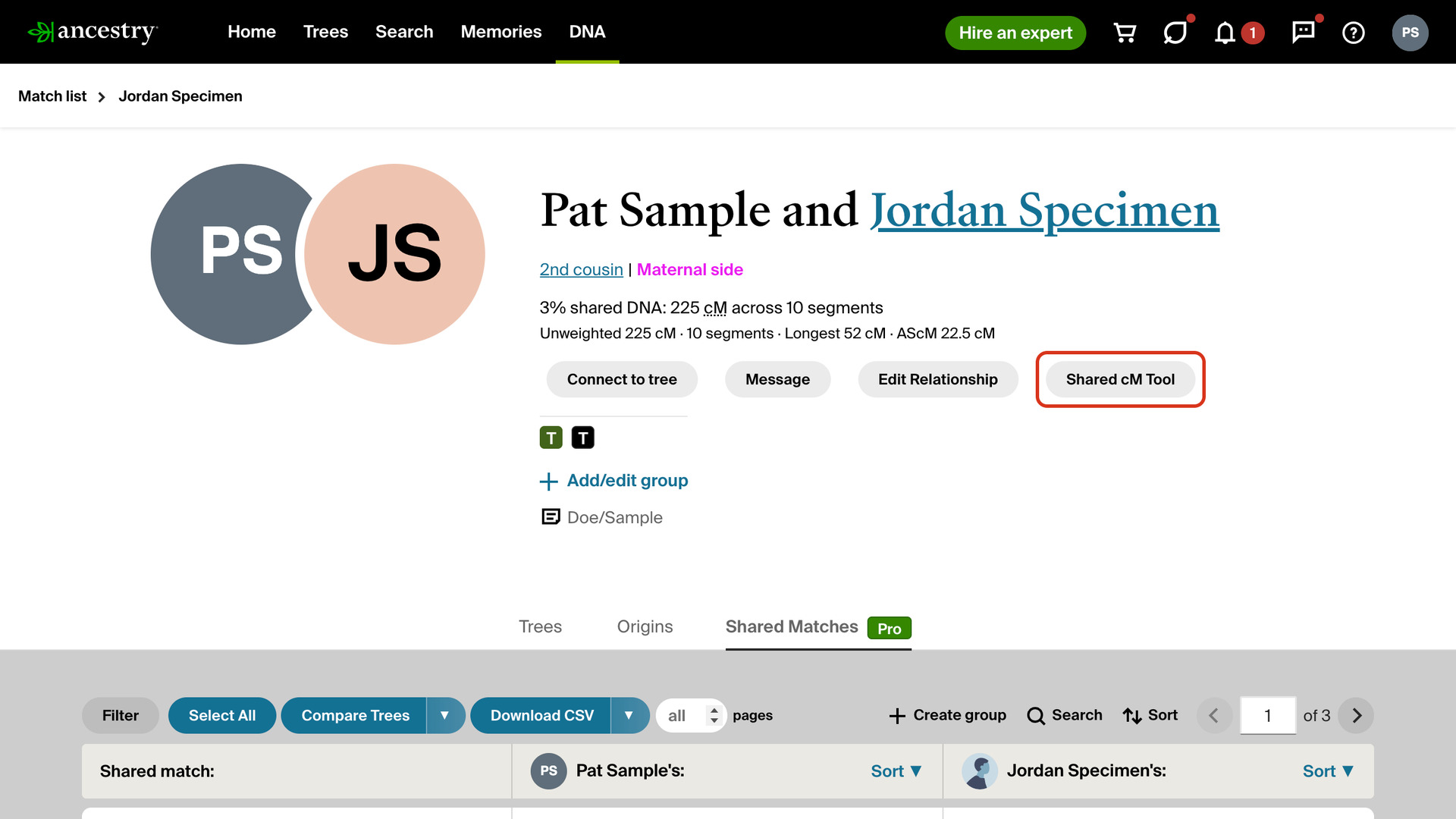
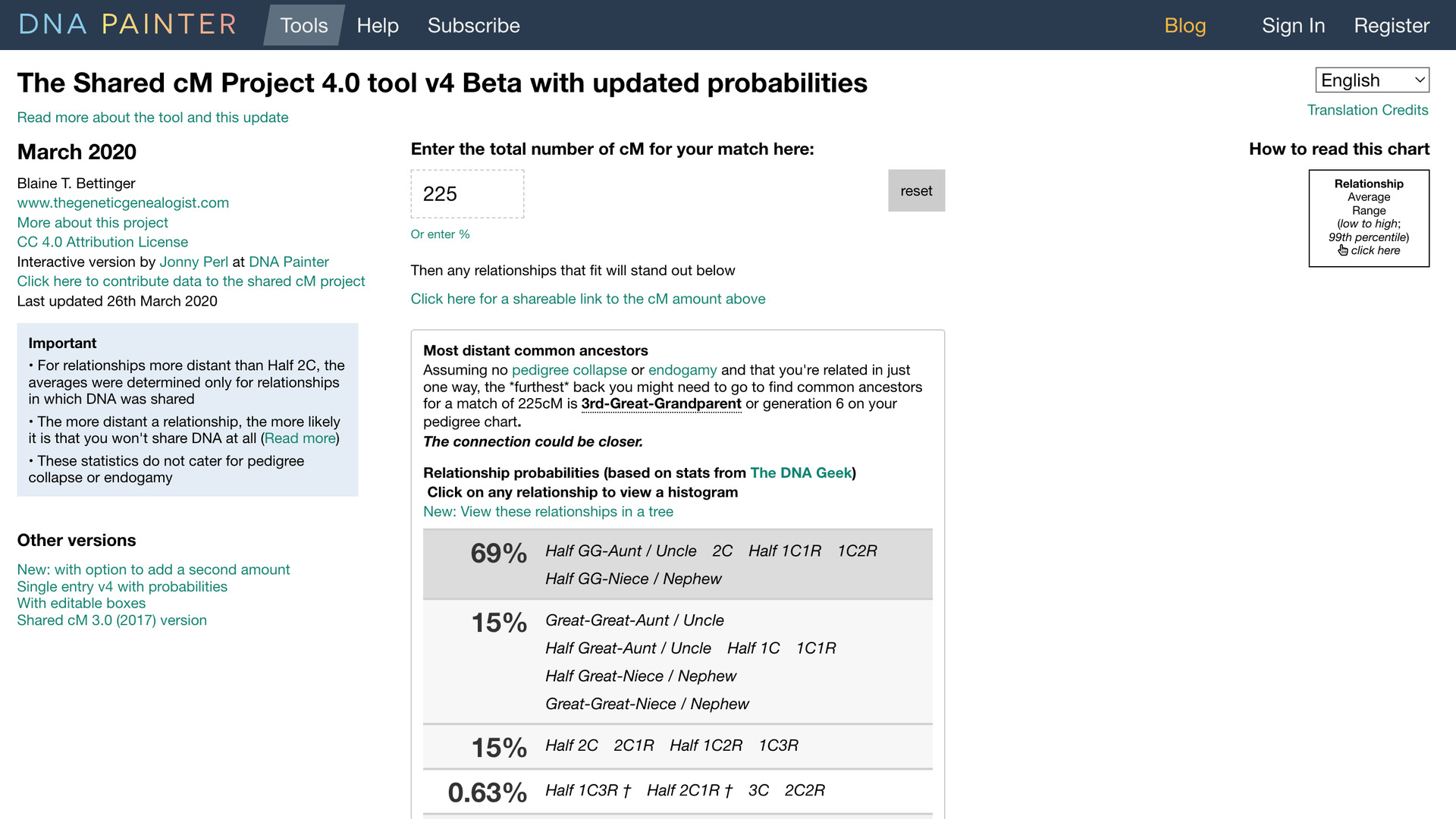
DNA Painter Shared cM Tool Button adds a Shared cM Tool button to the top of every AncestryDNA match page. The button opens DNA Painter’s Shared cM Tool with the match’s shared cM already filled in, instead of you opening the tool and typing the number.
How does DNA Painter Shared cM Tool Button work?
The button sits in the header at the top of a match’s page, after Ancestry’s own buttons, so it is there on every tab of the match. Click it to open DNA Painter’s Shared cM Tool in a new tab, filled in with the shared cM Ancestry shows for that match.
The tool lists every relationship that fits that amount of DNA and how likely each one is. It is a quick way to check Ancestry’s estimated relationship against the other possibilities before you start working on a match’s family tree.
The cM values in your lists can open the same tool with a click. On the match list, those links come from Highlight DNA Matches by cM. On the Shared Matches tab, they come from Highlight Shared Matches by cM, which links both cM values on each row.
How do I use DNA Painter Shared cM Tool Button?
- In the Genealogy Assistant pop-up panel, make sure DNA Painter Shared cM Tool Button is turned on.
- Open a match from your AncestryDNA match list. The Shared cM Tool button is in the header at the top of the page.
- Click Shared cM Tool. DNA Painter’s Shared cM Tool opens in a new tab with the match’s shared cM filled in.
Related features
- Segment Stats on DNA Match Pages: Shows the unweighted cM, segment count, longest segment and average segment size (AScM) under the shared DNA on every match page, without opening the pop-up.
- Highlight DNA Matches by cM: Shows matches above 25 cM, or a threshold you choose, in bold red, with maternal matches in pink, paternal matches in blue and public linked trees in green.
- Relationship Finder in Family Tree: Click any two people in the vertical tree view to see how they are related, from 3rd cousin 2x removed to wife of 2nd great‑granduncle.
DNA Painter Shared cM Tool Button is a feature of the software Genealogy Assistant.
Genealogy Assistant is an extension for Google Chrome, Mozilla Firefox, Microsoft Edge and Apple Safari which supercharges your family history research by adding over 100 custom features to popular genealogy websites like Ancestry, MyHeritage, FamilySearch, FamilyTreeDNA and more. You can watch a full video walkthrough on YouTube.
Install Genealogy Assistant for Google Chrome | Install for Mozilla Firefox | Install for Microsoft Edge | Install for Apple Safari