


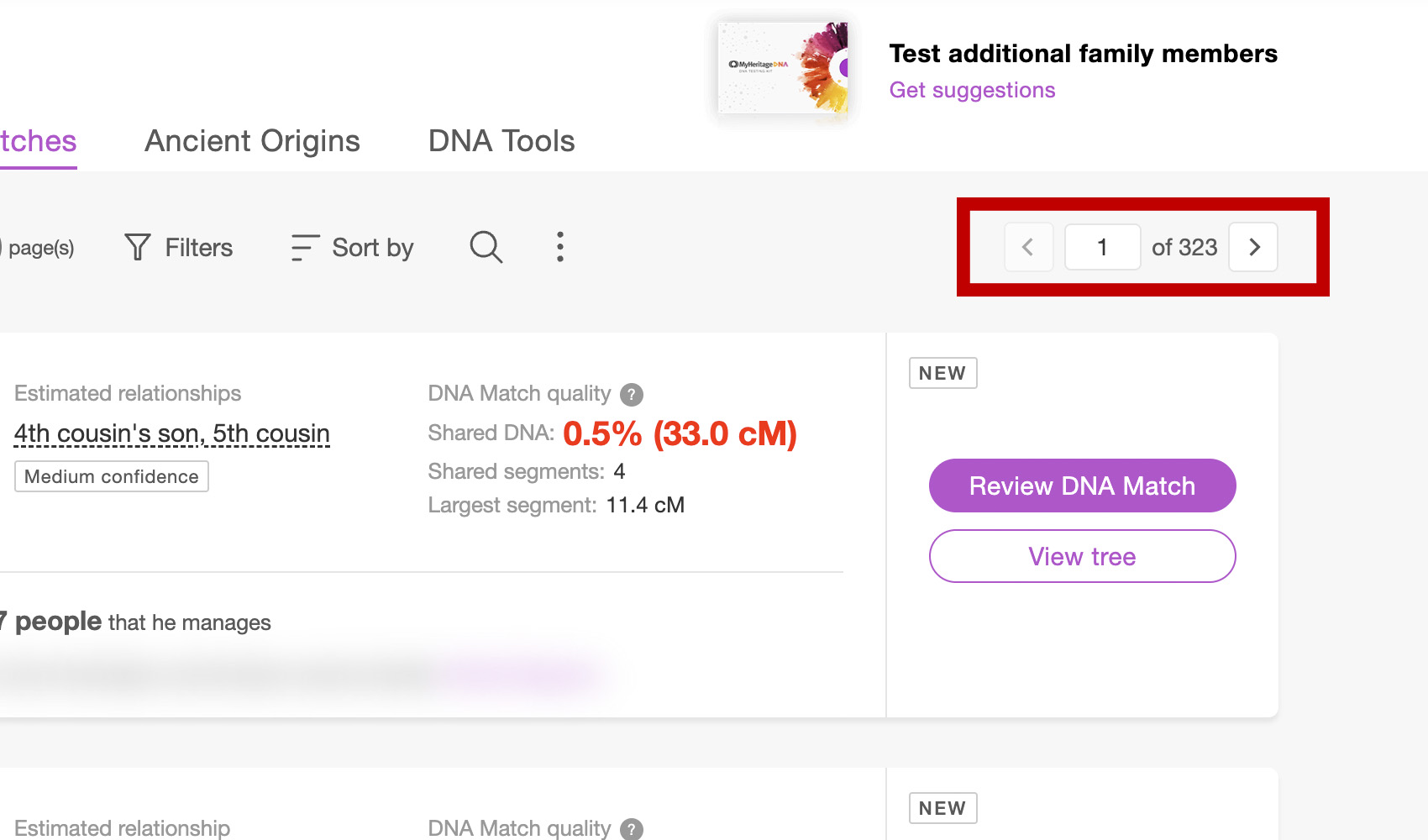
What problem does MyHeritage Add Pagination to Top of Matches List solve?
MyHeritage’s pagination controls live at the bottom of your DNA match list, which means scrolling all the way down every time you want to move to the next page. MyHeritage Add Pagination to Top of Matches List mirrors those controls at the top of the list and adds keyboard shortcuts so you can step through your matches without scrolling.
How does MyHeritage Add Pagination to Top of Matches List work?
On your MyHeritage DNA matches list, a new pagination control is added to the top toolbar with previous and next buttons, a page input box, and the total page count. The page input lets you jump straight to a specific page by typing a number and pressing Enter. The control stays in sync with MyHeritage’s own pagination at the bottom of the list, and the left and right arrow keys also move between pages.
How do I use MyHeritage Add Pagination to Top of Matches List?
- Ensure MyHeritage Add Pagination to Top of Matches List is enabled in the Genealogy Assistant pop-up panel.
- Navigate to your MyHeritage DNA matches list.
- Use the previous and next arrow buttons in the top toolbar to step between pages.
- Type a page number in the input box and press
Enterto jump straight to that page. - Press the
LeftorRightarrow keys anywhere on the page to move backwards or forwards one page at a time.
Keyboard Shortcuts
Leftmoves to the previous pageRightmoves to the next pageEnterin the page input jumps to the entered page
MyHeritage Add Pagination to Top of Matches List is a feature of the software Genealogy Assistant.
Genealogy Assistant is an extension for Google Chrome, Mozilla Firefox, Microsoft Edge and Apple Safari which supercharges your family history research by adding over 100 custom features to popular genealogy websites like Ancestry, MyHeritage, FamilySearch, FamilyTreeDNA and more. You can watch a full video walkthrough on YouTube.
Install Genealogy Assistant for Google Chrome | Install for Mozilla Firefox | Install for Microsoft Edge | Install for Apple Safari