


What problem does View DNA Inheritance Paths solve?
Working out which ancestors could have passed down Y-DNA, mtDNA, or X-DNA to the home person of a tree means walking the pedigree in your head and remembering the inheritance rules for each test. View DNA Inheritance Paths highlights the correct ancestors on the tree for you at the click of a button.
How does View DNA Inheritance Paths work?
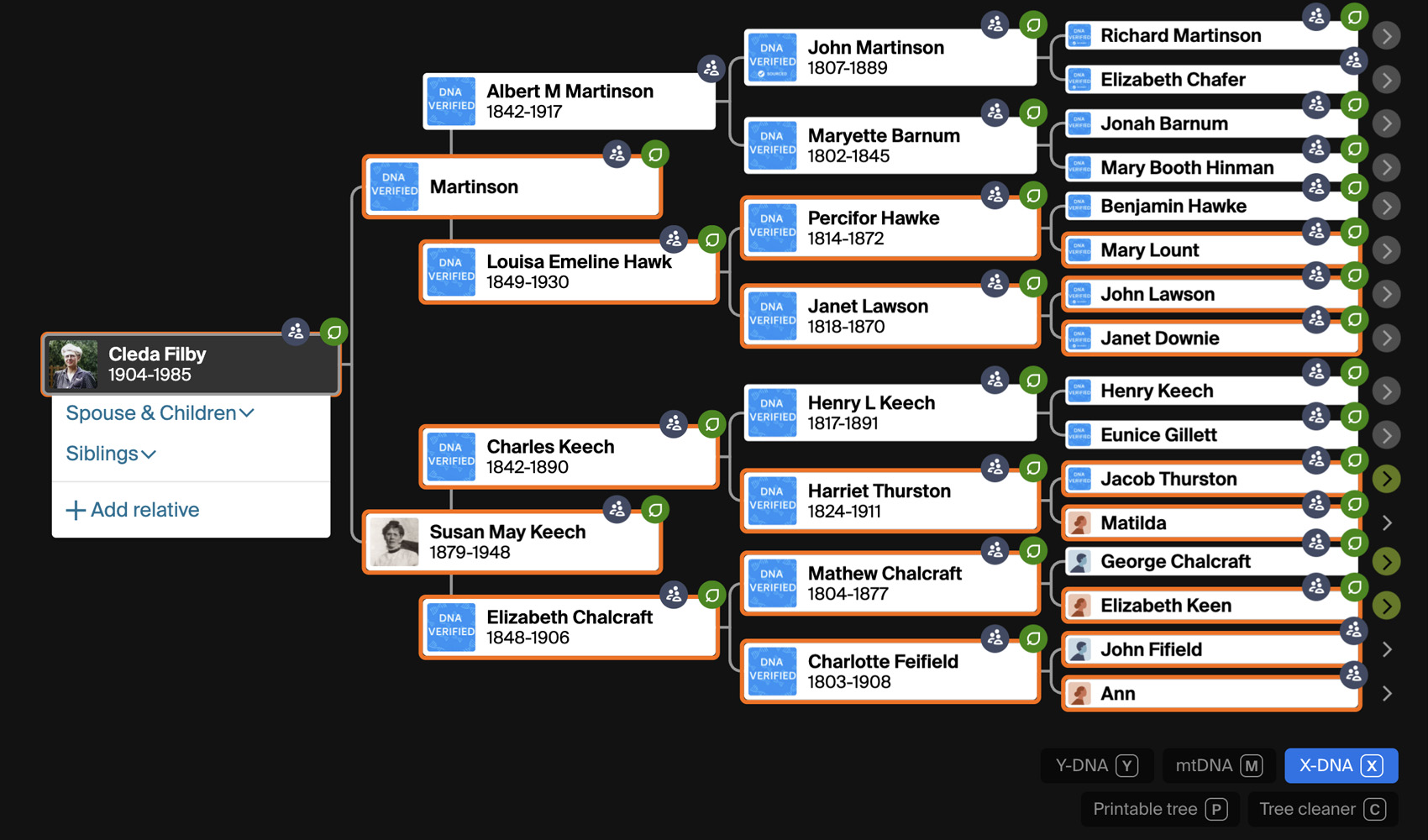
New buttons are added to the bottom right hand corner of your family tree which allow you to view the DNA inheritance paths for the person you are viewing: Y-DNA, mtDNA, and X-DNA. Clicking any button highlights the ancestors in your tree who could have passed that DNA type down to the home person. Y-DNA highlights the direct paternal line in blue, mtDNA highlights the direct maternal line in pink, and X-DNA highlights the more complex X-inheritance pattern in orange. The buttons work in the horizontal, vertical and fan views of the tree. In the horizontal and vertical views the highlighted people get a coloured outline, and in the fan view the wedge itself is outlined. Clicking the same button again removes that highlight, and the three paths can be shown together. In the vertical view the first click for a person loads the tree data, so the button briefly reads Wait before the line appears, and the line extends on its own as you expand more generations.
How do I use View DNA Inheritance Paths?
- Ensure View DNA Inheritance Paths is enabled in the Genealogy Assistant pop-up panel.
- Open any Ancestry family tree in the horizontal, vertical or fan view.
- Click Y-DNA, mtDNA, or X-DNA in the bottom right of the page to highlight the matching ancestors. Click the same button again to clear the highlight.
Keyboard Shortcuts
Ytoggles the Y-DNA inheritance pathMtoggles the mtDNA inheritance pathXtoggles the X-DNA inheritance path
View DNA Inheritance Paths is a feature of the software Genealogy Assistant.
Genealogy Assistant is an extension for Google Chrome, Mozilla Firefox, Microsoft Edge and Apple Safari which supercharges your family history research by adding over 100 custom features to popular genealogy websites like Ancestry, MyHeritage, FamilySearch, FamilyTreeDNA and more. You can watch a full video walkthrough on YouTube.
Install Genealogy Assistant for Google Chrome | Install for Mozilla Firefox | Install for Microsoft Edge | Install for Apple Safari