


What problem does Add Percentage to Origins Regions solve?
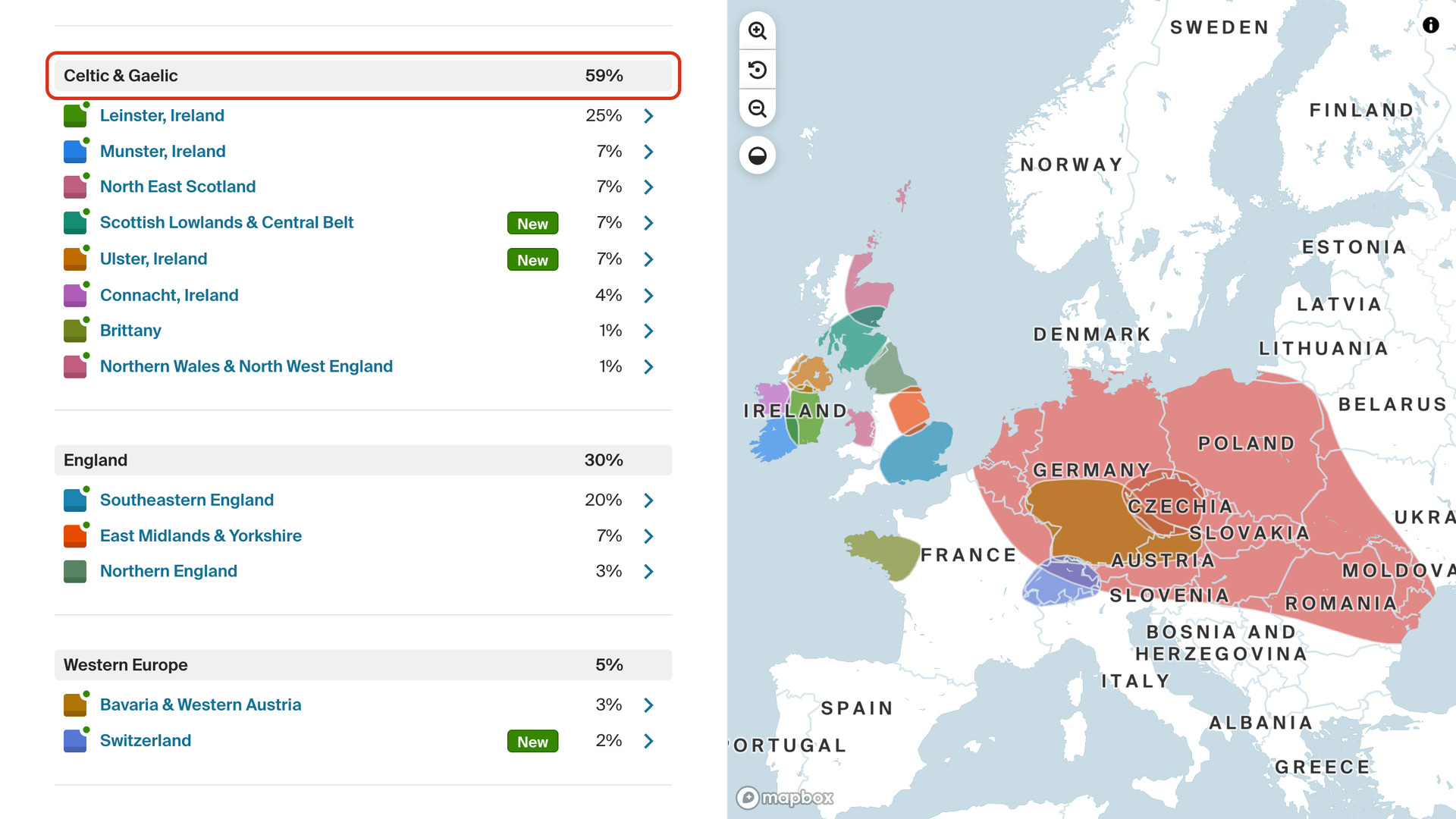
Add Percentage to Origins Regions shows a total beside each group of regions on your AncestryDNA Origins page, adding up the percentages of the regions listed under it. Ancestry shows a percentage only for each region, so the total for a whole group has to be worked out by hand.
How does Add Percentage to Origins Regions work?
On the Origins page, your regions are listed in groups, such as Celtic & Gaelic or England. Each group’s heading now ends with the total of the regions under it, in bold. The headings also get a light grey background, so every group and its share of your DNA stand out.
How do I use Add Percentage to Origins Regions?
- In the Genealogy Assistant pop-up panel, make sure Add Percentage to Origins Regions is turned on.
- Open your AncestryDNA Origins page. Each group heading shows its total at the right.
Related features
- Sort Regions by Parent & Grandparent: Click a parent or grandparent in the regions by parent & grandparent chart to sort every column by the regions that person passed down to you.
- View DNA Inheritance Paths: Trace the Y-DNA, X-DNA and mtDNA inheritance paths of any person in your family tree, in the horizontal, vertical and fan views.
- Highlight DNA Matches by cM: Shows matches above 25 cM, or a threshold you choose, in bold red, with maternal matches in pink, paternal matches in blue and public linked trees in green.
Add Percentage to Origins Regions is a feature of the software Genealogy Assistant.
Genealogy Assistant is an extension for Google Chrome, Mozilla Firefox, Microsoft Edge and Apple Safari which supercharges your family history research by adding over 100 custom features to popular genealogy websites like Ancestry, MyHeritage, FamilySearch, FamilyTreeDNA and more. You can watch a full video walkthrough on YouTube.
Install Genealogy Assistant for Google Chrome | Install for Mozilla Firefox | Install for Microsoft Edge | Install for Apple Safari