


What problem does Easy Hide and Expand in Family Tree solve?
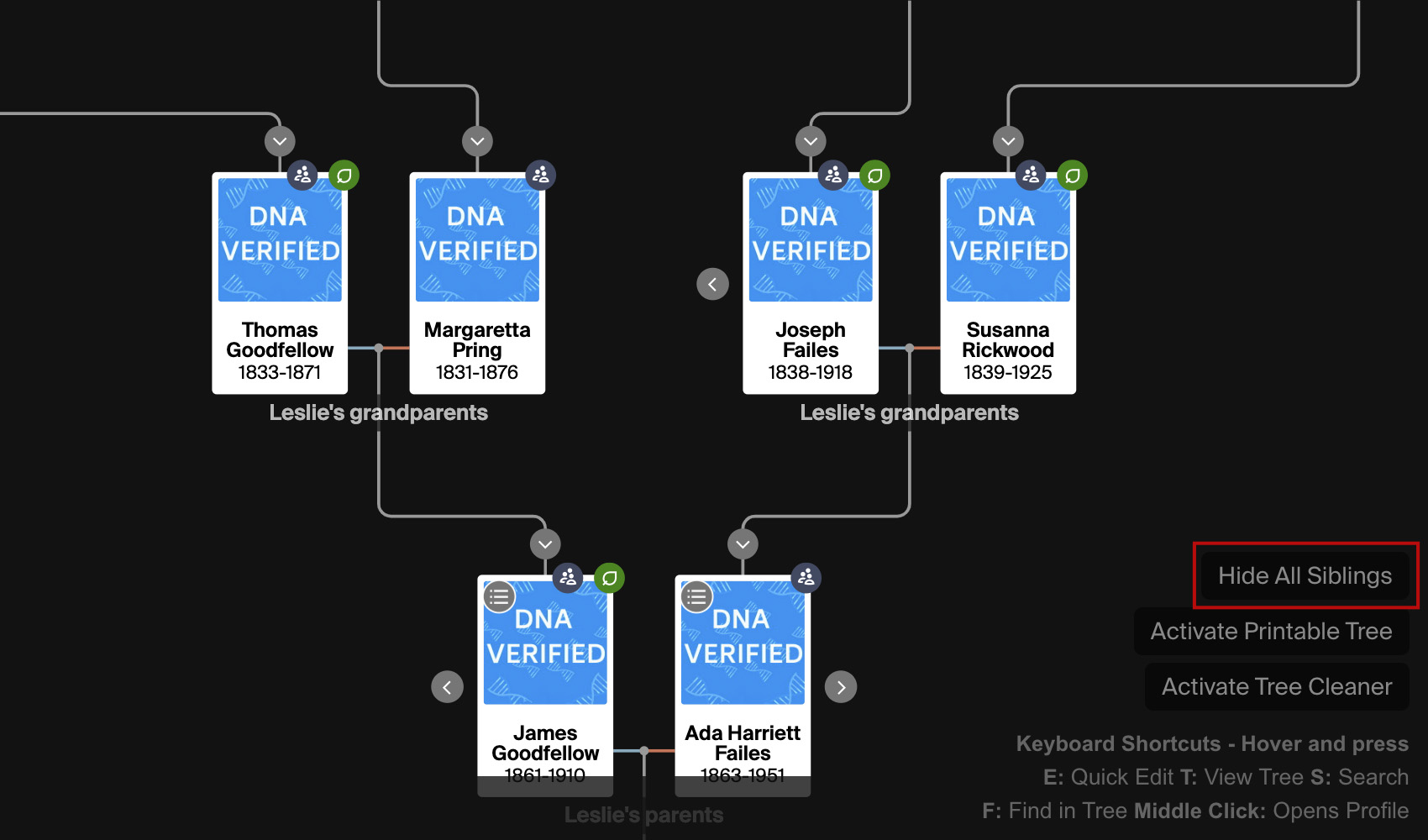
Ancestry’s family tree lets you expand all generations and hide the siblings of any person, but both actions are buried behind multiple clicks. If you want to jump a large tree open or collapse the sibling clutter to concentrate on the direct line, you end up clicking the same small controls over and over. Easy Hide and Expand in Family Tree adds two buttons right on the tree page and matching keyboard shortcuts so you can do both in a single click or keystroke.
How does Easy Hide and Expand in Family Tree work?
In the vertical view of any Ancestry family tree, three new buttons are added to the panel at the bottom right of the tree: Expand tree, Collapse tree and Hide siblings. Expand tree opens one more generation in every branch, upward and downward, each time you click it, catching up any branch that is lagging behind before moving the whole tree out another row. Collapse tree does the reverse, pulling the outermost generation back in on both sides. Hide siblings hides every sibling currently shown so you see just the direct lines. All three buttons also respond to keyboard shortcuts while you are on the tree page.
How do I use Easy Hide and Expand in Family Tree?
- Ensure Easy Hide and Expand in Family Tree is enabled in the Genealogy Assistant pop-up panel.
- Open any Ancestry family tree in the vertical view.
- Click Expand tree or press
Gto open the next generation in every branch. Click again for each further generation. - Click Collapse tree or press
Dto close the outermost generation again. - Click Hide siblings or press
Hto hide every sibling shown in the tree.
Keyboard Shortcuts
Gexpands the tree by one generation, upward and downwardDcollapses the outermost generation of the treeHhides every sibling shown in the tree
Easy Hide and Expand in Family Tree is a feature of the software Genealogy Assistant.
Genealogy Assistant is an extension for Google Chrome, Mozilla Firefox, Microsoft Edge and Apple Safari which supercharges your family history research by adding over 100 custom features to popular genealogy websites like Ancestry, MyHeritage, FamilySearch, FamilyTreeDNA and more. You can watch a full video walkthrough on YouTube.
Install Genealogy Assistant for Google Chrome | Install for Mozilla Firefox | Install for Microsoft Edge | Install for Apple Safari