


What problem does Add Select All Button to Matches List solve?
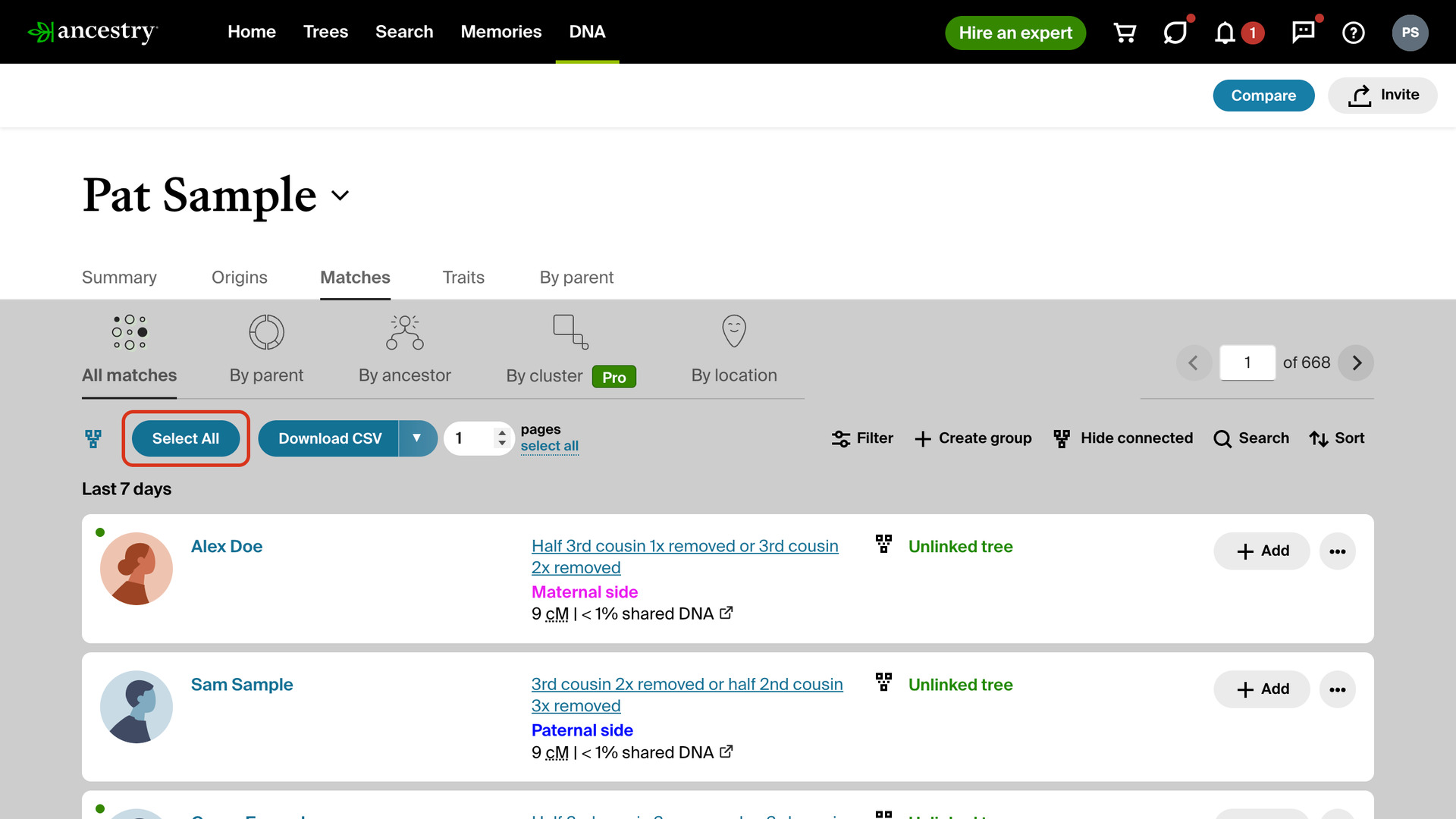
Add Select All Button to Matches List adds a Select All button to your AncestryDNA match list. It ticks every match on the page and opens Ancestry’s groups sidebar. Without it, putting a page of matches into a group means ticking each match by hand.
How does Add Select All Button to Matches List work?
The Select All button sits in the filters toolbar at the top of your DNA Matches page, just before Download CSV. Click it and every match on the page is ticked. Ancestry’s groups sidebar opens at the same time, so you can add the whole page to a group in one step.
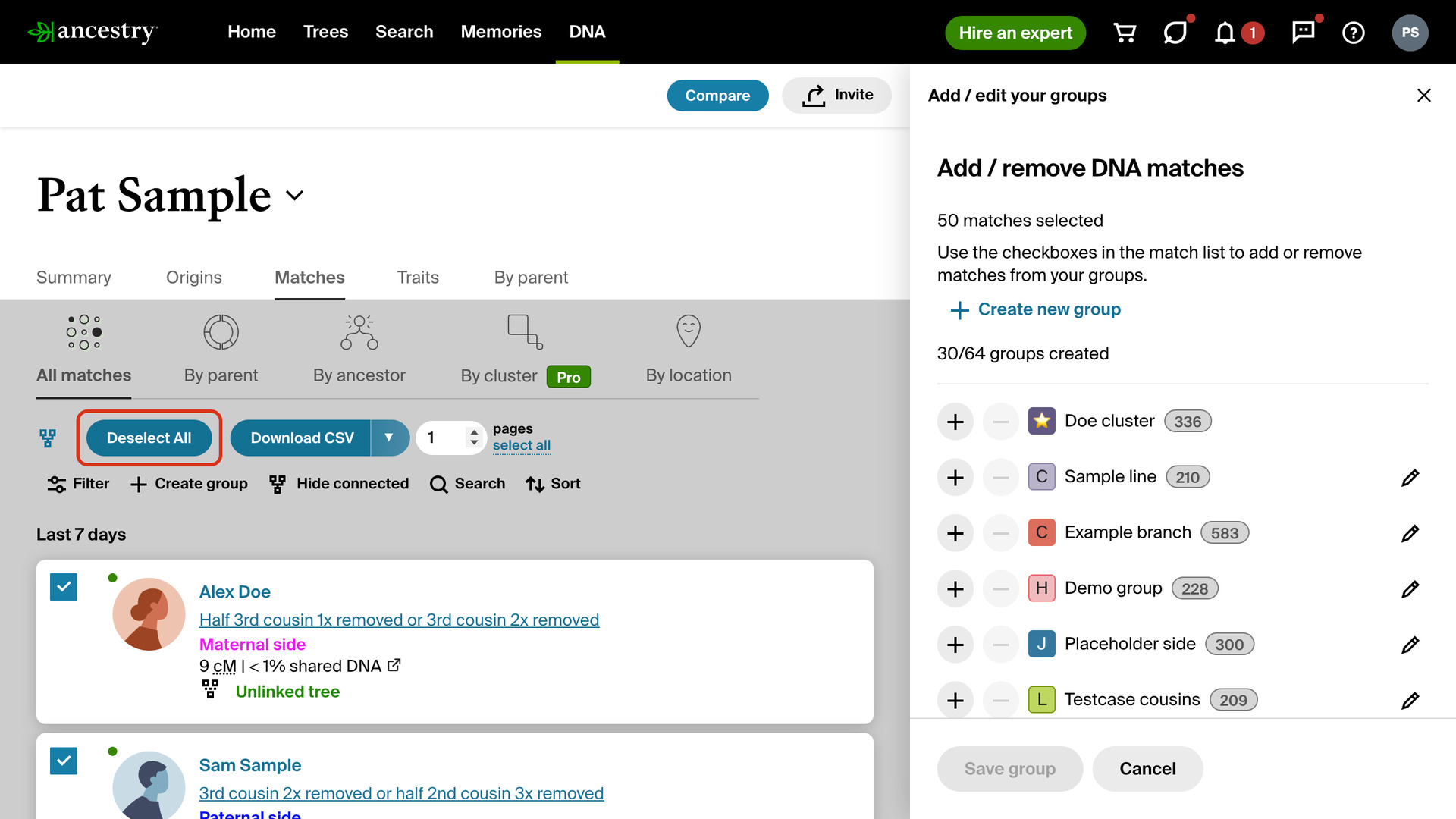
It ticks whatever the page shows. Filter the list or search by surname or birth location first, and only those matches are selected. While they are ticked, the button reads Deselect All. When you close the sidebar, it goes back to Select All.
How do I use Add Select All Button to Matches List?
- In the Genealogy Assistant pop-up panel, make sure Add Select All Button to Matches List is turned on.
- Open your AncestryDNA match list. To select only some of your matches, apply Ancestry’s filters or a surname search first.
- Click Select All in the filters toolbar. Every match on the page is ticked and the groups sidebar opens.
- In the sidebar, add the matches to a group the same way you would for one match.
- To untick the page instead, click Deselect All.
Related features
- Select All Button for Shared Matches: Select or deselect every match on a shared matches page at once with new buttons in the filters toolbar, ready for adding to a group.
- Hide Matches Already Connected to Tree: Hide DNA matches already linked to your tree and bring them back with the same button.
- Add Keyboard Shortcuts to Matches List: Hover over any match and press n, r or g to open its note, relationship or groups window.
Add Select All Button to Matches List is a feature of the software Genealogy Assistant.
Genealogy Assistant is an extension for Google Chrome, Mozilla Firefox, Microsoft Edge and Apple Safari which supercharges your family history research by adding over 100 custom features to popular genealogy websites like Ancestry, MyHeritage, FamilySearch, FamilyTreeDNA and more. You can watch a full video walkthrough on YouTube.
Install Genealogy Assistant for Google Chrome | Install for Mozilla Firefox | Install for Microsoft Edge | Install for Apple Safari