

What problem does Link Place Names to Google Maps solve?
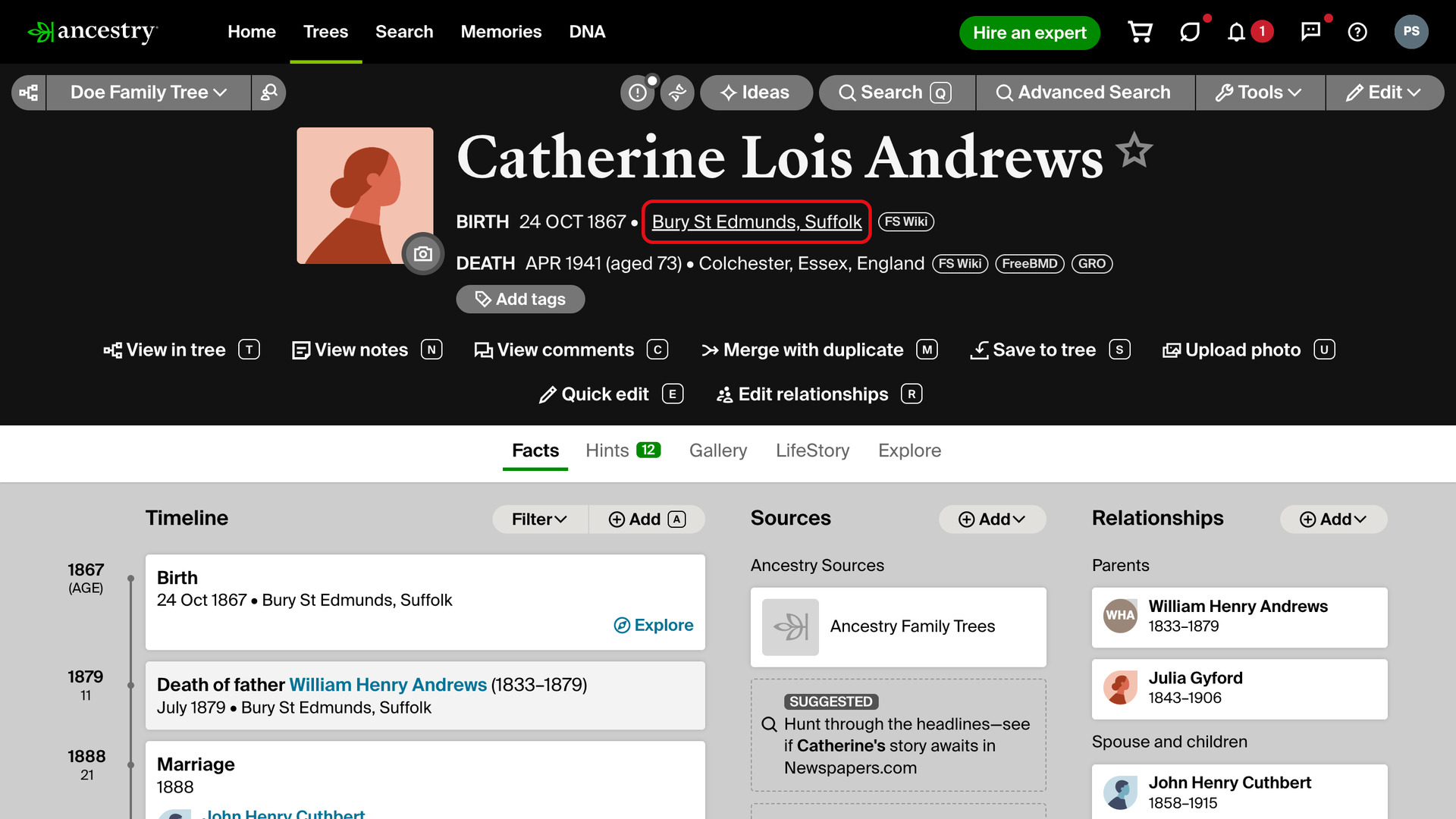
Link Place Names to Google Maps turns the place names on Ancestry profile pages and family tree cards into links that open Google Maps. You can see where an ancestor was born, lived and died with one click, instead of copying each place into a map in another tab.
How does Link Place Names to Google Maps work?
These place names become links:
- The birth and death places at the top of a person’s profile page.
- Every place in the Timeline on the profile’s Facts tab.
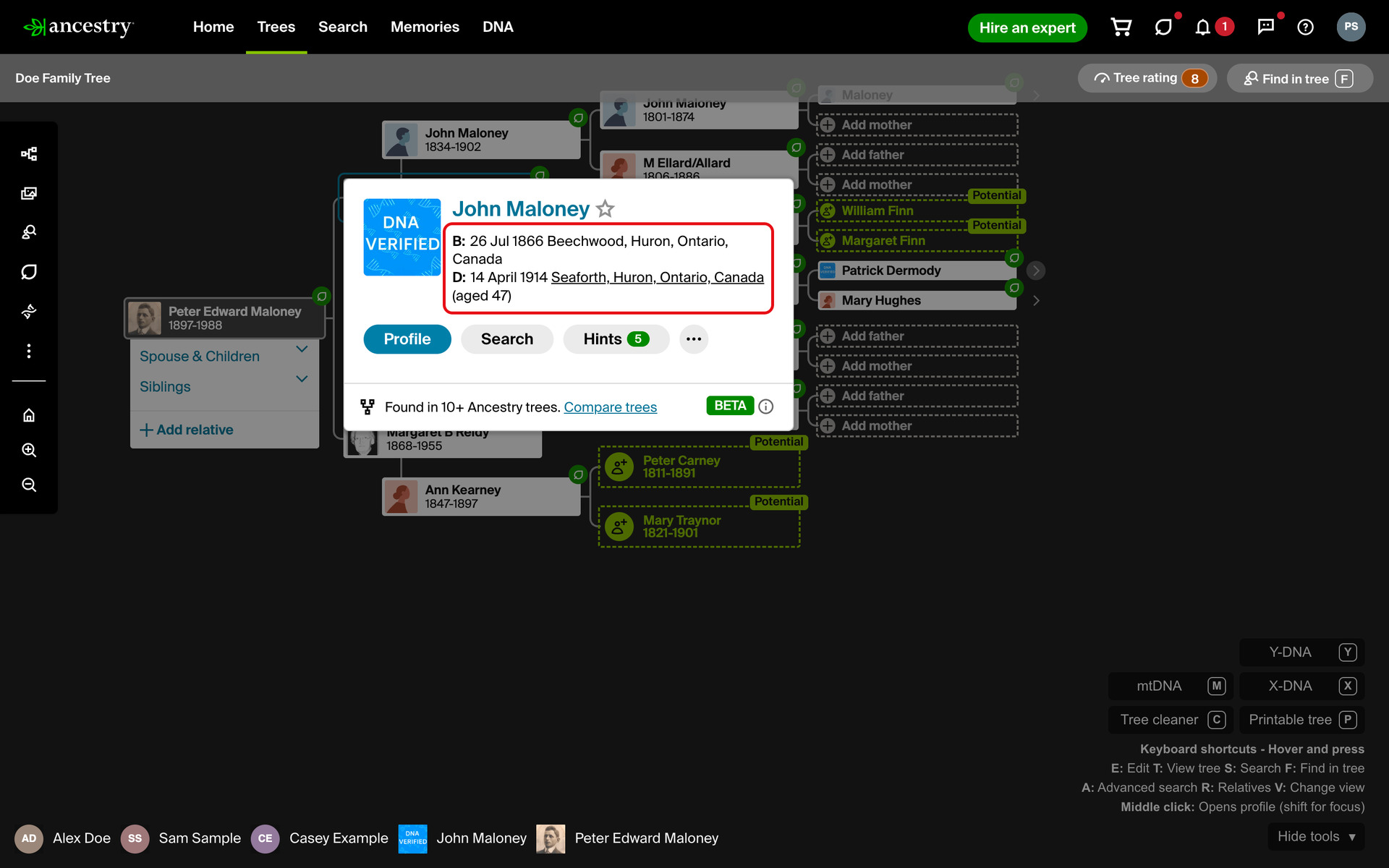
- The birth and death places on the card that opens when you click a person on the family tree.
The text looks exactly as it did: nothing is added beside it and nothing changes colour. A place underlines, and the pointer turns into a hand, only when you point at it. The whole place, down to the township, is sent to Google Maps as Ancestry recorded it.
How the map opens depends on how you click:
- A click opens it in a new tab in front of Ancestry.
- A middle-click, or a click with
Ctrl(Cmdon a Mac) held, opens it in a background tab. Ancestry stays in front, so you can line up several places to look at afterwards. - A middle-click with
Shiftheld opens it in a new tab and switches to it.
Place names are still text you can copy: dragging across one does not open a map. On the tree card, the card stays open after you click a place. You can open both the birth and the death place without clicking the person again.
How do I use Link Place Names to Google Maps?
- In the Genealogy Assistant pop-up panel, make sure Link Place Names to Google Maps is turned on.
- Open a person’s profile page in an Ancestry family tree, or click a person on your family tree to open their card.
- Point at a place name. It underlines and the pointer becomes a hand.
- Click the place. Google Maps opens at that place in a new tab.
Related features
- Add Advanced Search to Profiles: Search anyone in your Ancestry tree on eight genealogy websites from their profile, with civil registration indexes beside each place and an age added to the death date.
- FamilySearch Add Search Wiki Link to Places: A Search Wiki link beside each place on a FamilySearch person profile looks up that place in the FamilySearch Wiki, to see which records are available for it.
- Advanced Research Tools on Profiles: Adds Save to Tree, Quick Edit and Edit Relationships to the research tools menu on profile pages, including other members’ trees, with a shortcut letter beside each link.
Link Place Names to Google Maps is a feature of the software Genealogy Assistant.
Genealogy Assistant is an extension for Google Chrome, Mozilla Firefox, Microsoft Edge and Apple Safari which supercharges your family history research by adding over 100 custom features to popular genealogy websites like Ancestry, MyHeritage, FamilySearch, FamilyTreeDNA and more. You can watch a full video walkthrough on YouTube.
Install Genealogy Assistant for Google Chrome | Install for Mozilla Firefox | Install for Microsoft Edge | Install for Apple Safari