

What problem does MyHeritage Default Sort by Highest Mutual Matches solve?
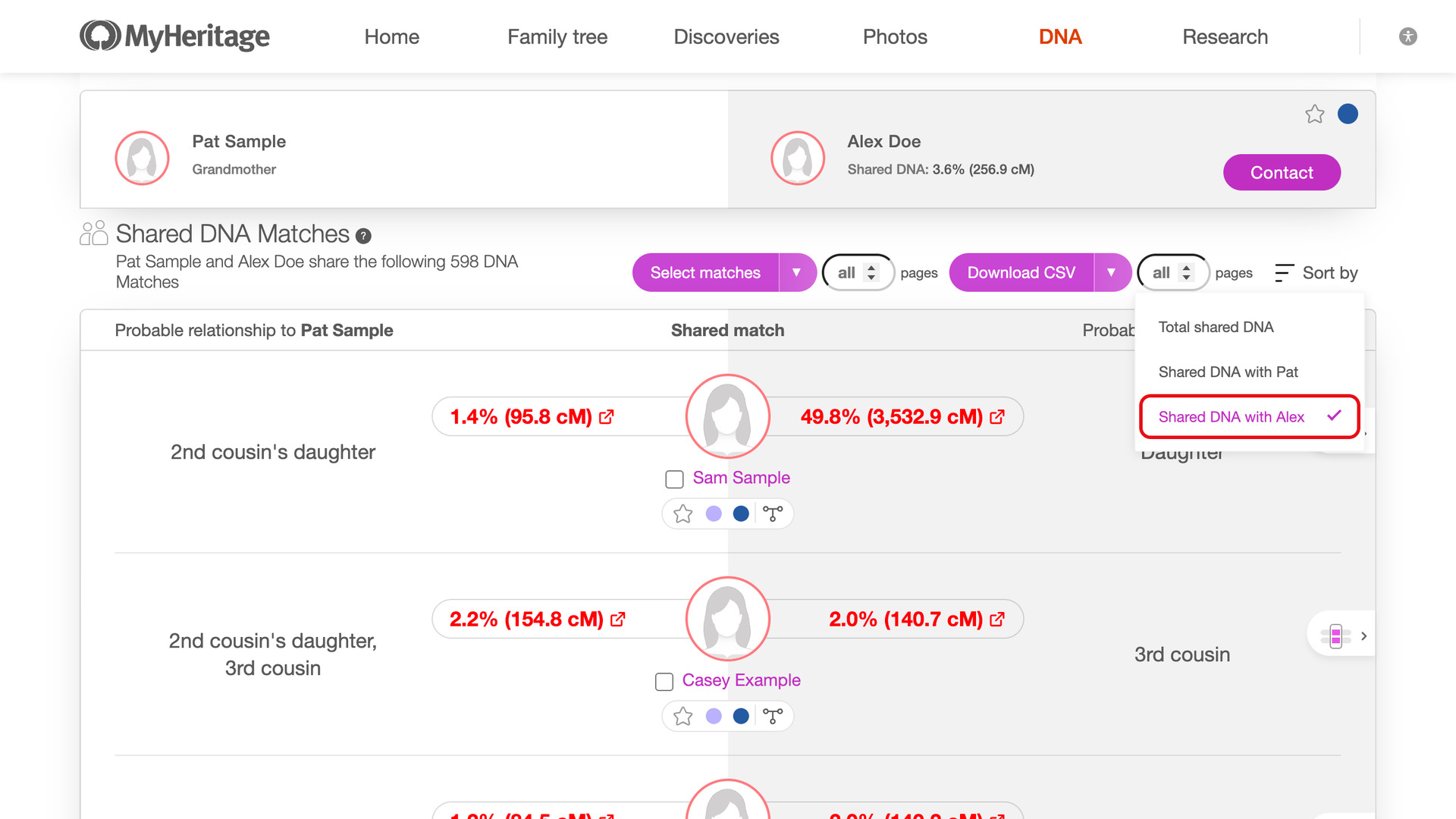
MyHeritage Default Sort by Highest Mutual Matches sorts the shared matches of every MyHeritage DNA match by how much DNA they share with that match, largest first. The relatives closest to the match then sit at the top of the list instead of several pages down.
How does MyHeritage Default Sort by Highest Mutual Matches work?
Whenever you open one of your MyHeritage DNA matches, the page reloads once with its shared matches sorted largest first. They are sorted by the cM each one shares with the match you are viewing, rather than with you. It works for every match, so there is nothing to choose each time.
How do I use MyHeritage Default Sort by Highest Mutual Matches?
- In the Genealogy Assistant pop-up panel, make sure Default Sort by Highest Mutual Matches is turned on.
- Open one of your MyHeritage DNA matches and scroll down to its shared matches. They are sorted by the cM each one shares with the match, largest first.
Related features
- MyHeritage Highlight Mutual Matches 50cM+: Highlights mutual matches who share 50 cM or more with each other in bold red, using a threshold you can change.
- MyHeritage: Open Shared Matches in New Tab: Clicking a name in a MyHeritage shared matches list opens that person’s profile in a new tab, leaving your place in the list where it was.
- MyHeritage Download Shared Matches as CSV File: Save the shared matches of any MyHeritage match to a CSV file, or only the triangulated ones from the drop-down beside the Download CSV button.
MyHeritage Default Sort by Highest Mutual Matches is a feature of the software Genealogy Assistant.
Genealogy Assistant is an extension for Google Chrome, Mozilla Firefox, Microsoft Edge and Apple Safari which supercharges your family history research by adding over 100 custom features to popular genealogy websites like Ancestry, MyHeritage, FamilySearch, FamilyTreeDNA and more.
Install Genealogy Assistant for Google Chrome | Install for Mozilla Firefox | Install for Microsoft Edge | Install for Apple Safari