

What problem does Ancestry Match List Sorting solve?
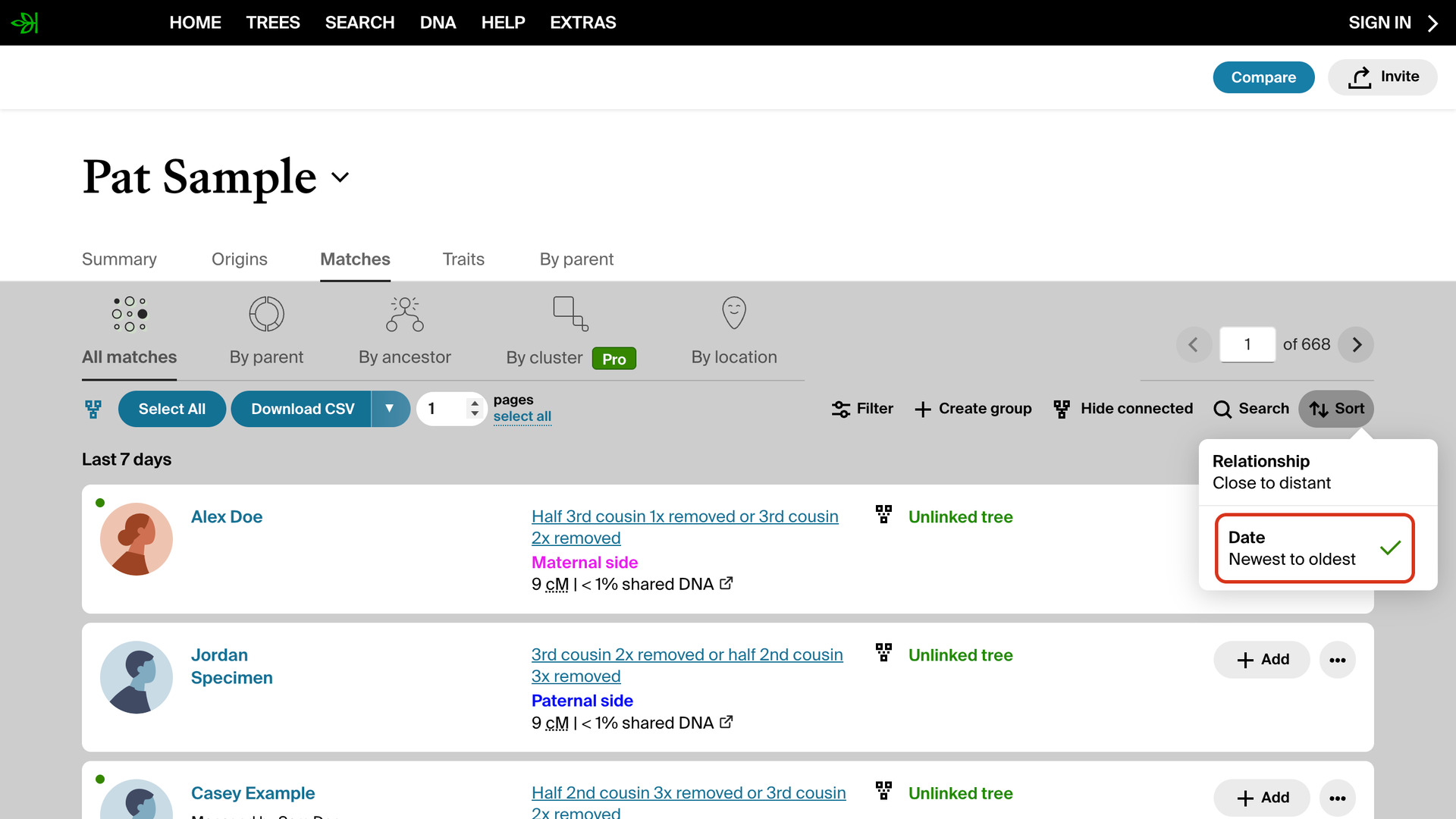
Ancestry Match List Sorting lets you choose whether your AncestryDNA match list opens with your newest matches first or your closest. Ancestry always opens it by closest relationship, so checking for new matches otherwise means changing the sort on every visit.
How does Ancestry Match List Sorting work?
The choice is a switch called Default DNA Match List Sorting in the AncestryDNA Tools section of the pop-up panel. Newest puts the matches that arrived most recently at the top. Closest, the default, keeps Ancestry’s own order, with your strongest matches first.
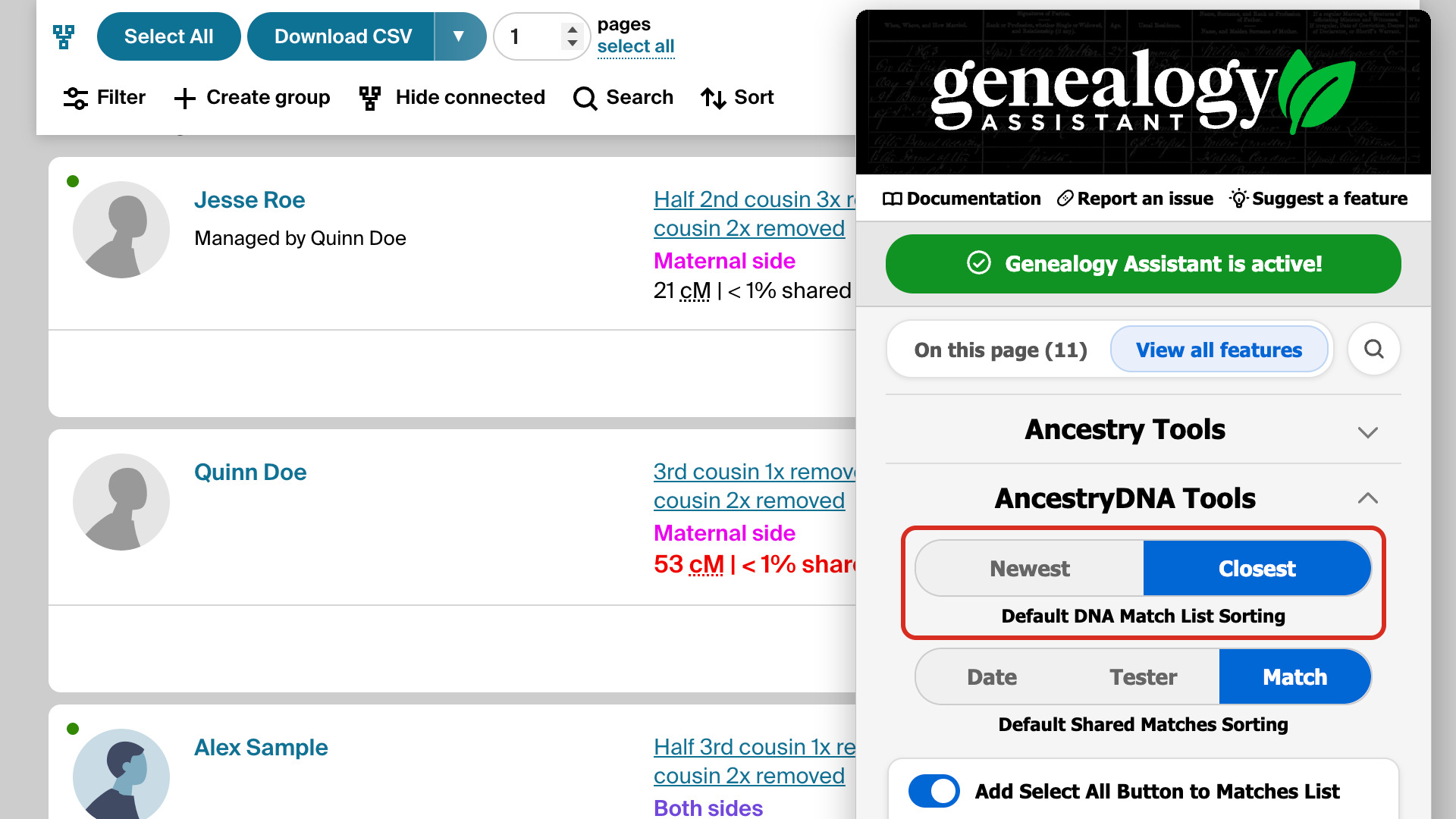
With Newest chosen, the match list opens sorted by date every time, for every DNA test you manage. It only sets the order the list opens in, so you can still change the sort from Ancestry’s own menu. With Always Display 50 Matches in List on as well, you also get 50 matches per page.
How do I use Ancestry Match List Sorting?
- In the Genealogy Assistant pop-up panel, open AncestryDNA Tools and find Default DNA Match List Sorting.
- Click Newest to see your newest matches first, or Closest for Ancestry’s usual order.
- Open your AncestryDNA match list. It opens in the order you chose.
Related features
- Ancestry Shared Matches Sorting: Pick how shared matches are sorted every time you open them, by date, by cM shared with you or by cM shared with the match you are viewing.
- Always Display 50 Matches in List: Shows 50 Ancestry DNA matches per page instead of 20.
- Highlight DNA Matches by cM: Shows matches above 25 cM, or a threshold you choose, in bold red, with maternal matches in pink, paternal matches in blue and public linked trees in green.
Ancestry Match List Sorting is a feature of the software Genealogy Assistant.
Genealogy Assistant is an extension for Google Chrome, Mozilla Firefox, Microsoft Edge and Apple Safari which supercharges your family history research by adding over 100 custom features to popular genealogy websites like Ancestry, MyHeritage, FamilySearch, FamilyTreeDNA and more. You can watch a full video walkthrough on YouTube.
Install Genealogy Assistant for Google Chrome | Install for Mozilla Firefox | Install for Microsoft Edge | Install for Apple Safari