


What problem does Sort Regions by Parent & Grandparent solve?
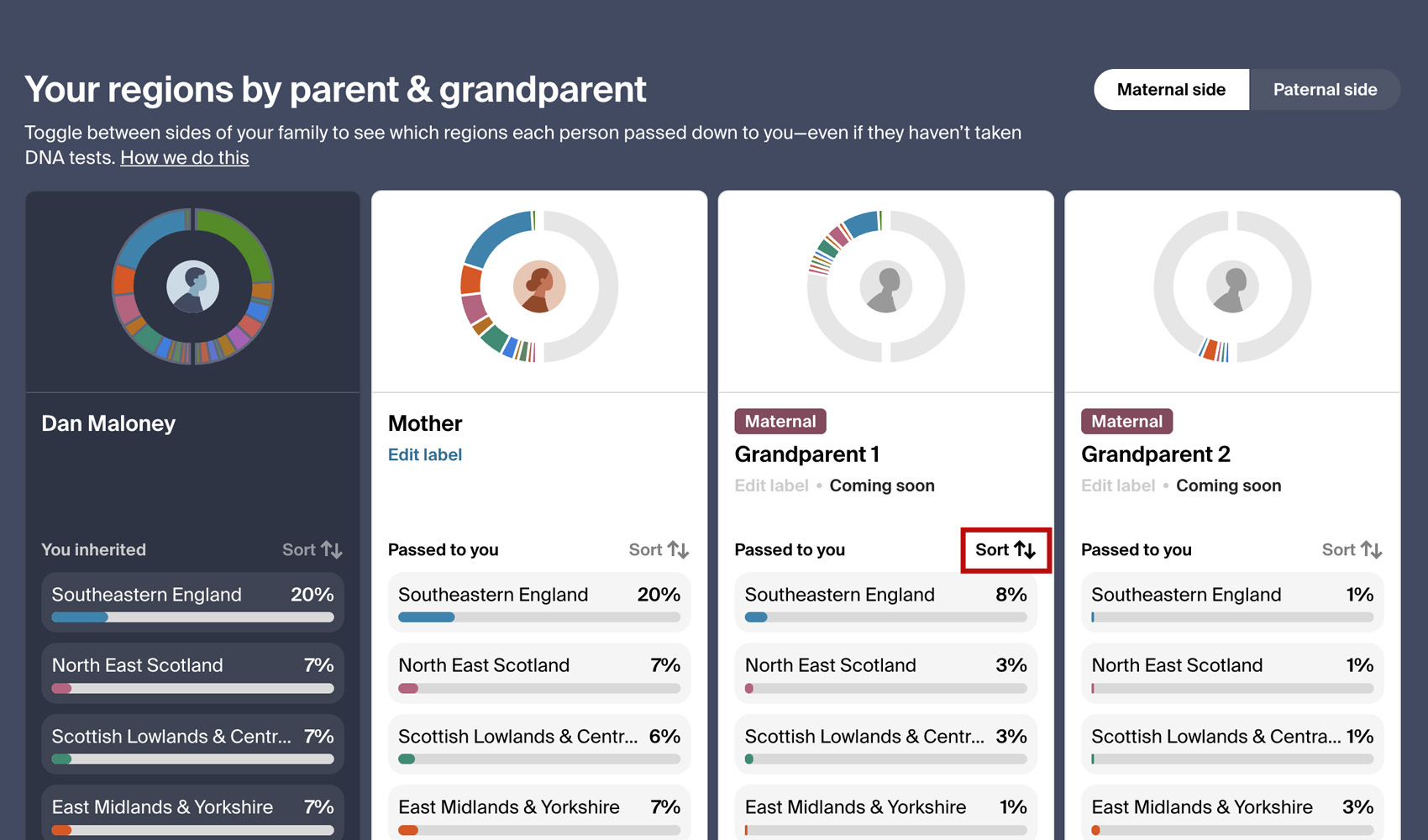
Ancestry’s regions by parent & grandparent chart lists your regions in the same order in every column, from the largest share of your own DNA down. To find what a parent or grandparent passed down to you most, you have to read their whole column. Sort Regions by Parent & Grandparent sorts the chart by any column.
How does Sort Regions by Parent & Grandparent work?
A sort button is added to every column of the regions by parent & grandparent chart on the AncestryDNA inheritance page. It reads Sort and sits at the top right of each column, beside You inherited or Passed to you.
Click Sort on a parent or grandparent and every column is sorted by the regions that person passed down to you, from largest to smallest. Each row still shows one region across the chart.
Regions with the same percentage keep their original order, the size of your own share. The chart expands to show all of your regions, and if you close it again with View less, the rows left showing are the top of the sorted list.
Switching between Maternal side and Paternal side keeps the same column sorted, using the other side of your family. The Sort button in use is shown in full colour and the others are dimmed. Click Sort on your own column whenever you want to put the regions back in the order Ancestry shows them in.
How do I use Sort Regions by Parent & Grandparent?
- Ensure Sort Regions by Parent & Grandparent is enabled in the Genealogy Assistant pop-up panel.
- Open your AncestryDNA Origins page and click View regions by parent and grandparent.
- Click Sort at the top of a parent’s or grandparent’s column. Every column is sorted by that person’s regions, and the chart expands to show them all.
- Use Maternal side and Paternal side to switch sides. The chart stays sorted by the same column.
- Click Sort on your own column to return to the original order.
Sort Regions by Parent & Grandparent is a feature of the software Genealogy Assistant.
Genealogy Assistant is an extension for Google Chrome, Mozilla Firefox, Microsoft Edge and Apple Safari which supercharges your family history research by adding over 100 custom features to popular genealogy websites like Ancestry, MyHeritage, FamilySearch, FamilyTreeDNA and more. You can watch a full video walkthrough on YouTube.
Install Genealogy Assistant for Google Chrome | Install for Mozilla Firefox | Install for Microsoft Edge | Install for Apple Safari