


What problem does Text Records Name Auto-fill solve?
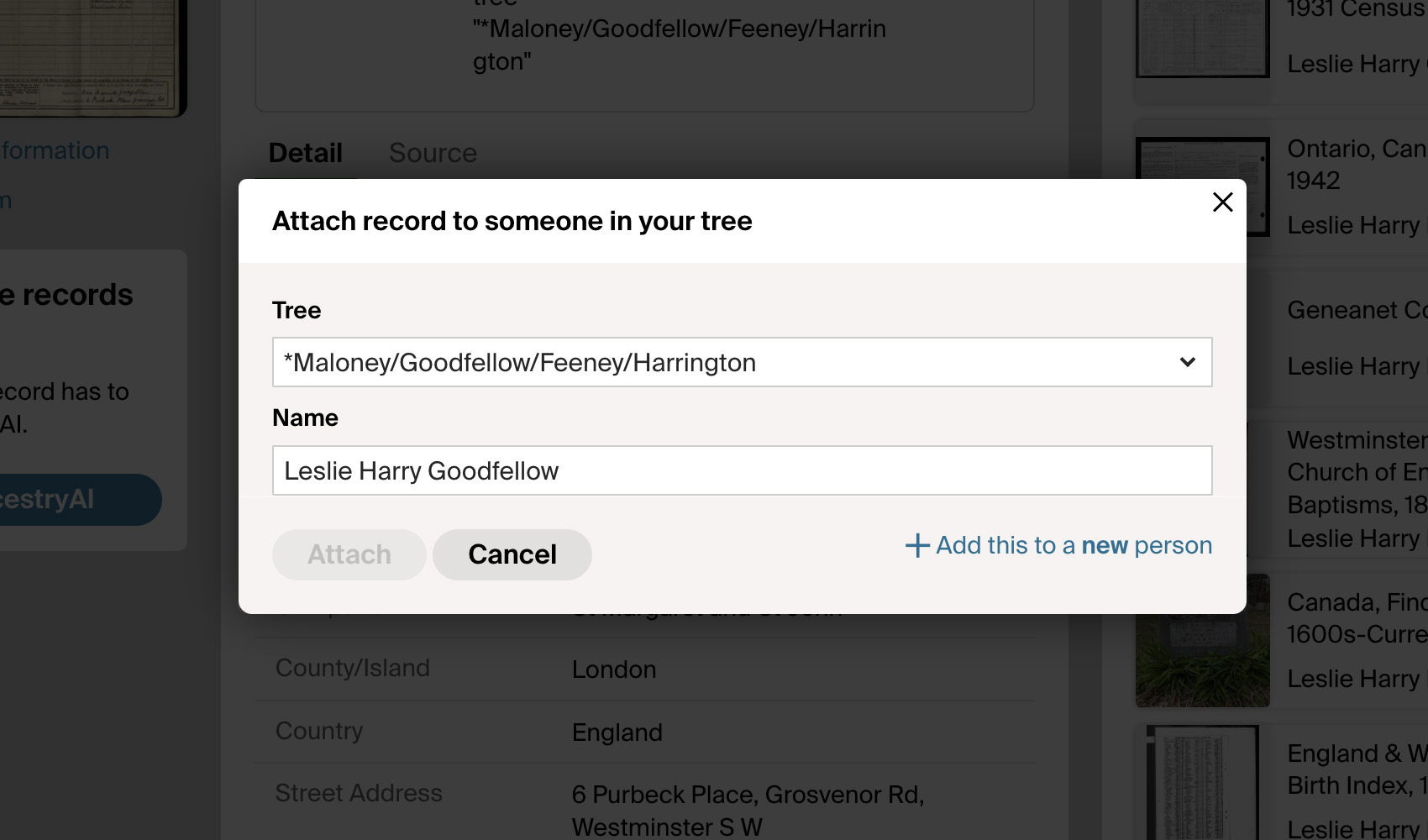
When you save a text-based Ancestry record like a birth, marriage, or census transcript to your tree, the Save to Tree panel asks you to type the person’s name into the Name field before it can match them up. Since the record already shows the name at the top of the page, retyping it is pure busywork. Text Records Name Auto-fill fills that field in for you automatically.
How does Text Records Name Auto-fill work?
When you open the Save to Tree panel on a text Ancestry record, the Name field is automatically filled in with the name from the top of the record. Ancestry’s autocomplete runs as if you had typed the name yourself, so the matching profile appears in the dropdown and you can pick it without any typing.
How do I use Text Records Name Auto-fill?
- Ensure Text Records Name Auto-fill is enabled in the Genealogy Assistant pop-up panel.
- Open any text Ancestry record and click Save to Tree.
- The Name field will already be filled in with the person’s name. Pick the matching profile from the dropdown and continue with the save.
Text Records Name Auto-fill is a feature of the software Genealogy Assistant.
Genealogy Assistant is an extension for Google Chrome, Mozilla Firefox, Microsoft Edge and Apple Safari which supercharges your family history research by adding over 100 custom features to popular genealogy websites like Ancestry, MyHeritage, FamilySearch, FamilyTreeDNA and more. You can watch a full video walkthrough on YouTube.
Install Genealogy Assistant for Google Chrome | Install for Mozilla Firefox | Install for Microsoft Edge | Install for Apple Safari