

What problem does Add All People Link to Matches Trees solve?
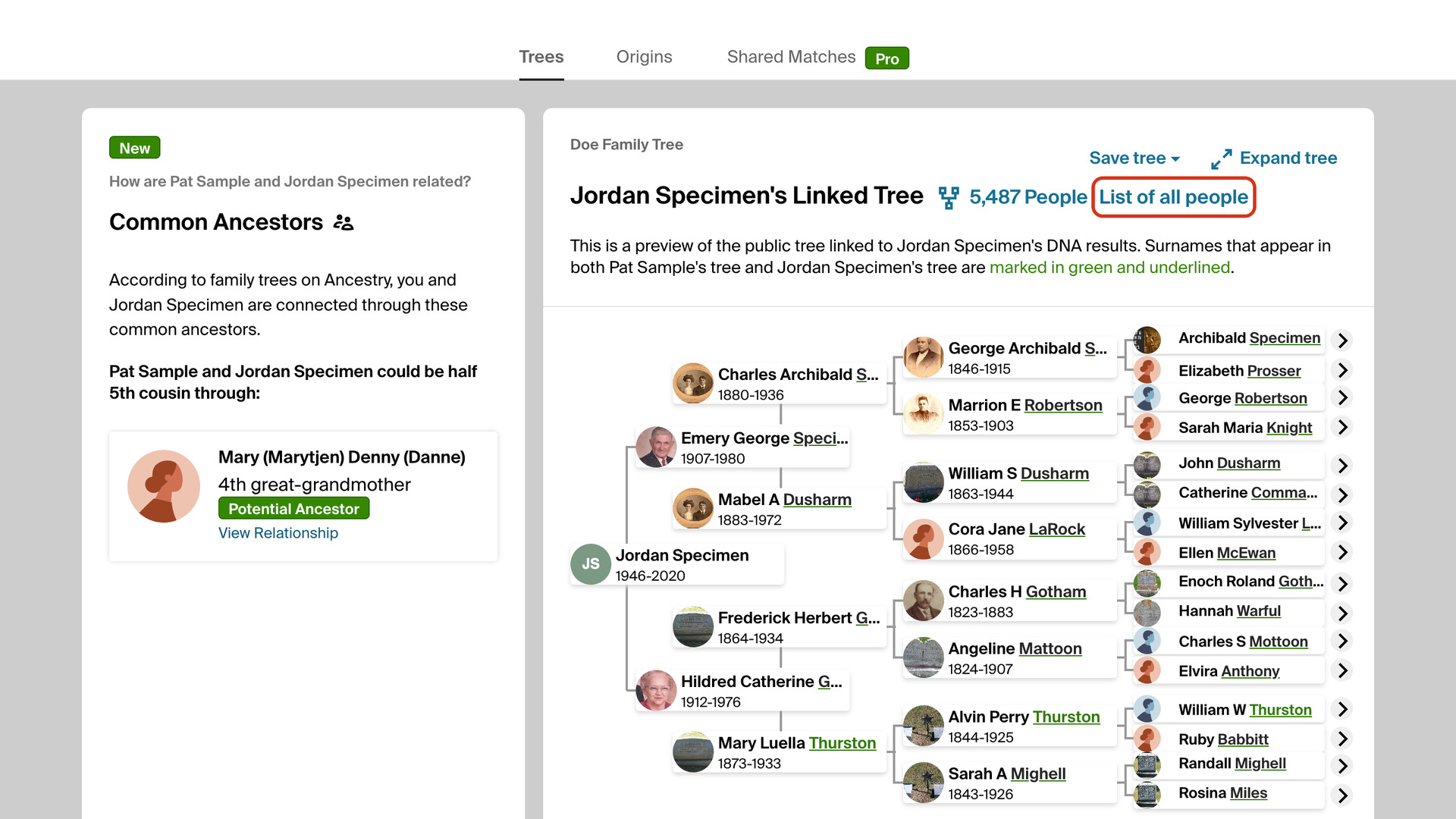
Add All People Link to Matches Trees adds a List of all people link to the Trees tab of an AncestryDNA match. It opens the match’s linked tree as a list of everyone in it. Ancestry’s own link opens the tree chart, so reaching the list takes several more clicks.
How does Add All People Link to Matches Trees work?
On the Trees tab of a match’s page, the link sits in bold after the number of people in the match’s linked tree. Click it and the tree opens in a new tab on its List of all people page, so the match’s page stays open where you left it.
The List of all people page shows everyone in the tree on one list. You can search it by name and scan surnames and places much faster than in the chart. That is usually the quickest way to spot a family you recognize in a match’s tree.
How do I use Add All People Link to Matches Trees?
The link appears only for matches with a linked tree, because Ancestry shows no tree section on the Trees tab for the others.
- In the Genealogy Assistant pop-up panel, make sure Add All People Link to Matches Trees is turned on.
- Open an AncestryDNA match and click the Trees tab.
- Click List of all people after the number of people in the match’s tree. The list opens in a new tab.
Related features
- Copy Surnames from Family Tree: Copy every surname in a match’s tree to your clipboard, comma-separated, with one button on the trees tab.
- Surname Comparison Tool for Ancestry: Collect the surnames from a DNA match’s linked tree, or any tree’s list of all people, and compare which ones appear across several trees, variants included.
- Save DNA Match Trees as GEDCOM: Save a DNA match’s linked tree as an ahnentafel or GEDCOM, download the trees of a whole match list, and find the ancestors your matches have in common.
Add All People Link to Matches Trees is a feature of the software Genealogy Assistant.
Genealogy Assistant is an extension for Google Chrome, Mozilla Firefox, Microsoft Edge and Apple Safari which supercharges your family history research by adding over 100 custom features to popular genealogy websites like Ancestry, MyHeritage, FamilySearch, FamilyTreeDNA and more. You can watch a full video walkthrough on YouTube.
Install Genealogy Assistant for Google Chrome | Install for Mozilla Firefox | Install for Microsoft Edge | Install for Apple Safari