


What problem does Highlight DNA Matches by cM solve?
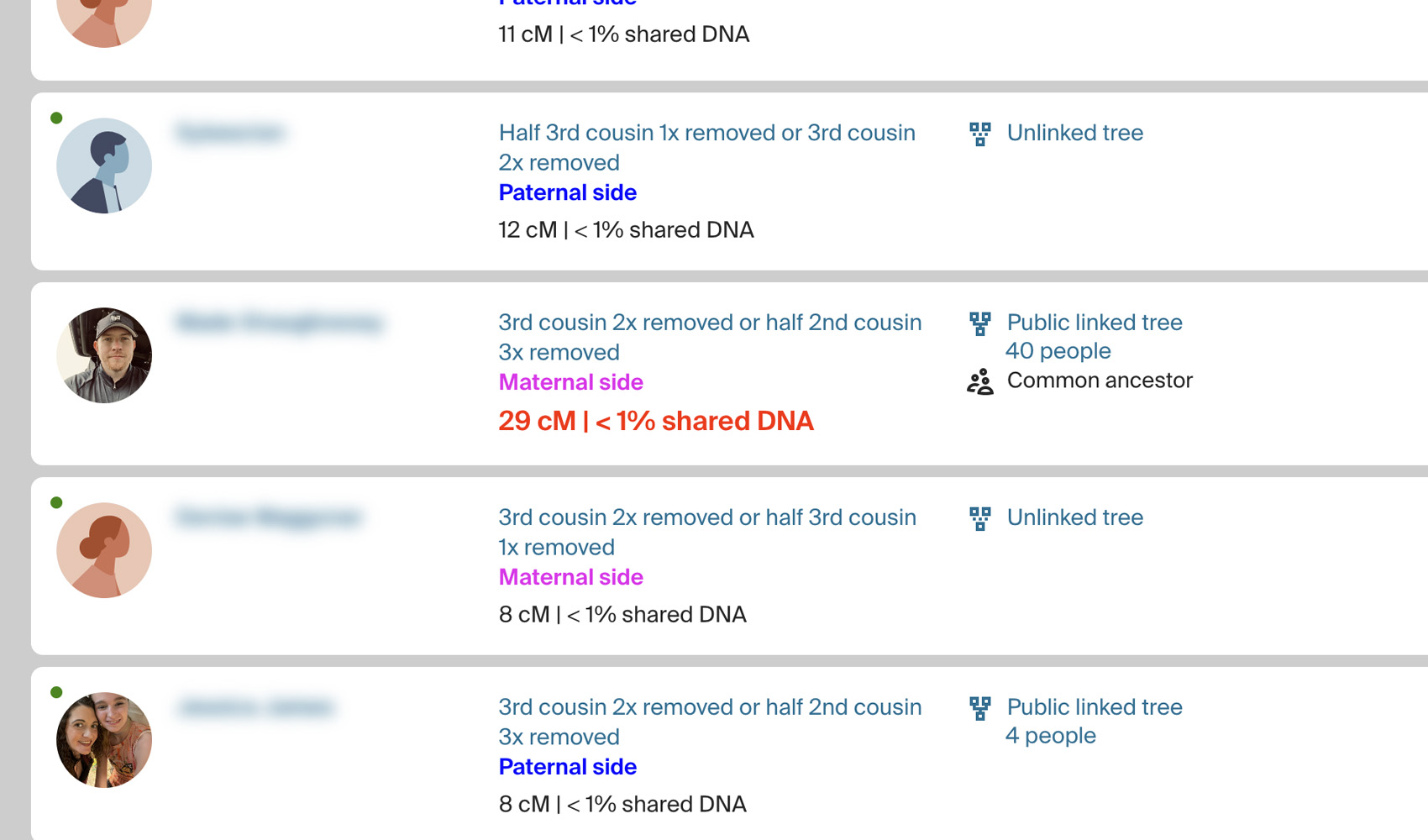
On the AncestryDNA match list, every match looks the same until you read the cM value, and the side assignment (Maternal, Paternal, Both) is buried in small grey text. Finding your strongest matches or scanning for a specific side takes more effort than it should. Highlight DNA Matches by cM paints the cM value in red when it crosses your threshold and tints each match card by which side it belongs to, so you can see your best leads at a glance.
How does Highlight DNA Matches by cM work?
On your AncestryDNA match list, the shared cM value is shown in bold red for any match at or above your cM threshold. Each match card is also colour coded by the side Ancestry has assigned: maternal matches get a pink background, paternal matches get a blue background, matches assigned to both sides get a purple background, and any match whose tree is listed as an unlinked tree is shown in green so you know it needs a connected tree before ThruLines will work for it. All four colours work on shared matches pages, ProTools pages, and every localized version of Ancestry. A small open-in-new-tab icon appears next to each cM value, and clicking the cM value opens DNA Painter’s Shared cM Tool in a new tab with that value pre‑filled.
How do I use Highlight DNA Matches by cM?
- In the Genealogy Assistant pop-up panel, ensure Highlight DNA Matches by cM is enabled.
- Open your AncestryDNA match list. Any match at or above your threshold will show its cM value in red, and every match card will be tinted by side.
- To change the cM threshold, open the Genealogy Assistant pop-up and click the settings icon next to Highlight DNA Matches by cM. The Advanced Settings page opens at the DNA Match Highlighting section. Update Ancestry DNA Matches to your preferred value, then reload the match list. The setting saves automatically.
Related features
- Highlight Shared Matches by cM: Highlights shared matches who share 25 cM or more with you, and matches of matches who share 50 cM or more, with both thresholds yours to change.
- Segment Stats on DNA Match Pages: Shows the unweighted cM, segment count, longest segment and average segment size (AScM) under the shared DNA on every match page, without opening the pop-up.
- DNA Painter Shared cM Tool Button: A Shared cM Tool button on every Ancestry DNA match page opens DNA Painter’s Shared cM Tool with the match’s cM already filled in.
Highlight DNA Matches by cM is a feature of the software Genealogy Assistant.
Genealogy Assistant is an extension for Google Chrome, Mozilla Firefox, Microsoft Edge and Apple Safari which supercharges your family history research by adding over 100 custom features to popular genealogy websites like Ancestry, MyHeritage, FamilySearch, FamilyTreeDNA and more. You can watch a full video walkthrough on YouTube.
Install Genealogy Assistant for Google Chrome | Install for Mozilla Firefox | Install for Microsoft Edge | Install for Apple Safari