


What problem does Save DNA Match Tree solve?
Ancestry shows a DNA match’s linked tree on the Trees tab, but gives you no way to save it. Copying ancestors out by hand is slow, and comparing the trees of several matches means flipping between tabs. Save DNA Match Tree saves those trees as files you can keep, open in your genealogy program and compare.
How does Save DNA Match Tree work?
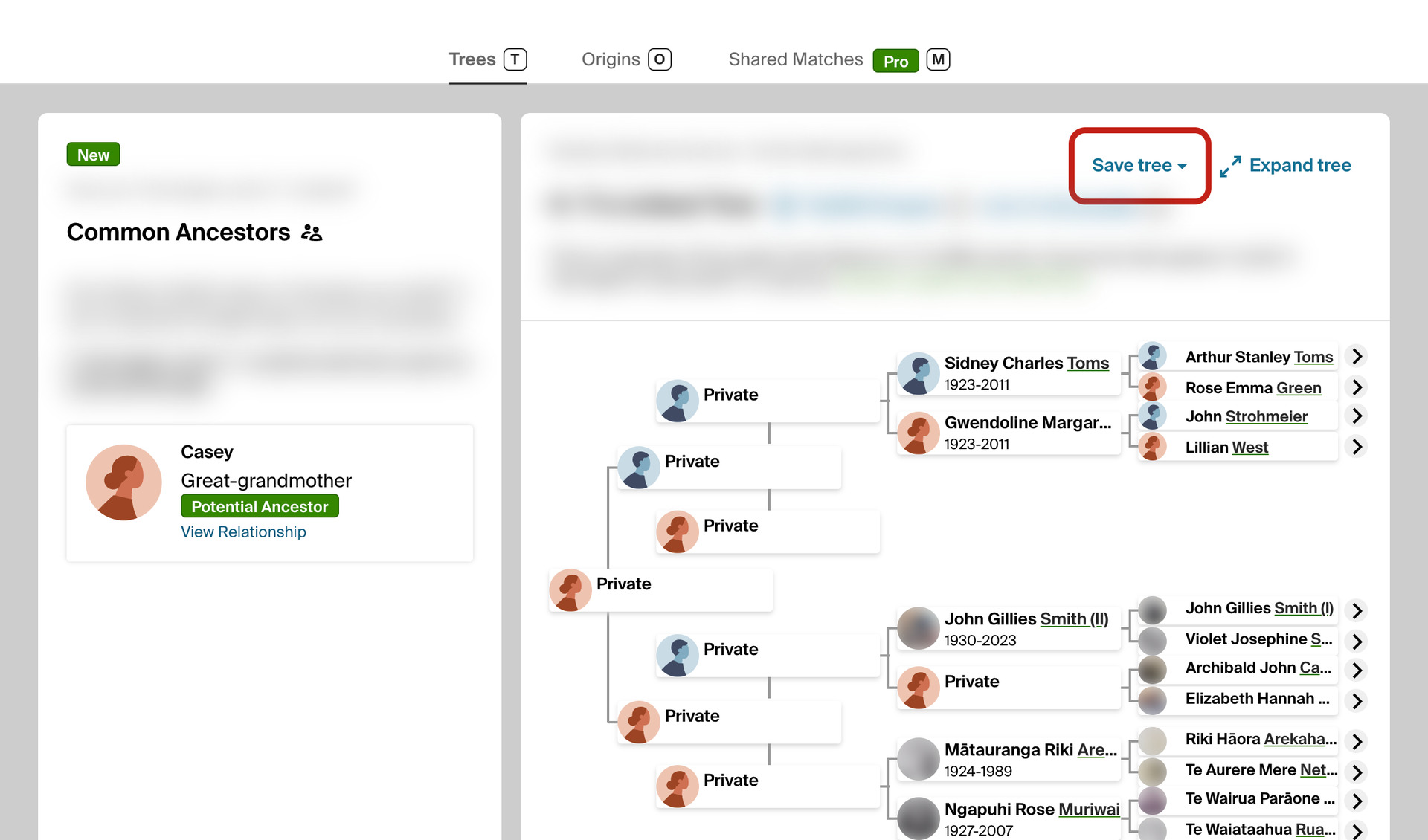
A Save tree button appears beside Expand tree on the Trees tab of a DNA match, whenever the match has a linked tree. Choose Ahnentafel (.txt) or GEDCOM (.ged) and the match’s ancestors are saved to your downloads, as far back as ten generations.
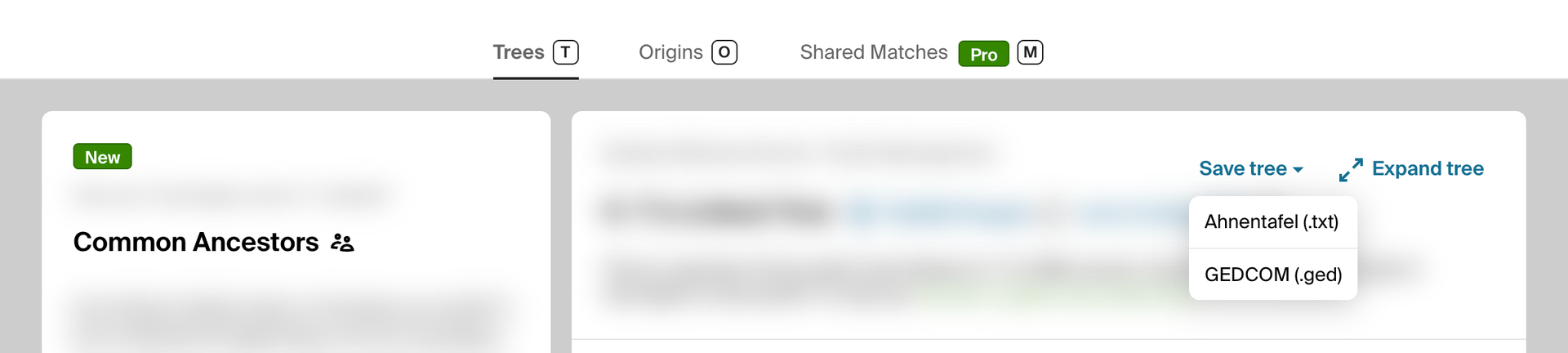
The ahnentafel is a numbered list of the match’s ancestors. The match is 1, their father 2 and their mother 3, and every person’s father has double their number and their mother double plus one. The GEDCOM file opens in genealogy programs such as RootsMagic and Gramps, with every ancestor linked to their parents.
Living people are listed as Living, so every position in the tree is kept, and the match takes the name shown on the page. When cousins in the tree married, their shared ancestor appears once in the GEDCOM file. A tree that does not share its ancestors shows a short message instead of a file.
On your match list and on the shared matches list, the arrow beside Download CSV opens a menu with three more choices. Like the CSV download, they use the pages box and follow the filters and sort order on screen, and they read the tree of every match with a public linked tree.
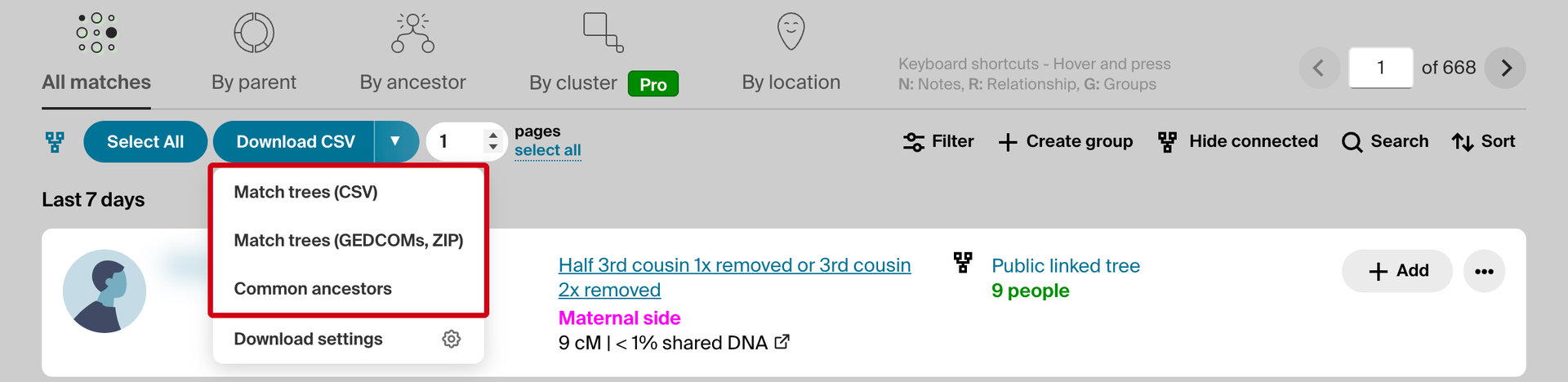
Match trees (CSV) saves one spreadsheet with a row for every ancestor of every match. Match trees (GEDCOMs, ZIP) saves a ZIP file holding one GEDCOM file per match, named after the match. Matches without a public linked tree are skipped, and the summary at the end says how many.
A progress bar shows how many matches have been checked and how many trees saved, with a Cancel Download button. If Ancestry starts limiting requests, the download pauses for two minutes and tries once more before it stops. A stopped download still saves a file with the trees read so far.
To finish a stopped download, open the menu again and choose Resume. It carries on where it stopped, skips the trees it already has, and saves one file with every tree. The × beside it discards the stopped download, and starting a new download replaces it.
Common ancestors reads the same trees and finds the ancestors who appear in the trees of two or more matches. Two people count as the same ancestor when their surname and first given name agree and they were born within two years of each other, or share a birth place when a year is missing.
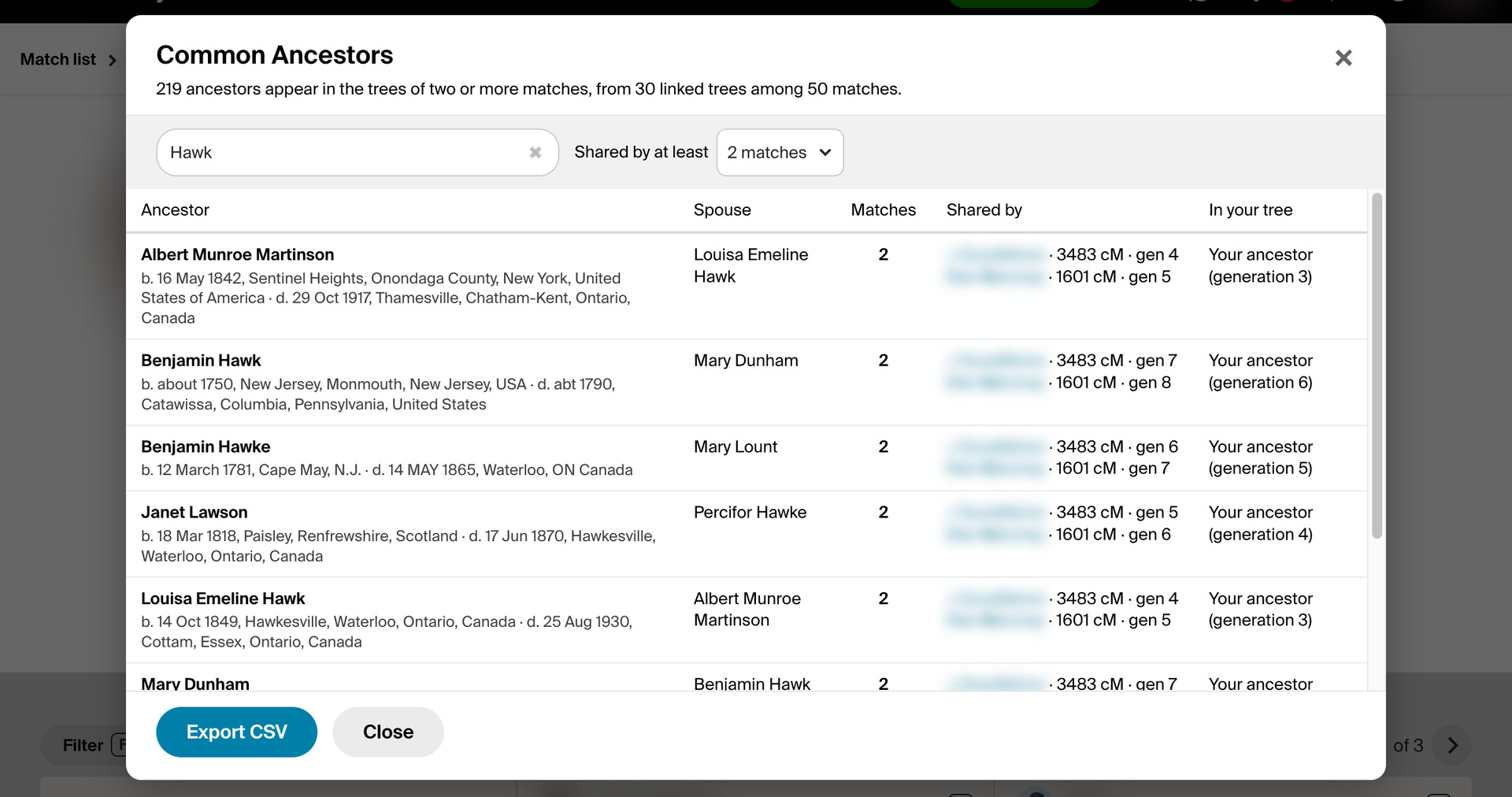
The results open in a window listing each ancestor with their spouse, how many matches share them, and which ones, with each match’s shared cM and how many generations back the ancestor is in that match’s tree. Click a match to open their Trees tab, or type in the box to filter by name, place or match.
The In your tree column marks the ancestors who are also in your own linked tree, with their generation, and those found in the trees you have saved for Quick Search, linked to the person. Export CSV saves the rows the filters show. If a run stops early, the window shows what was read.
How do I use Save DNA Match Tree?
- In the Genealogy Assistant pop-up panel, ensure Save DNA Match Tree is enabled.
- To save one match’s tree, open the match and select the Trees tab. Click Save tree beside Expand tree and choose Ahnentafel (.txt) or GEDCOM (.ged).
- To save the trees of many matches, open your match list or a match’s shared matches list, and apply any filters or sort order first. Enter the number of pages in the box beside Download CSV, or choose every page (select all on the match list, an empty box on shared matches).
- Click the arrow beside Download CSV and choose Match trees (CSV), Match trees (GEDCOMs, ZIP) or Common ancestors. Click Cancel Download to stop early.
- If a download stops before it finishes, click the arrow again and choose Resume, or the × beside it to discard it.
- In the Common Ancestors window, type to filter by name, place or match, choose how many matches must share an ancestor under Shared by at least, and click Export CSV to save the list.
- To slow the downloads down, click the arrow beside Download CSV, choose Download settings and set Download speed to Walk or Crawl.
CSV Columns
Match Name, Match GUID, Match URL, Tree Name, Tree ID, Ahnentafel, Given Name, Surname, Gender, Living, Birth Date, Birth Place, Death Date, Death Place, Person ID, Father Person ID, Mother Person ID, Generation
NOTICE: CSV DOWNLOAD TOOLS ARE FOR PERSONAL RESEARCH ONLY.
Related features
- Add All People Link to Matches Trees: A View all people in tree link beside the size of each match’s linked tree opens its full list of people.
- Surname Comparison Tool for Ancestry: Collect the surnames from a DNA match’s linked tree, or any tree’s list of all people, and compare which ones appear across several trees, variants included.
- Download Matches Pages as CSV File: Download your Ancestry DNA matches to a CSV file, as many pages as you choose, following the filters and sort order you have on screen.
Save DNA Match Tree is a feature of the software Genealogy Assistant.
Genealogy Assistant is an extension for Google Chrome, Mozilla Firefox, Microsoft Edge and Apple Safari which supercharges your family history research by adding over 100 custom features to popular genealogy websites like Ancestry, MyHeritage, FamilySearch, FamilyTreeDNA and more. You can watch a full video walkthrough on YouTube.
Install Genealogy Assistant for Google Chrome | Install for Mozilla Firefox | Install for Microsoft Edge | Install for Apple Safari