

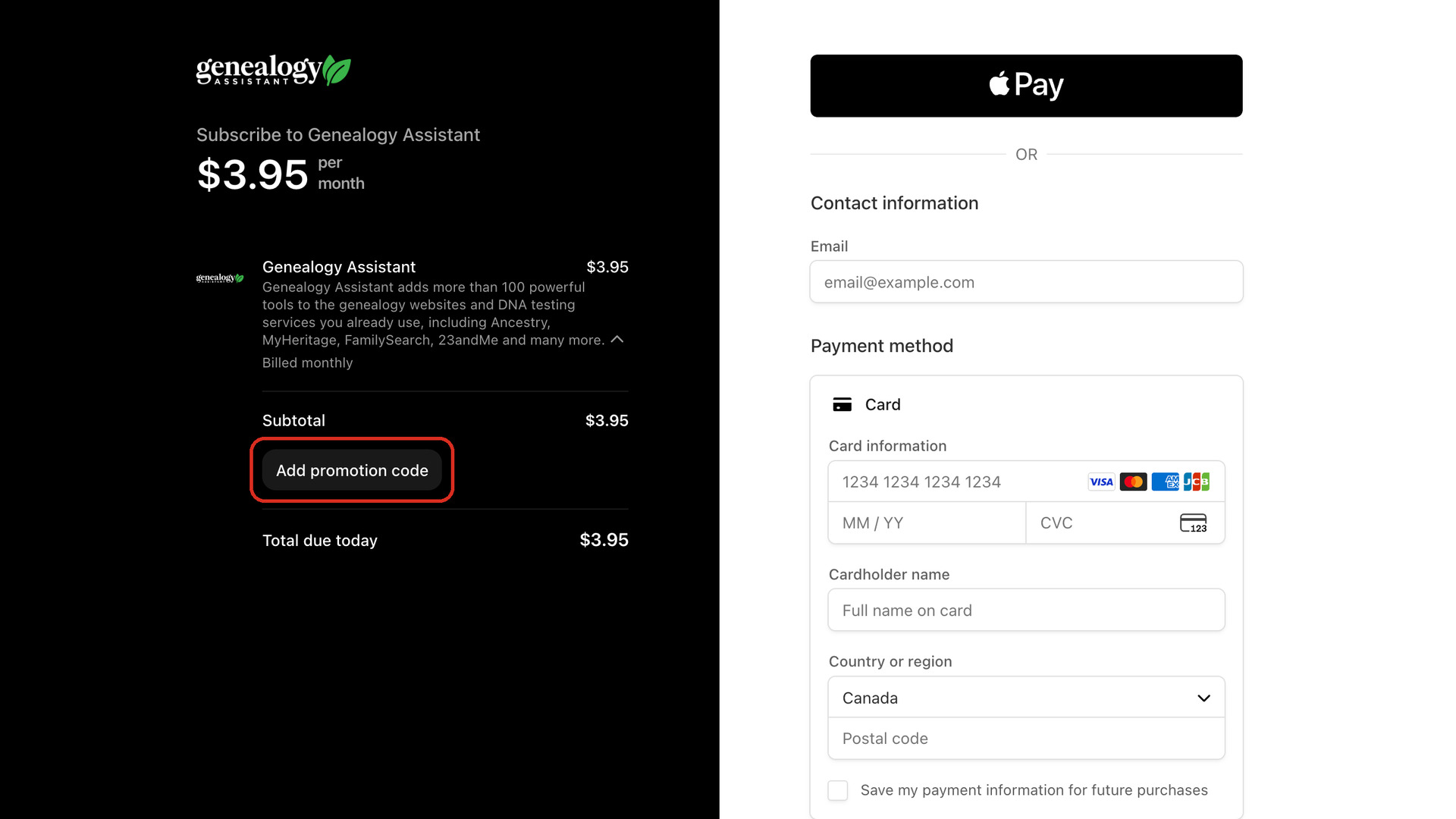
This guide buys a Genealogy Assistant plan with a promotion code, such as one we have sent you by email. You type the code on the payment page before you pay, and the total drops to the discounted price. The rest of the purchase is the same as buying without a code.
How do I use a promotion code?
- Click the Genealogy Assistant icon in your browser’s toolbar to open the pop-up panel.
- At the bottom of the pop-up panel, click the green Purchase Genealogy Assistant button. The plan page opens in a new tab. If your trial has ended, it opens by itself.
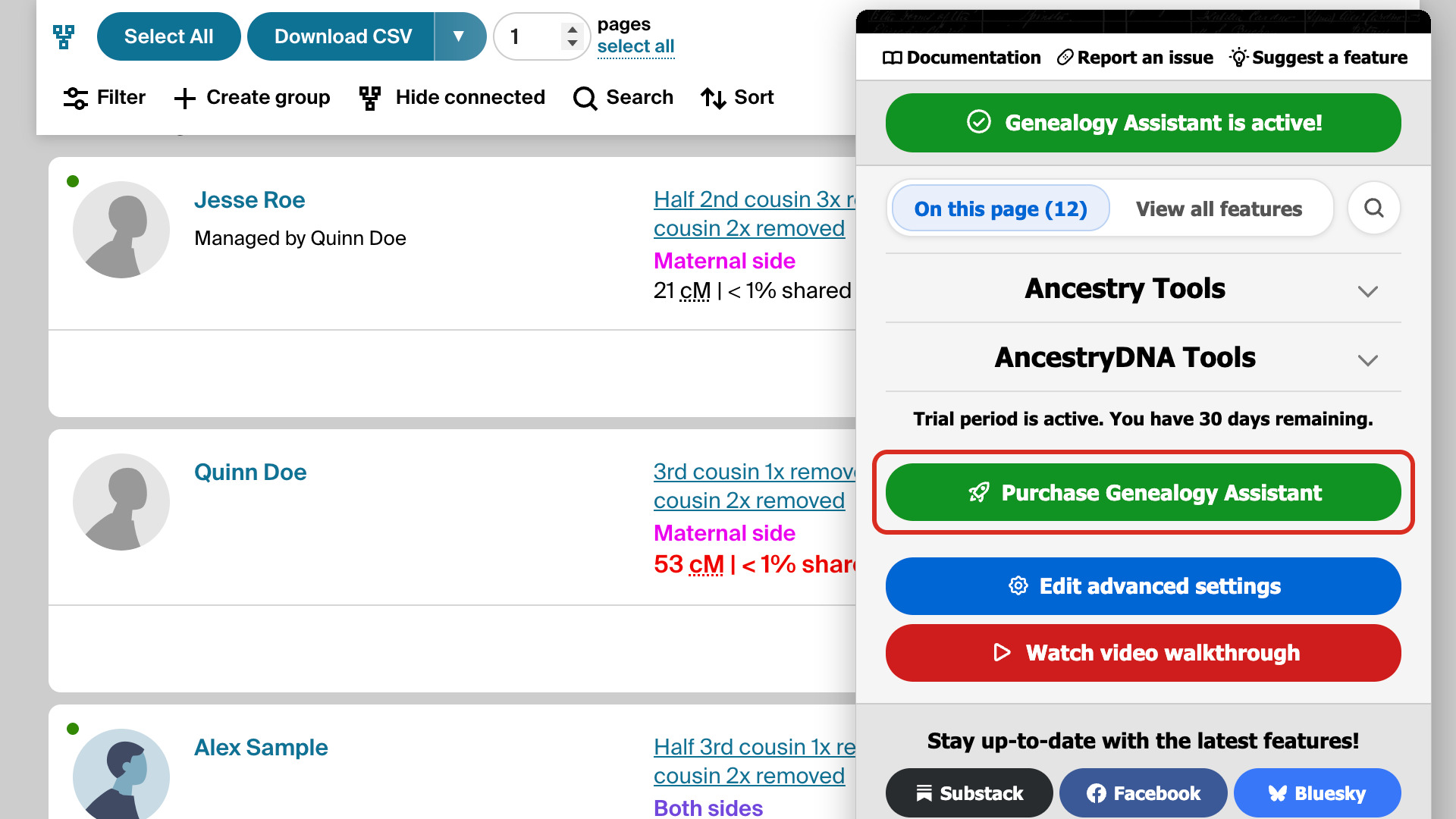
- Click the plan you want:
- $3.95 per month: billed every month.
- $39.95 per year: billed every year.
- $59.95 Lifetime: paid once.
- A secure payment page from Stripe, our payment processor, opens. On the left, under Subtotal, click Add promotion code.
- Type your code in the box and click Apply. The total updates to show the discount.
- Type your email address and your credit or debit card details. The email address you pay with becomes your account.
- Click the green Subscribe button (for the lifetime plan it reads Pay). Once the payment goes through, a page opens with your plan and payment details.
- Click the Genealogy Assistant icon. The bottom of the pop-up panel reads You are a premium user. Thank you for your support!
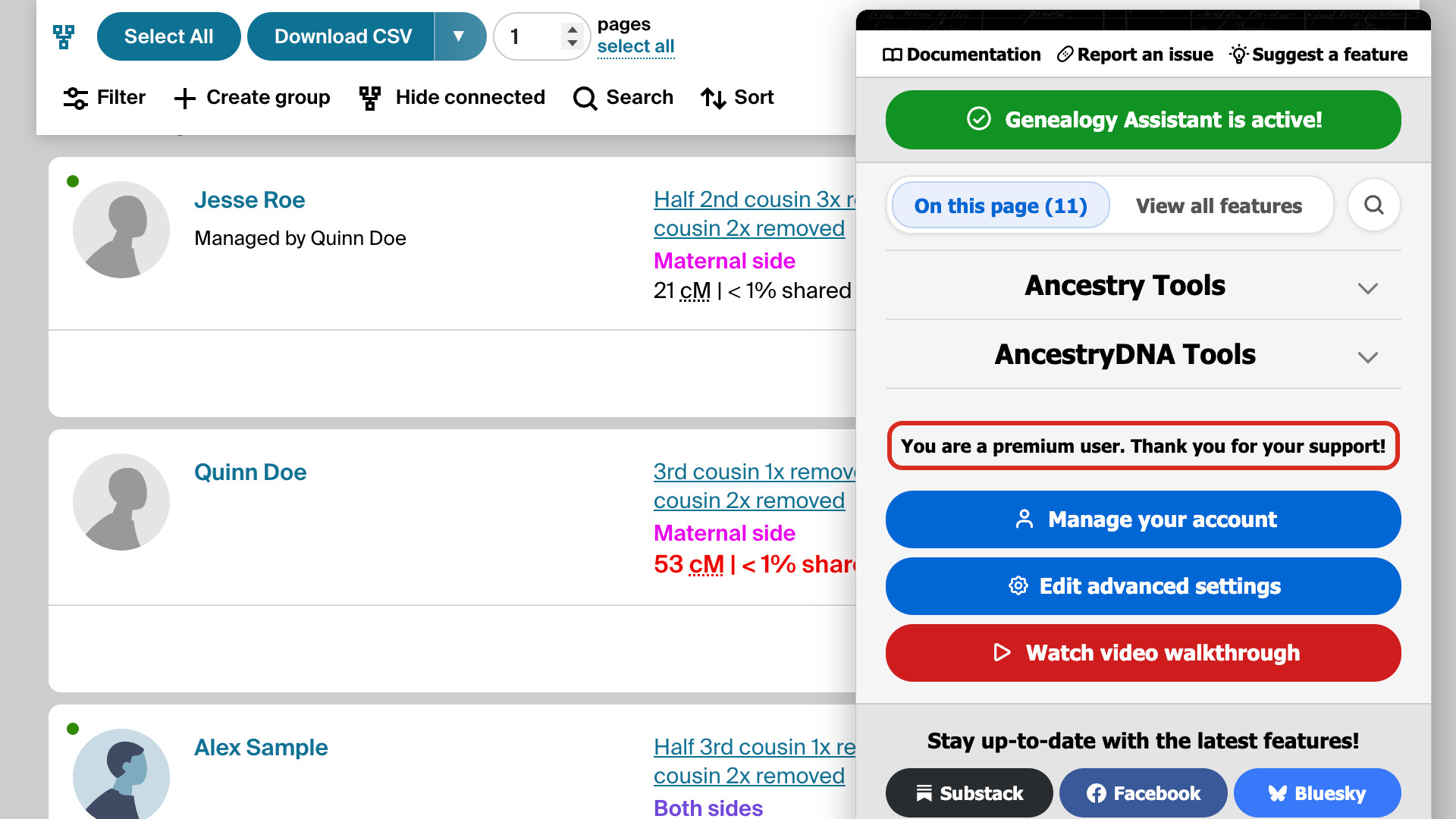
Your plan belongs to your email address, so the same address logs you in on any computer and in any browser. To update your card or cancel a subscription later, click Manage your account in the pop-up panel. How to purchase Genealogy Assistant has the details.
What if Genealogy Assistant still asks me to purchase?
On the plan page, click Already paid? Log in, type the email address you paid with, and click the confirmation link in the email you receive. How to log in to your Genealogy Assistant account walks through it step by step, including what to do if the email doesn’t arrive.