

What problem does 23andMe Add Keyboard Shortcuts to Matches List solve?
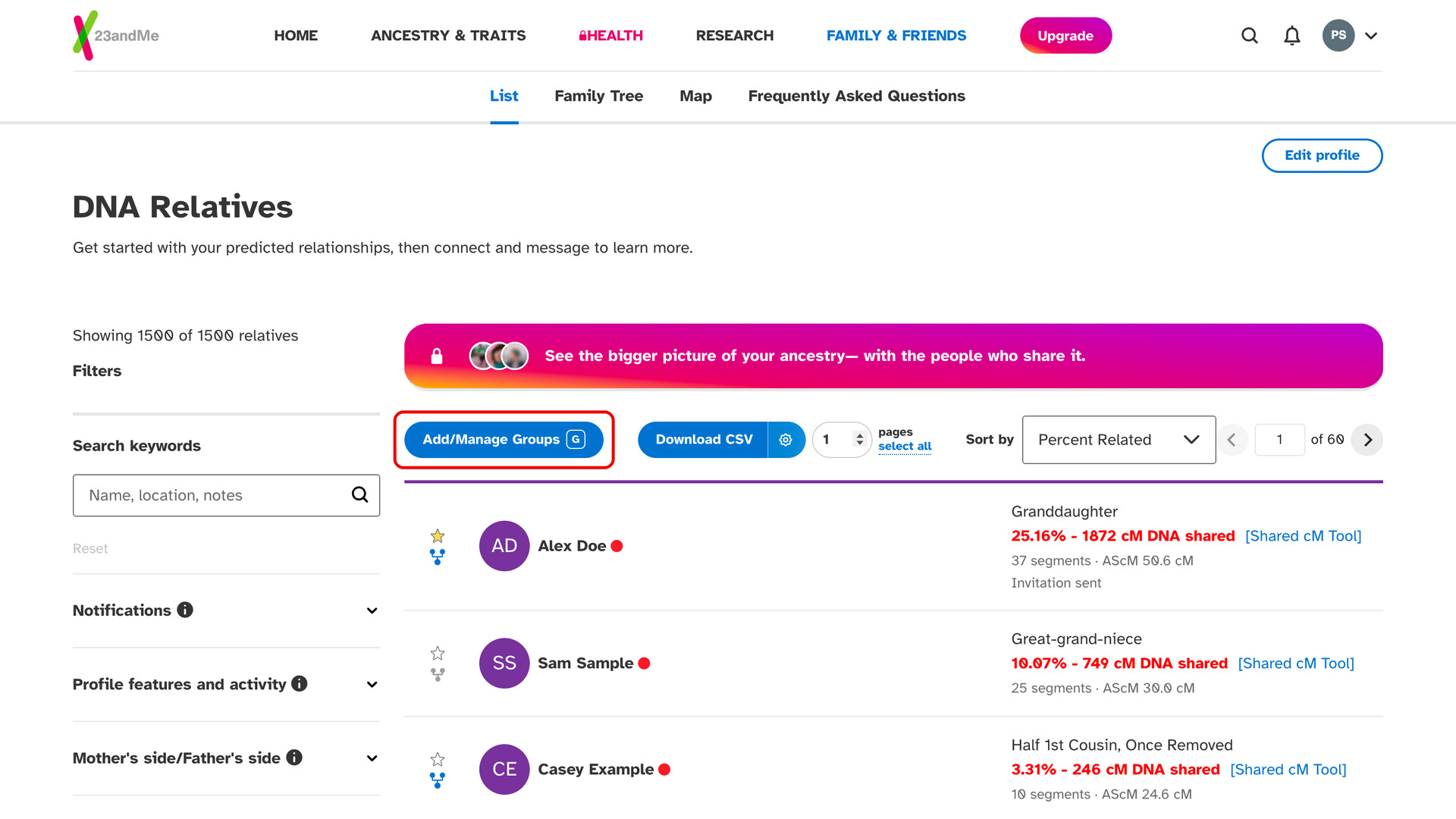
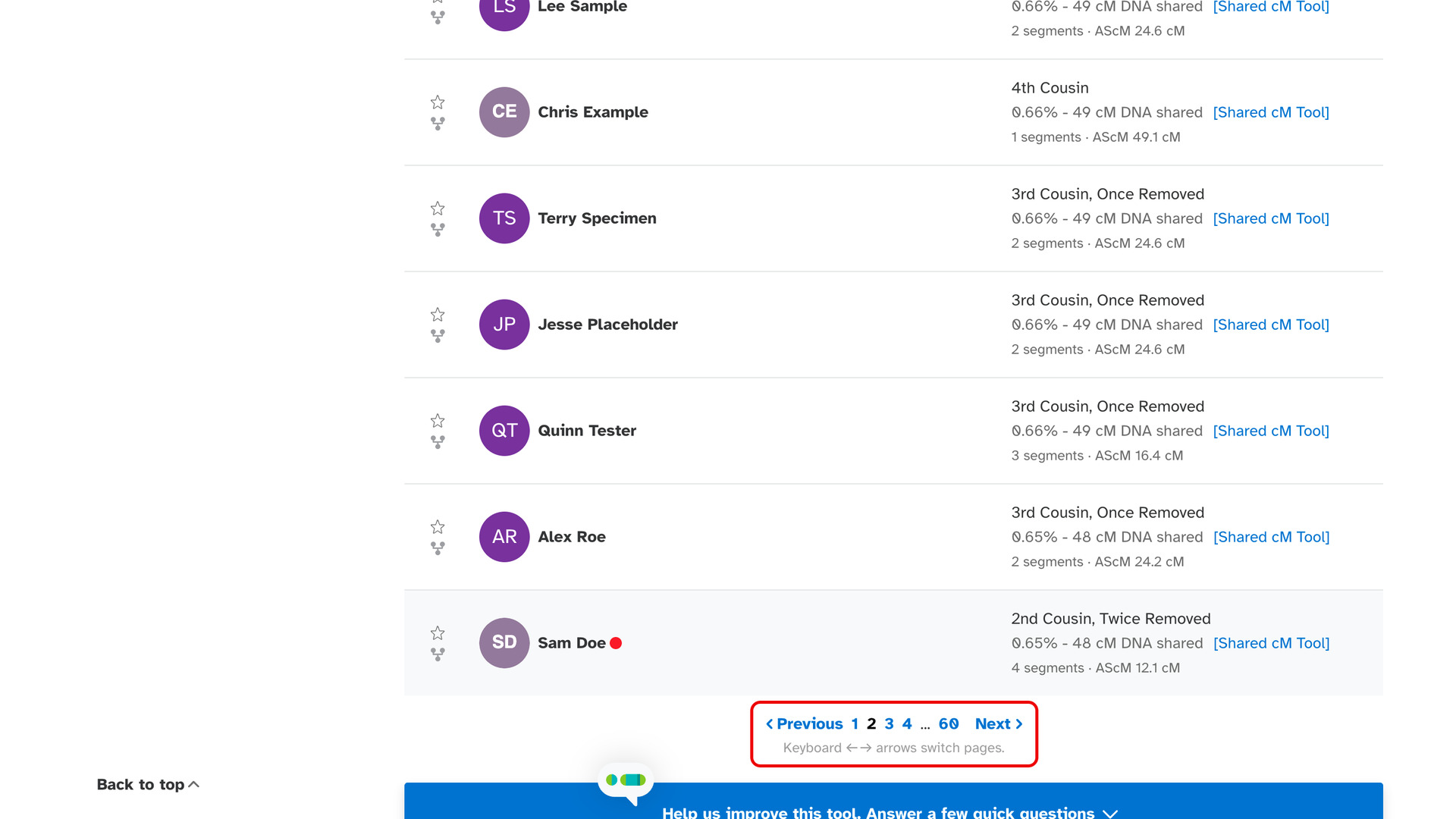
23andMe Add Keyboard Shortcuts to Matches List lets you turn the pages of your 23andMe DNA Relatives list with the arrow keys, as on Ancestry. One key adds a match to a group. 23andMe’s page controls are only at the bottom of the list, so every page change otherwise means scrolling down.
How does 23andMe Add Keyboard Shortcuts to Matches List work?
On your DNA Relatives list, press the right arrow key for the next page of matches and the left arrow key to go back one. A line under 23andMe’s page controls, Keyboard ← → arrows switch pages., reminds you of the keys while you browse.
To add a match to a group, hover over the match and press G. The Add/Manage Groups panel opens with that match ticked. While the panel is open, G ticks or unticks whichever match you hover over, so you can gather a cluster without clicking each checkbox.
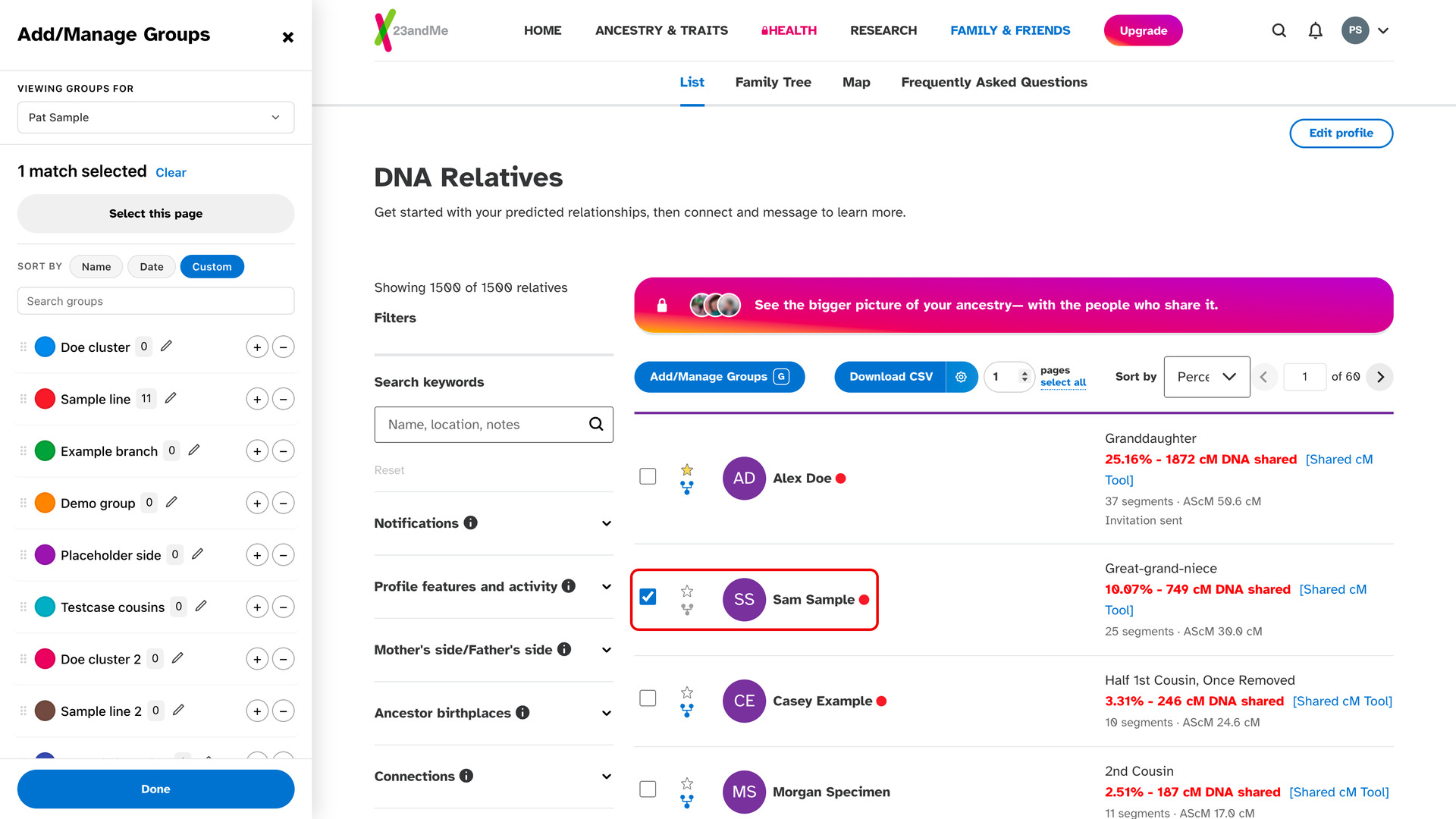
The Add/Manage Groups button at the top of the list shows a small G to remind you of the key. Once your matches are ticked, click the + beside a group in the panel to add them to it. The button and its panel come from Add Groups to Matches List, which must be turned on for G to work.
The keys do nothing while you are typing in a box, such as 23andMe’s search, or while a 23andMe window is open. Holding an arrow key down moves only one page, so you cannot skip past the page you wanted. Shortcuts with Ctrl, Cmd or Alt are left to your browser.
How do I use 23andMe Add Keyboard Shortcuts to Matches List?
- In the Genealogy Assistant pop-up panel, make sure Add Keyboard Shortcuts to Matches List is turned on.
- Open your 23andMe DNA Relatives list.
- Press the right arrow key for the next page of matches, or the left arrow key for the previous page.
- To add a match to a group, hover over it and press
G. The Add/Manage Groups panel opens with the match ticked. - Click the + beside a group. The ticked matches are added to it.
Keyboard Shortcuts
Leftgoes to the previous page of matches.Rightgoes to the next page of matches.Gticks or unticks the match you are hovering over in Add/Manage Groups, opening the panel first if it is closed. It works when Add Groups to Matches List is turned on.
Related features
- 23andMe: Add Keyboard Shortcuts to DNA Matches: Write a note, edit the relationship or message a 23andMe match from the keyboard, and page through Relatives in Common with the arrow keys.
- 23andMe: Add Groups to Matches List: Sort your 23andMe matches into your own colour-coded groups from an Add/Manage Groups button on the matches list, which 23andMe does not offer on its own.
- 23andMe: Add Top Pagination to Matches List: Puts page buttons and a page number box at the top of your 23andMe matches list, with keyboard shortcuts, so you can change pages without scrolling down.
23andMe Add Keyboard Shortcuts to Matches List is a feature of the software Genealogy Assistant.
Genealogy Assistant is an extension for Google Chrome, Mozilla Firefox, Microsoft Edge and Apple Safari which supercharges your family history research by adding over 100 custom features to popular genealogy websites like Ancestry, MyHeritage, FamilySearch, FamilyTreeDNA and more.
Install Genealogy Assistant for Google Chrome | Install for Mozilla Firefox | Install for Microsoft Edge | Install for Apple Safari