

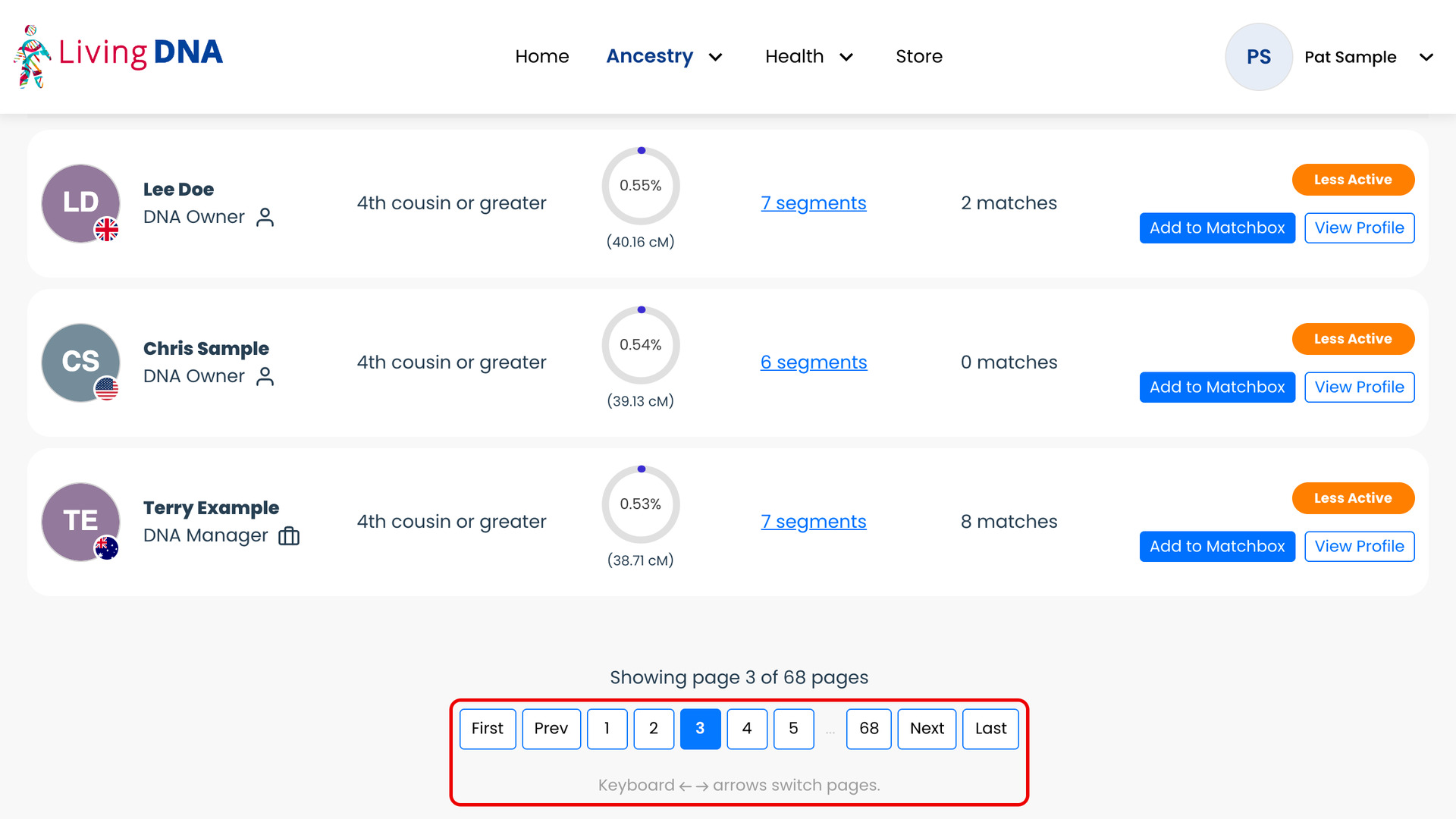
What problem does LivingDNA Keyboard Navigation solve?
LivingDNA Keyboard Navigation lets you turn the pages of your LivingDNA Relatives List with the left and right arrow keys. LivingDNA’s page buttons are only at the bottom of the list. Without it, every new page of matches means scrolling down and reaching for the mouse.
How does LivingDNA Keyboard Navigation work?
On the Relatives List, the right arrow key opens the next page of matches and the left arrow key the previous one. Each press does the same as clicking the page button beside the one you are on. LivingDNA then takes you back to the top of the list, ready to read from the first match.
A line under the page buttons, Keyboard ← → arrows switch pages., reminds you of the keys. The arrows do nothing while you are typing in a box, and holding one down turns only one page. Pressed with Ctrl, Cmd, Alt or Shift, they are left to your browser.
How do I use LivingDNA Keyboard Navigation?
- In the Genealogy Assistant pop-up panel, make sure LivingDNA: Keyboard Navigation is turned on.
- Open your Relatives List on LivingDNA.
- Press the
Rightarrow key. The next page of matches loads. - Press the
Leftarrow key to go back to the previous page.
Keyboard Shortcuts
Leftgoes to the previous page of matches.Rightgoes to the next page of matches.
Related features
- LivingDNA: Download Match List as CSV: Save your whole LivingDNA match list to a CSV file, including the largest segment and average segment size (AScM), which LivingDNA does not show on the page.
- LivingDNA: Download Shared Matches as CSV: Download every relative you share with a LivingDNA match to a CSV file, with the estimated relationship, segment count, largest segment and AScM.
- FamilyTreeDNA: Keyboard Shortcuts: Turn the pages of your FamilyTreeDNA Family Finder matches with the arrow keys, and hover over a match to open its note, groups or matches in common with one key.
LivingDNA Keyboard Navigation is a feature of the software Genealogy Assistant.
Genealogy Assistant is an extension for Google Chrome, Mozilla Firefox, Microsoft Edge and Apple Safari which supercharges your family history research by adding over 100 custom features to popular genealogy websites like Ancestry, MyHeritage, FamilySearch, FamilyTreeDNA and more.
Install Genealogy Assistant for Google Chrome | Install for Mozilla Firefox | Install for Microsoft Edge | Install for Apple Safari