

What problem does MyHeritage Add Select All Button to Matches List solve?
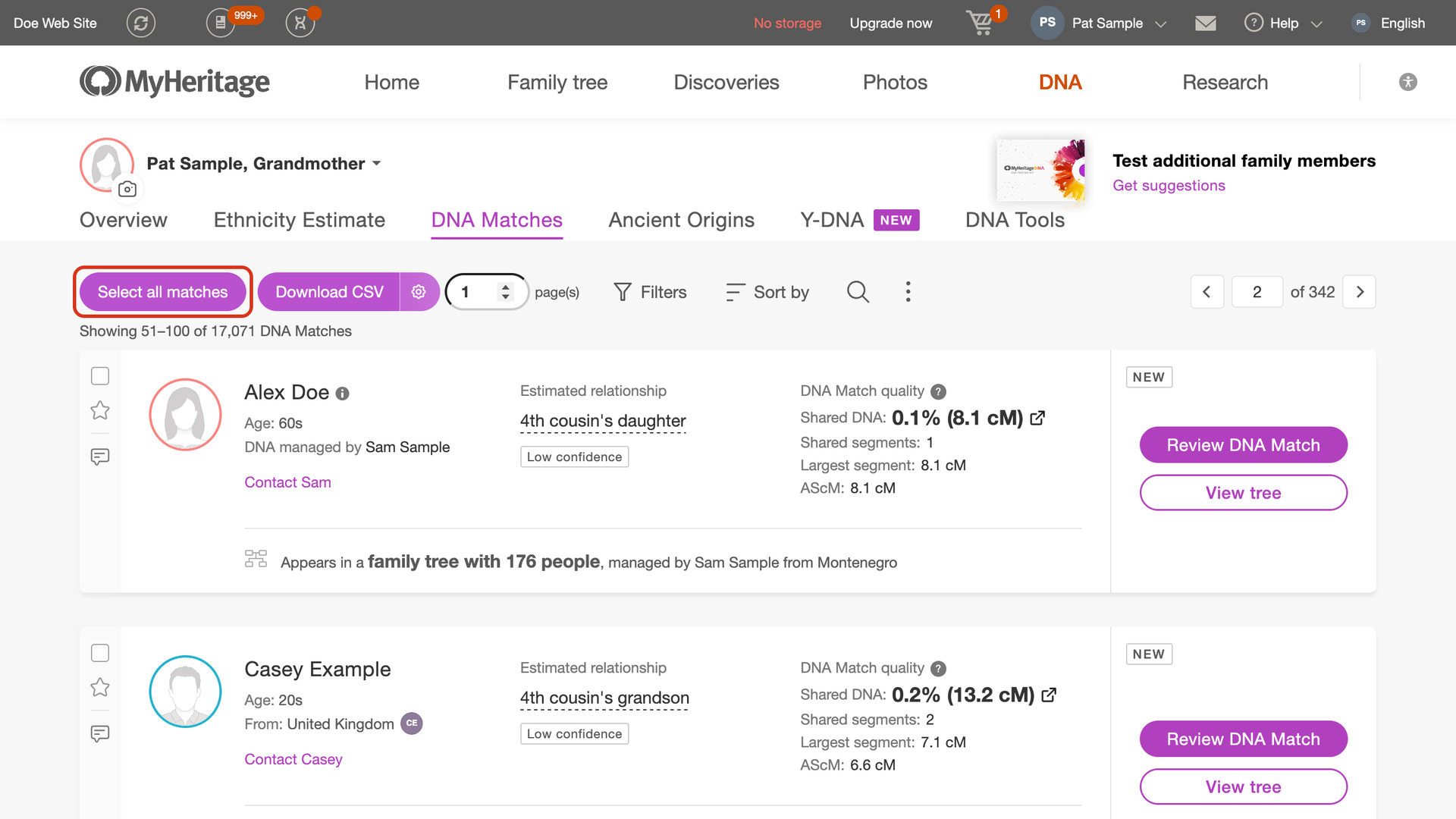
MyHeritage Add Select All Button to Matches List adds a Select all matches button to your MyHeritage DNA matches list, which ticks every match on the page in one click. You can then give them all the same label at once instead of ticking each checkbox by hand.
How does MyHeritage Add Select All Button to Matches List work?
The Select all matches button sits at the start of the toolbar at the top of your matches list. Click it to tick every match on the page you are on. A progress window counts the matches as they are ticked, with a Stop button to end it early; anything already ticked stays ticked.
When it finishes, the button changes to Deselect all matches, which unticks them again the same way. With MyHeritage Always Display 50 Matches in List turned on, each page holds 50 matches, so one click covers five times as many.
How do I use MyHeritage Add Select All Button to Matches List?
- In the Genealogy Assistant pop-up panel, make sure Add Select All Button to Matches List is turned on.
- Open your MyHeritage DNA matches list and go to the page you want.
- Click Select all matches. Every match on the page is ticked, and the button changes to Deselect all matches.
- Use MyHeritage’s own controls to add the ticked matches to a label.
- To untick them again, click Deselect all matches.
Related features
- MyHeritage Add Select All Button to Shared Matches: Tick every shared match on the page with one button, and load a set number of pages at once with Auto-load pages at the bottom of the list.
- MyHeritage Always Display 50 Matches in List: Shows 50 MyHeritage DNA matches per page instead of 10.
- MyHeritage: Add Pagination to Top of Matches List: Move between pages of your MyHeritage matches list from the top of the page, with page buttons or by typing a page number.
MyHeritage Add Select All Button to Matches List is a feature of the software Genealogy Assistant.
Genealogy Assistant is an extension for Google Chrome, Mozilla Firefox, Microsoft Edge and Apple Safari which supercharges your family history research by adding over 100 custom features to popular genealogy websites like Ancestry, MyHeritage, FamilySearch, FamilyTreeDNA and more.
Install Genealogy Assistant for Google Chrome | Install for Mozilla Firefox | Install for Microsoft Edge | Install for Apple Safari