


Genealogy Blurring Tool
Blur private details in screenshots and screencasts
Genealogy Blurring Tool is a free extension that automatically blurs sensitive details like DNA match names and names of living people on popular genealogy websites.


 Install it for Chrome, Edge, Firefox or the Mac App Store.
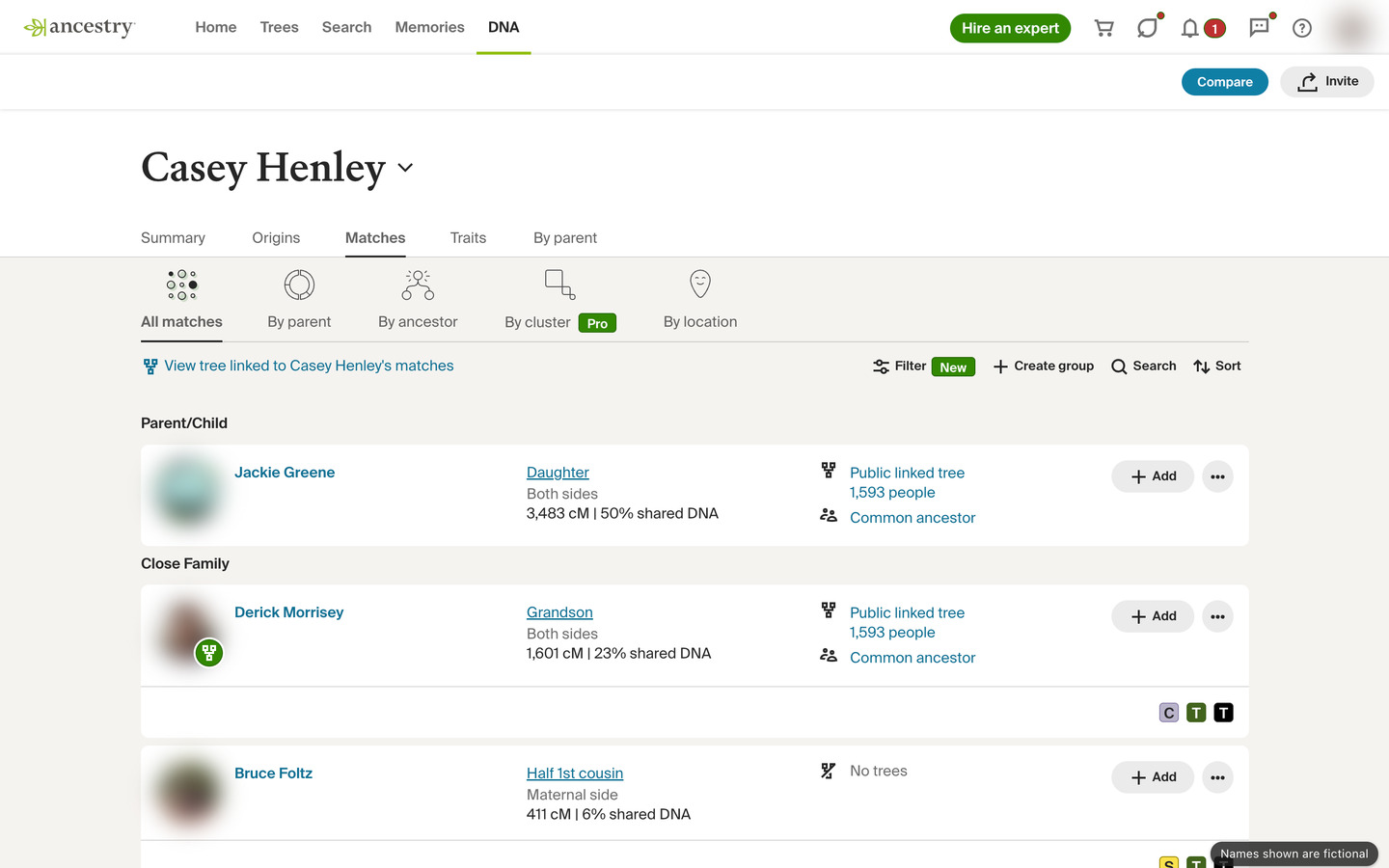
Forget complicated editing software
Whether you’re hosting an online presentation, collaborating with fellow researchers, or posting screenshots online, Genealogy Blurring Tool works instantly on every page you load to blur any sensitive personal information.
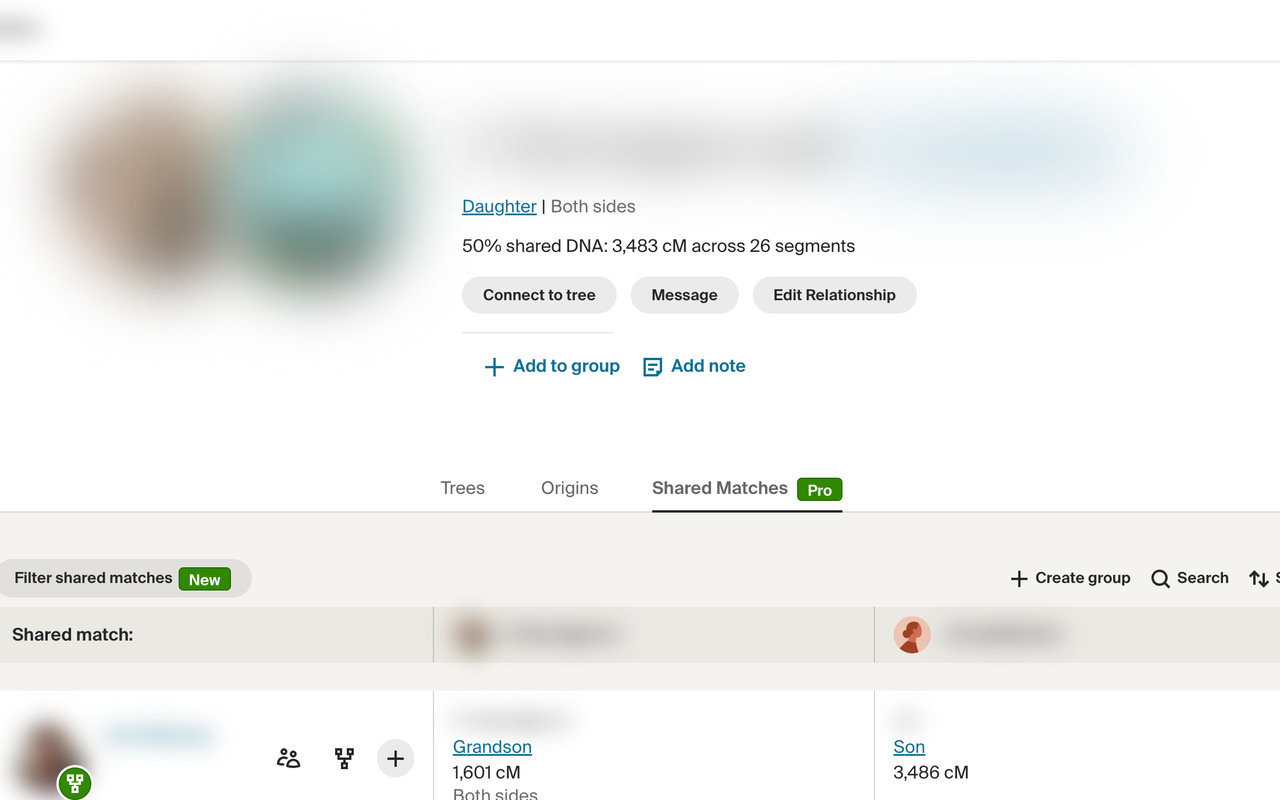
Blur DNA matches and living people
The blur is applied instantly, so you can share screenshots or screen recordings of genealogy pages.
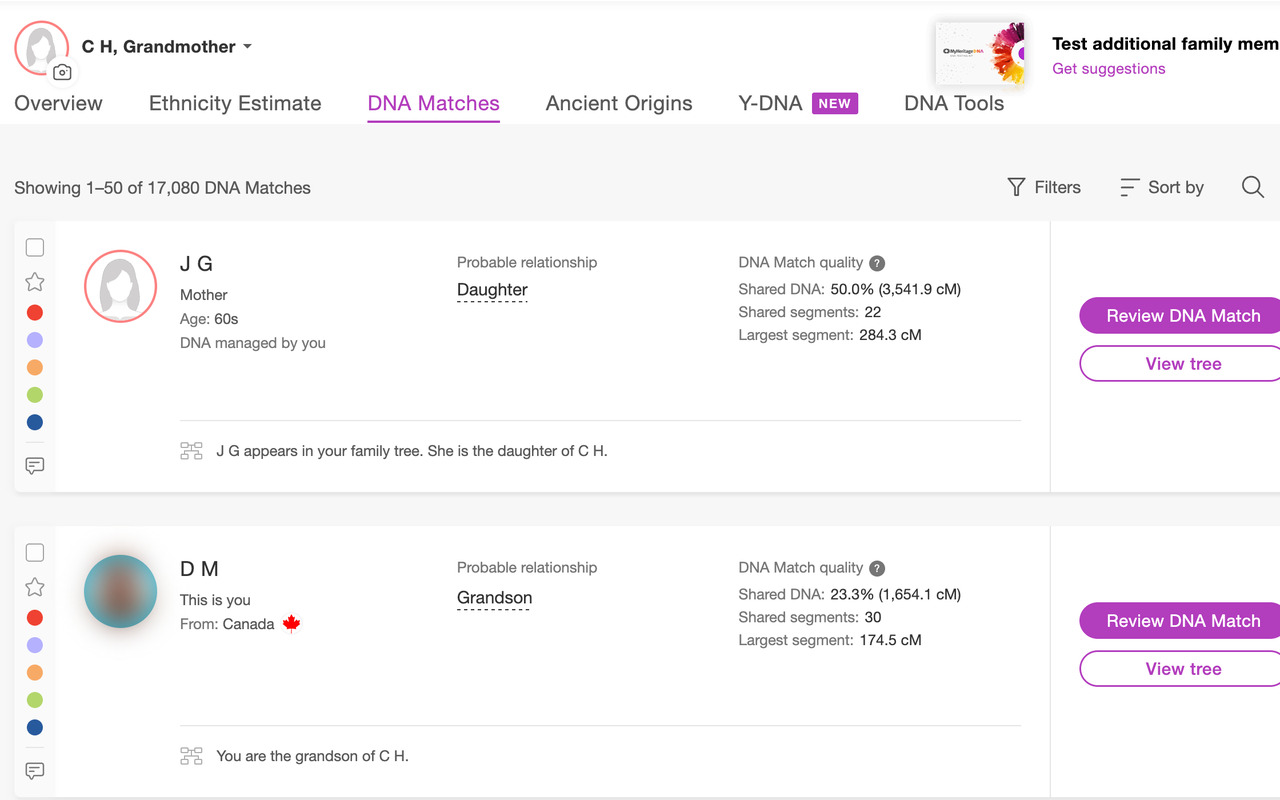
Replace names with initials
Replace DNA match names on Ancestry, MyHeritage, 23andMe and FamilyTreeDNA with their initials.
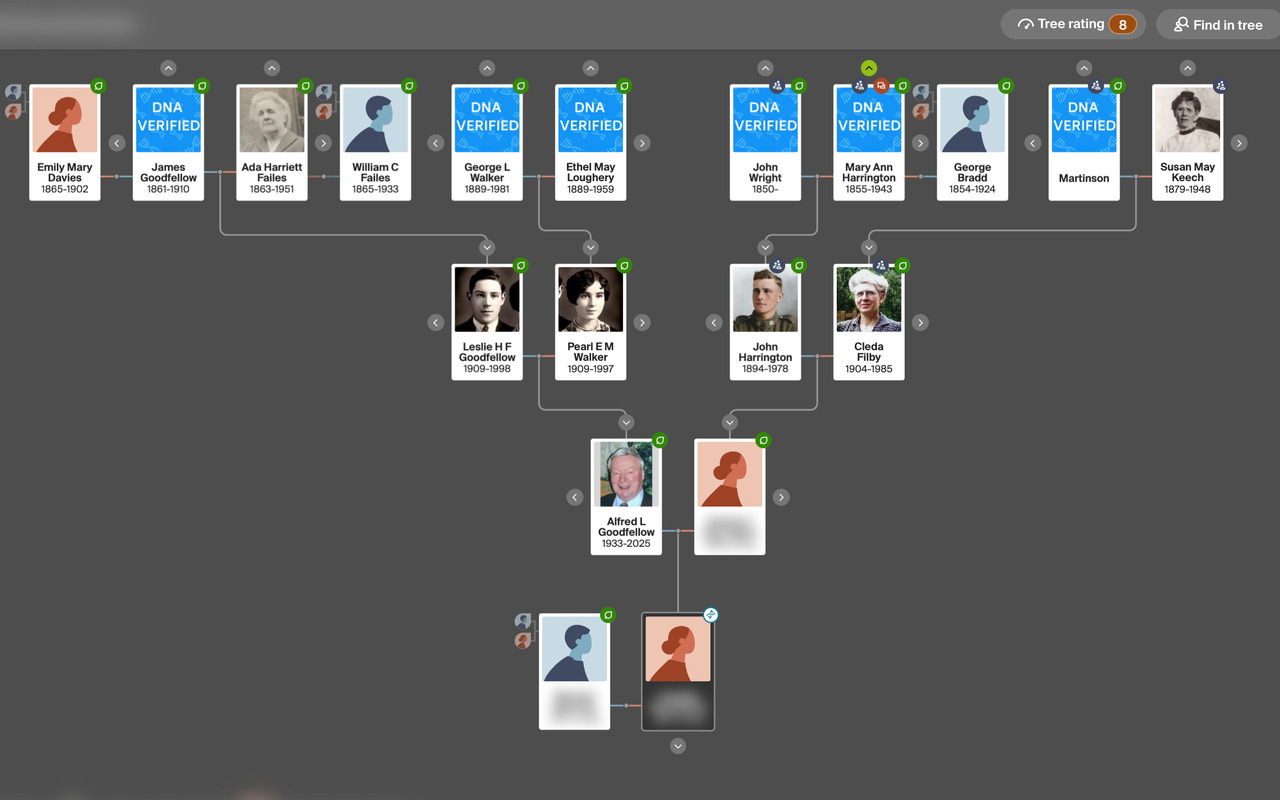
Hide living people in family trees
Living people are blurred in family trees, while your ancestors’ names, dates and photos stay readable.
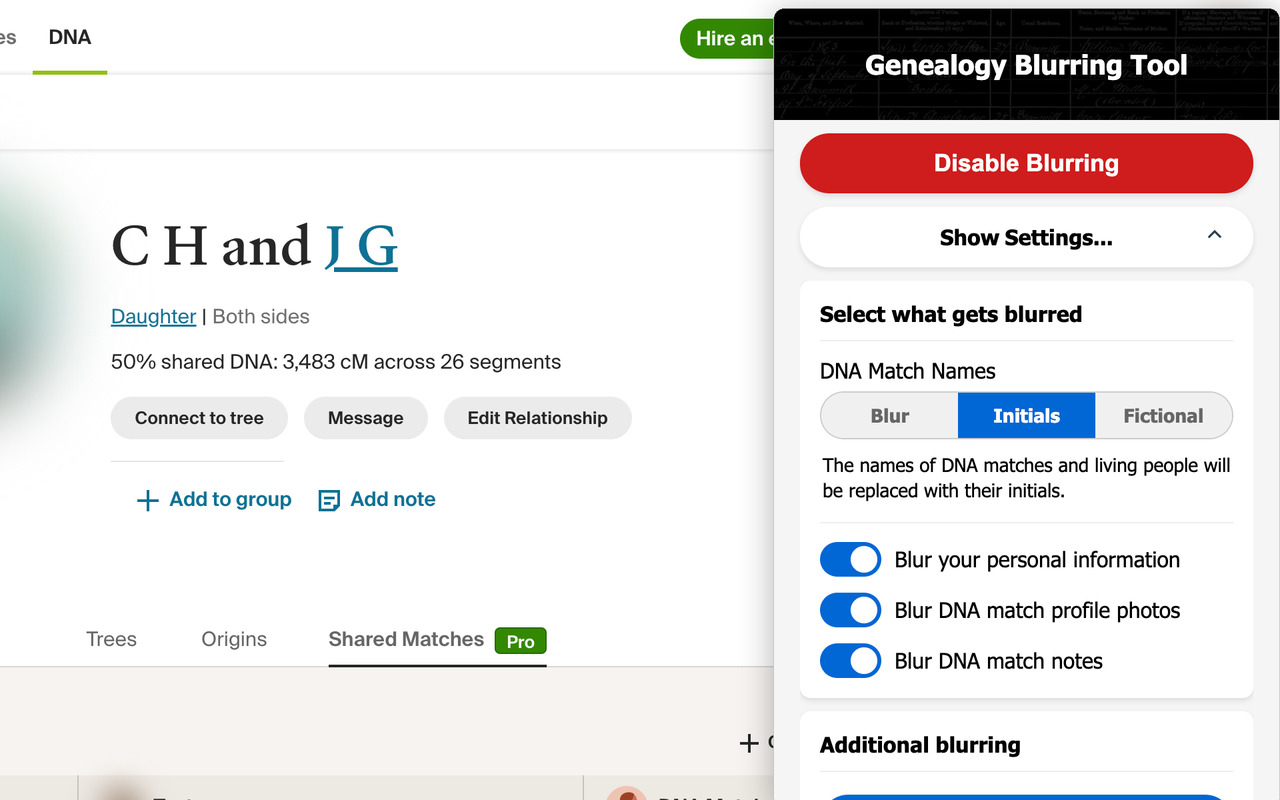
Choose what gets blurred from the pop-up
Pick Blur, Initials or Fictional names, and whether your own name, photos and match notes are blurred.
Choose exactly what stays private
It keeps working as you move between pages, and any change in the pop-up panel applies instantly to every page you have open.
Use fictional names
Fictional names keep each person’s initials and stay the same on every page, so viewers can follow along.
Blur your own name
Choose whether to blur your own name, and the name of any test you manage, from the pop-up panel.
Blur profile photos
Blur DNA match photos, while placeholder pictures stay clear so you can see which matches added one.
Hide the notes on your matches
Choose whether to blur the notes attached to DNA matches with “Blur DNA match notes” in the pop-up.
Blur anything else on the page
Click “Add additional blurring” and select any part of the page you want hidden, or every one like it on the site.
Turn it on or off with a single click
Click the icon in your toolbar to turn blurring on or off, and every page you have open updates at once.
Made for genealogists who teach, present and share their family history research
Absolutely ESSENTIAL for live demonstration of AncestryDNA…
This is an absolute revolution for teaching! I’ll be using it all the time from now on.
Get it free for all platforms
Genealogy Blurring Tool is a free extension for Chrome, Edge, Firefox and Safari, and works with Ancestry, MyHeritage, FamilySearch, FamilyTreeDNA, GEDmatch and 23andMe. Its blurring locations are kept up to date as these websites change.
We are here to help
Missing a spot?
If you notice a place that is not being blurred, click “Missing a spot? Let us know!” in the pop-up.
Report a missing spotQuestions or feedback?
Send your questions and ideas through our contact form, or email us at [email protected].
Contact usCheck out Genealogy Assistant
Our other extension, Genealogy Assistant, adds 100+ features to Ancestry, MyHeritage and more.
Explore all features