

What problem does Close Hint Panel After Saving solve?
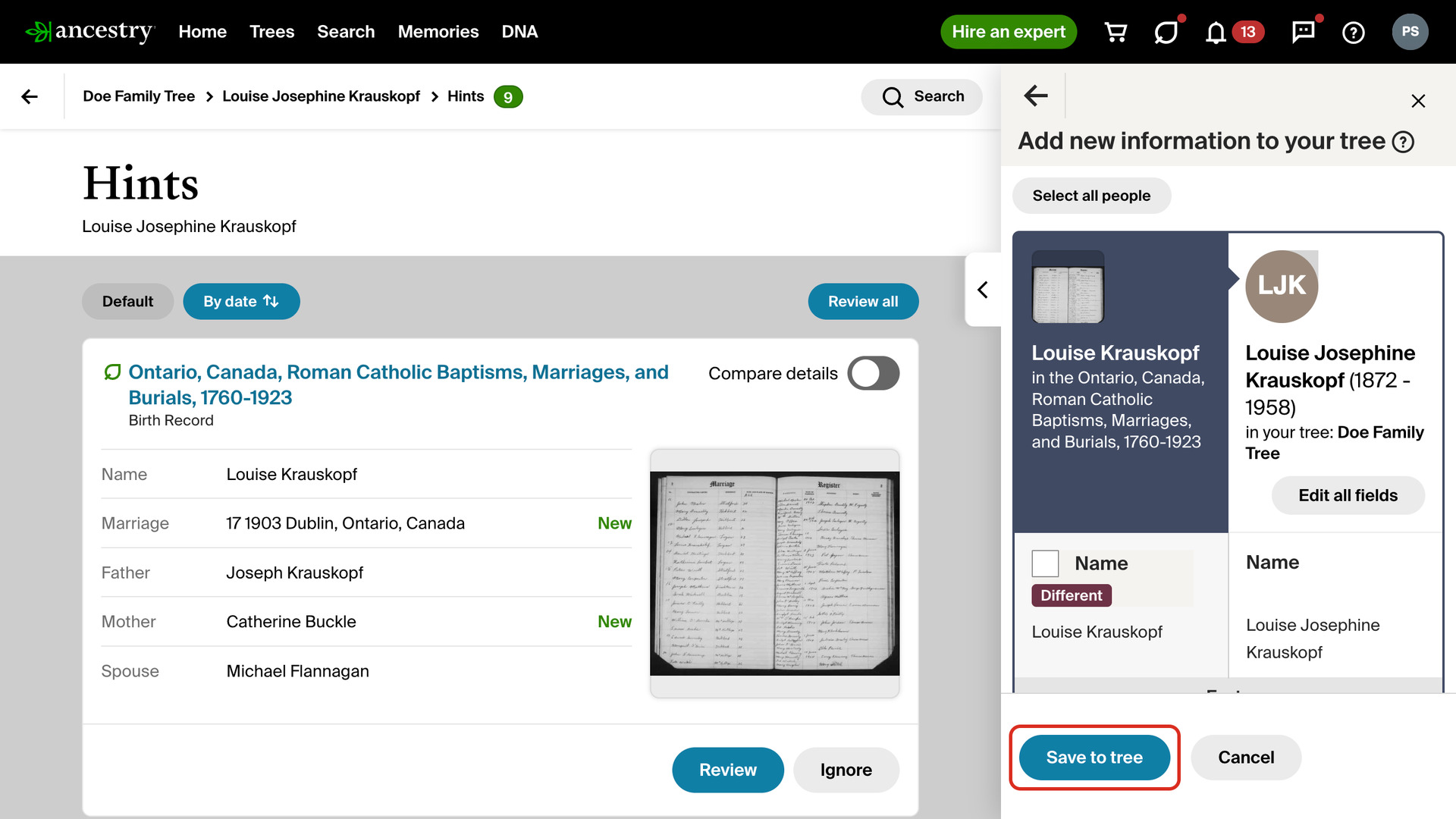
Close Hint Panel After Saving closes Ancestry’s review panel on a person’s Hints page as soon as a hint is saved to your tree. The panel stops covering your list of hints. Without it, every save leaves a confirmation in the panel, and you click Done before you can see the list again.
How does Close Hint Panel After Saving work?
When you click Save to tree in the review panel, Ancestry saves the hint, takes it off your list and shows a confirmation. Once Ancestry confirms the save, the panel closes by itself a moment later. It works the same for a photo hint, and when you save with a keyboard shortcut instead of a click. There is nothing to set up.
Only a save closes the panel. It stays open after No, Maybe or Ignore. If you click anything in the panel after saving, before it closes, it stays open for you. During a review with Review All Hints Back to Back, the review closes each panel itself, as it always has.
How do I use Close Hint Panel After Saving?
It needs Ancestry’s newer Hints page for a person, the one with a Review button on each hint.
- In the Genealogy Assistant pop-up panel, make sure Close Hint Panel After Saving is turned on.
- Open a person’s Hints page in your Ancestry tree.
- Click Review on a hint. The review panel opens beside your list.
- Click Yes, then choose what to add to your tree.
- Click Save to tree. The panel closes once the save is confirmed.
Related features
- Review All Hints Back to Back: Review all opens a person’s hints, or All hints, one after another with the record beside your tree, so Yes, No and Maybe are a click or a key each.
- Add Select All People Link to Records: Puts the same Select all people button on the Add new information to your tree page, for records, hints and people saved from another member’s tree.
- Add Select All People Link to Hints: A Select all people button in the hint sidebar ticks every person on a hint at once when you review it from a profile’s Hints tab.
Close Hint Panel After Saving is a feature of the software Genealogy Assistant.
Genealogy Assistant is an extension for Google Chrome, Mozilla Firefox, Microsoft Edge and Apple Safari which supercharges your family history research by adding over 100 custom features to popular genealogy websites like Ancestry, MyHeritage, FamilySearch, FamilyTreeDNA and more.
Install Genealogy Assistant for Google Chrome | Install for Mozilla Firefox | Install for Microsoft Edge | Install for Apple Safari