

What problem does Sort Sources by Date solve?
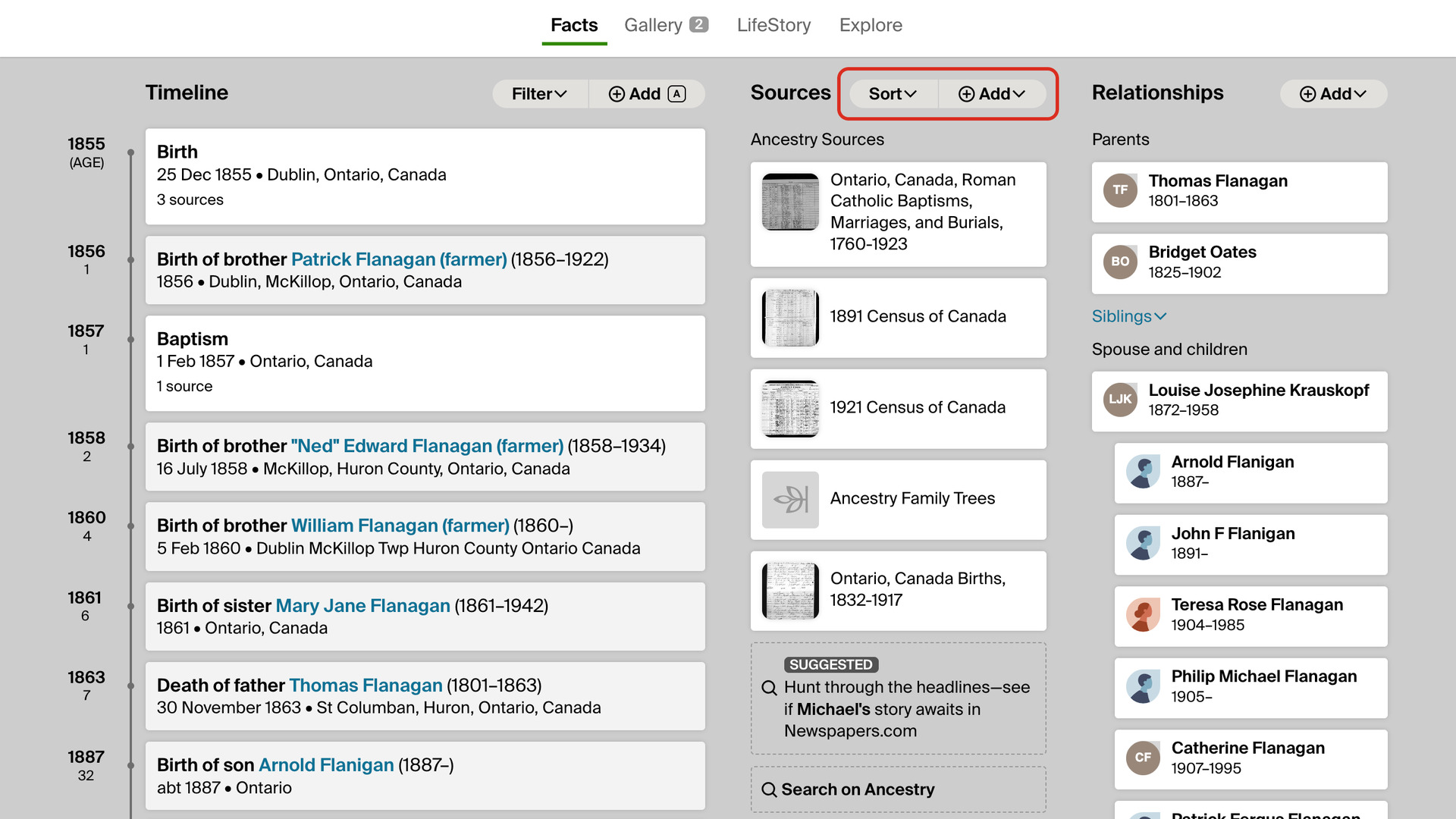
Sort Sources by Date adds a Sort menu to the Sources column of a person’s Facts page on Ancestry. It puts their sources in order of the record’s date. Without it, sources are listed alphabetically by title, so a run of censuses and registers is read title by title.
How does Sort Sources by Date work?
Sort sits beside Add at the top of the Sources column, in the same style as Ancestry’s Filter button beside Add in the Timeline. Click it for three choices, with a check beside the one in use:
- Default order, Ancestry’s own order.
- Date, oldest first.
- Date, newest first.
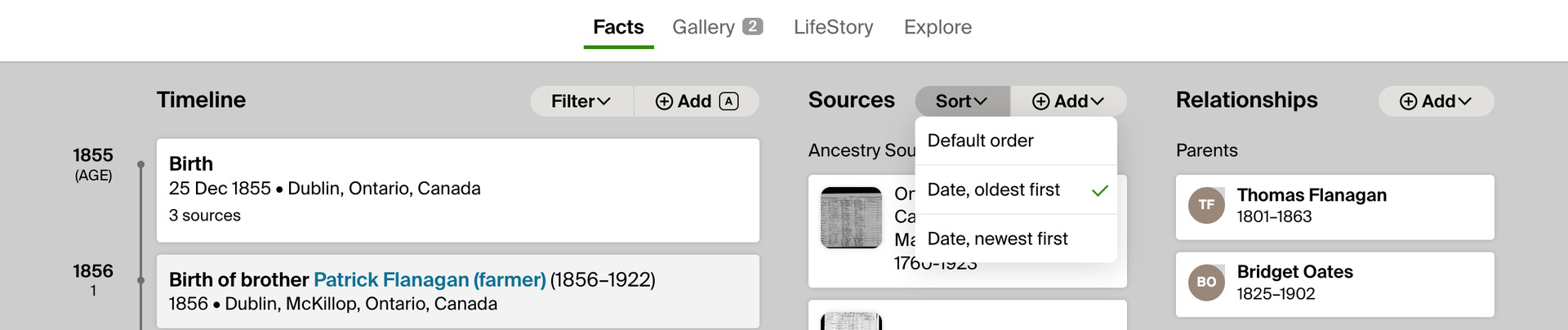
The arrow keys move through the menu, and Esc or a click elsewhere closes it. Your choice is remembered for every person you open. Only the order on screen changes; nothing in your tree changes.
A source is dated by the record itself: the latest event it supports other than a birth or a death. A census that gives a birth in 1855 and a residence in 1891 sorts at 1891, and a baptism register at the baptism.
A source that supports only a birth or a death, such as a birth index, sorts at that date. Sources with no dated event, such as a member tree, go last in either date order, in Ancestry’s order.
How do I use Sort Sources by Date?
- In the Genealogy Assistant pop-up panel, make sure Sort Sources by Date is turned on.
- Open a person’s profile in your Ancestry tree, on the Facts tab.
- At the top of the Sources column, click Sort. The menu opens.
- Choose Date, oldest first or Date, newest first. The sources move into that order.
- To go back to Ancestry’s order, choose Default order.
Why don’t I see Sort?
If Sort is missing from the Sources column, fewer than two of the person’s sources have a date, so there is nothing to sort.
Related features
- Add Birth Ranges to Census Records: Shows the dates a person was born between on Ancestry census records, from their age and the census day, and flags a census that cannot be theirs.
- Link Place Names to Google Maps: Turns places on Ancestry profiles, in the Timeline, on tree cards and on the Add new information to your tree page into links to Google Maps.
- Add Advanced Search to Profiles: Search anyone in your Ancestry tree on eight genealogy websites from their profile, with civil registration indexes beside each place and an age added to the death date.
Sort Sources by Date is a feature of the software Genealogy Assistant.
Genealogy Assistant is an extension for Google Chrome, Mozilla Firefox, Microsoft Edge and Apple Safari which supercharges your family history research by adding over 100 custom features to popular genealogy websites like Ancestry, MyHeritage, FamilySearch, FamilyTreeDNA and more.
Install Genealogy Assistant for Google Chrome | Install for Mozilla Firefox | Install for Microsoft Edge | Install for Apple Safari