

What problem does MyHeritage Show New Shared Matches First solve?
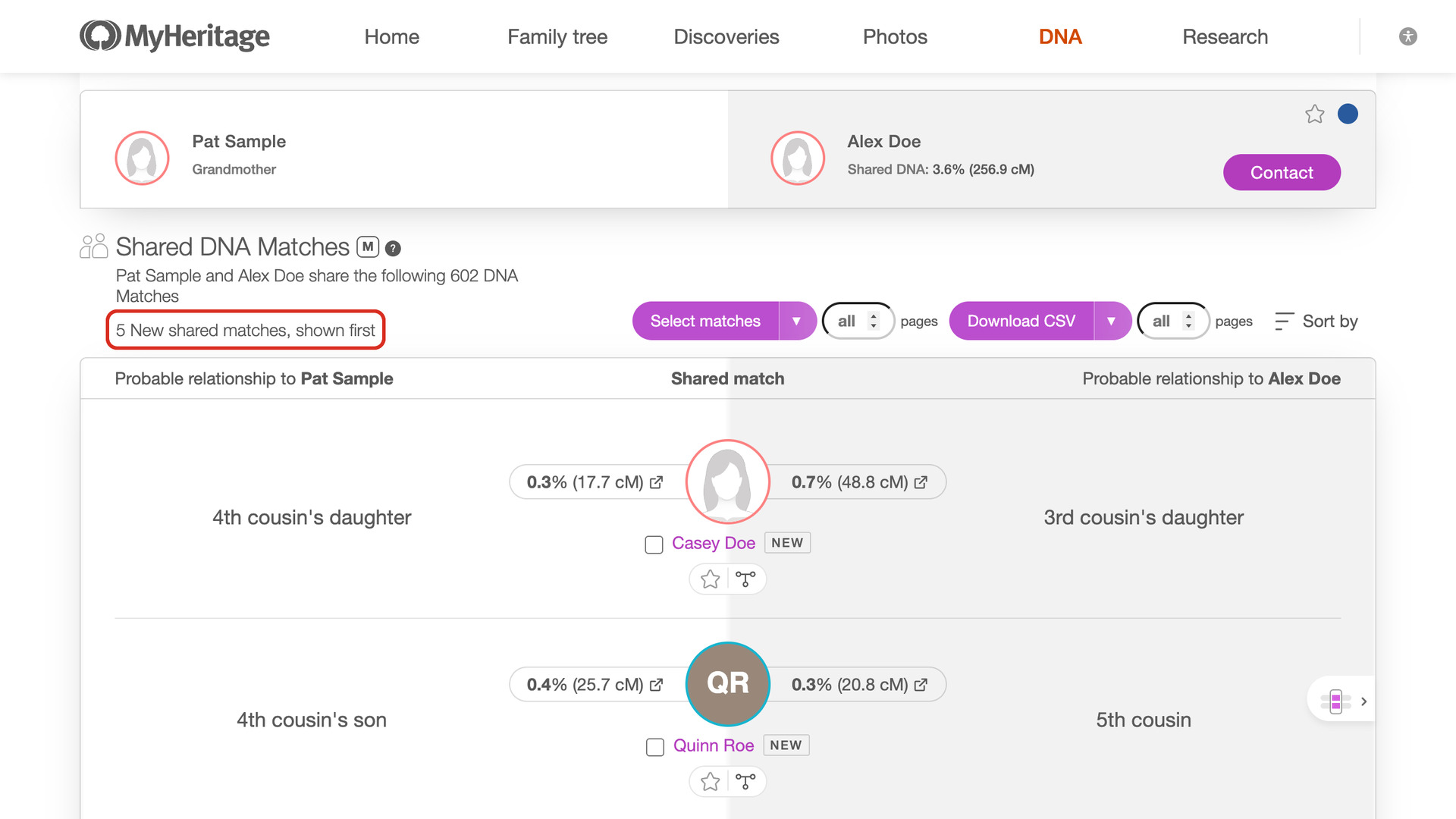
MyHeritage Show New Shared Matches First adds a Show New first link to the shared matches of a MyHeritage DNA match, which finds the shared matches that are new and puts them at the top. MyHeritage tags new matches only on your matches list, and sorts shared matches by centimorgans, so a new shared match can sit anywhere in a list of thousands.
How does MyHeritage Show New Shared Matches First work?
The Show New first link sits under the line that counts the shared matches, at the top of the list. Nothing happens until you click it.
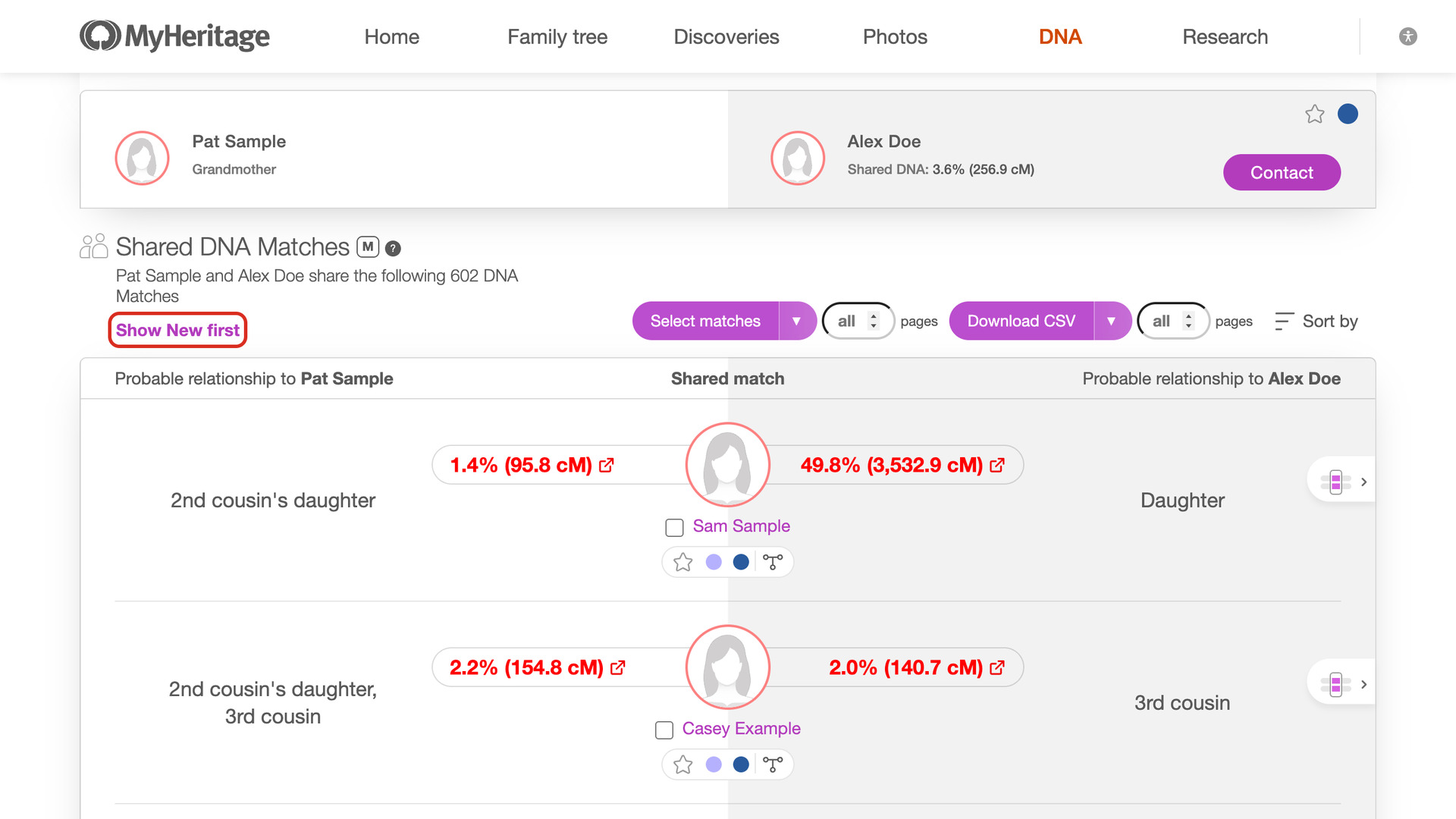
A match counts as new when MyHeritage shows the NEW tag beside it on your matches list. One click finds which of those matches share DNA with the match you are viewing, and moves them to the top of the shared matches with the same NEW tag.
On a list of a few hundred shared matches, the list loads ten at a time, the same way as Show All, and each new match moves to the top as it appears. On a list of thousands, your new matches are checked one at a time instead, closest first, so the closest new shared matches usually appear within the first minute.
While it works, the line shows how far it has got and how many it has found, with a Stop link. Stopping keeps the ones found so far at the top. When it finishes, the line says how many it found, for example 5 New shared matches, shown first, or No New shared matches. Hover over the line to see how many of your new matches were checked.
MyHeritage decides which matches are new, and does not say how long a match stays new. Nothing is saved between visits, so the result is the same on any computer. The checks follow the Download speed in Advanced Settings, like the shared matches download. There is nothing else to set up.
How do I use MyHeritage Show New Shared Matches First?
- In the Genealogy Assistant pop-up panel, make sure Show New Shared Matches First is turned on.
- Open a match from your MyHeritage DNA matches list, and scroll down to Shared DNA Matches.
- Under the count of shared matches, click Show New first. The new shared matches move to the top as they are found.
- To end early, click Stop. The ones found so far stay at the top.
Related features
- MyHeritage Download Shared Matches as CSV File: Save the shared matches of any MyHeritage match to a CSV file, or only the triangulated ones from the drop-down beside the Download CSV button.
- MyHeritage Default Sort by Highest Mutual Matches: MyHeritage shared matches open sorted by the most centimorgans shared with your match, so the strongest connections are at the top.
- MyHeritage Highlight Mutual Matches 50cM+: Highlights mutual matches who share 50 cM or more with each other in bold red, using a threshold you can change.
MyHeritage Show New Shared Matches First is a feature of the software Genealogy Assistant.
Genealogy Assistant is an extension for Google Chrome, Mozilla Firefox, Microsoft Edge and Apple Safari which supercharges your family history research by adding over 100 custom features to popular genealogy websites like Ancestry, MyHeritage, FamilySearch, FamilyTreeDNA and more.
Install Genealogy Assistant for Google Chrome | Install for Mozilla Firefox | Install for Microsoft Edge | Install for Apple Safari